AGENT — Legal Web.منصة AGENT للمحامين.
Every legal request, with a clear owner and a next step.لكل طلب قانوني مسؤول واضح وخطوة تالية معروفة.
One web platform to run a legal-services operation: request queues, contractor assignments, support review, internal chat, team management and an organised legal reference library.منصة ويب واحدة لتشغيل الخدمات القانونية: قوائم الطلبات، وتكليف المتعاقدين، ومراجعة الدعم، والمحادثات الداخلية، وإدارة الفريق، ومكتبة مراجع قانونية منظمة.
Real screenshots · Isolated demo · Sample recordsلقطات حقيقية · نسخة عرض منفصلة · بيانات تجريبية
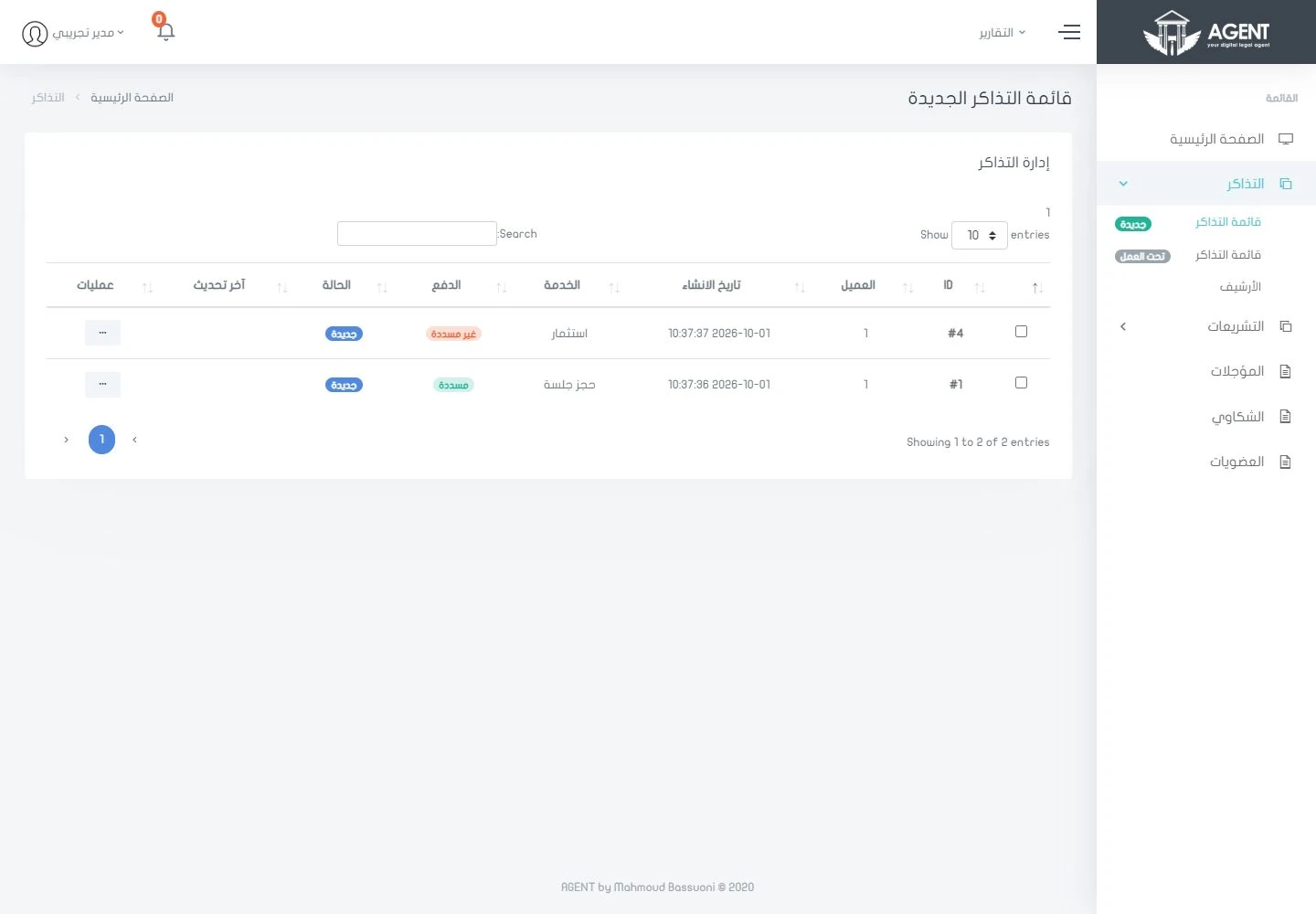
What it brings to your team.ماذا يقدّم لفريقك؟
Every request shows what was asked, who is responsible, what changed and which team acts next.يوضح كل طلب المطلوب فيه، والمسؤول عنه، وما تغيّر فيه، والفريق صاحب الخطوة التالية.
Four key areas, one connected team.أربعة أقسام رئيسية، وفريق واحد مترابط.
Open any section to see its real screens and what it does for your team.افتح أي قسم لتشاهد شاشاته الحقيقية، وتعرف ما يقدمه لفريقك.
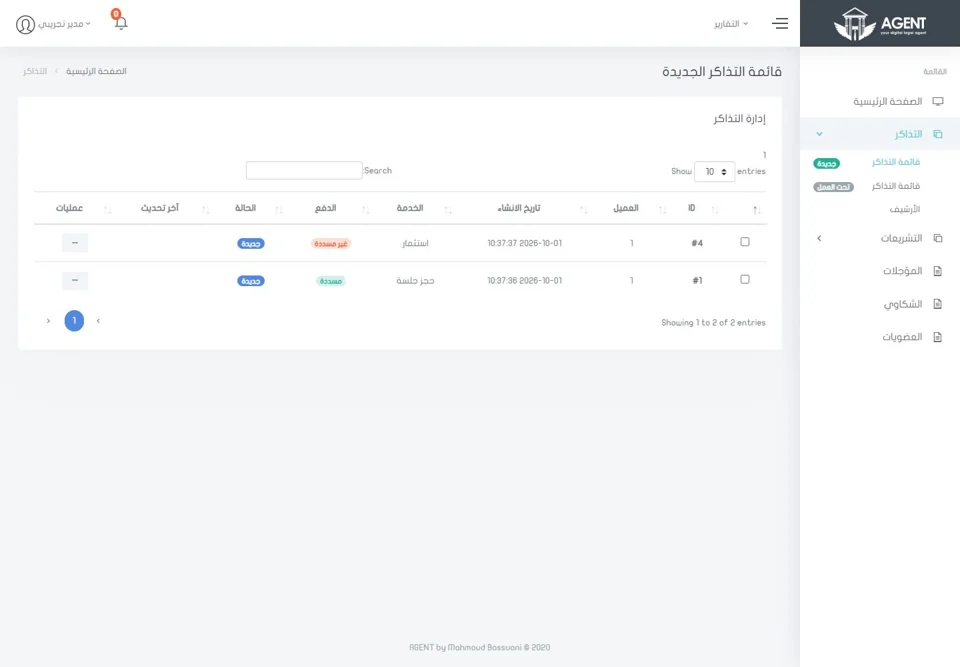 01Request queueقائمة الطلباتOne queue for every request, and a clear next step.قائمة واحدة لكل الطلبات، وخطوة تالية واضحة.2 features · 2 screensميزتان · شاشتان
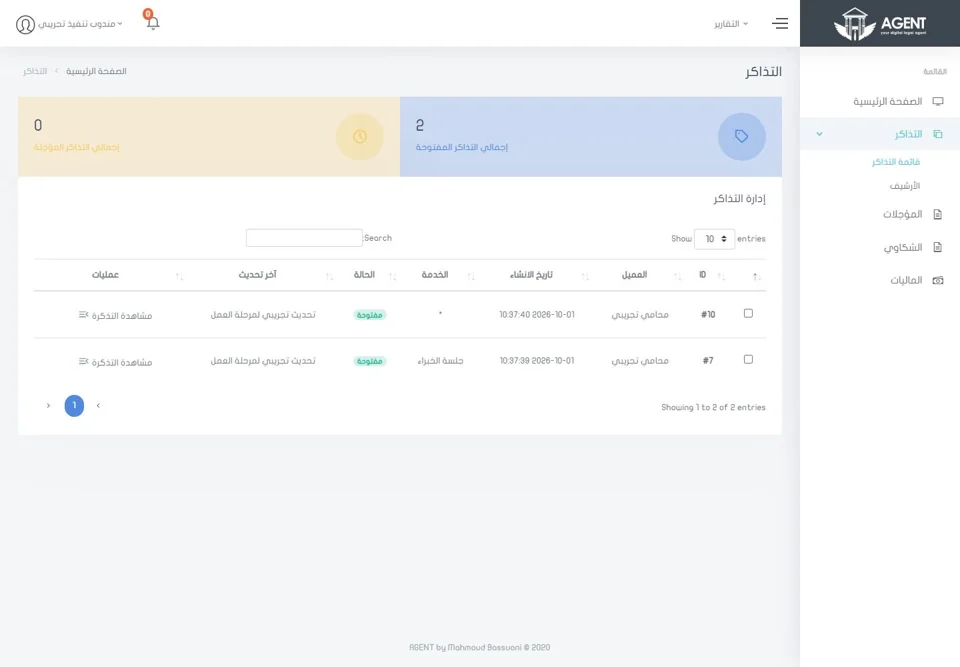 02Assigned workالمهام المسندةEvery task, with its full history.كل مهمة بتاريخها الكامل.3 features · 3 screens٣ مزايا · ٣ شاشات
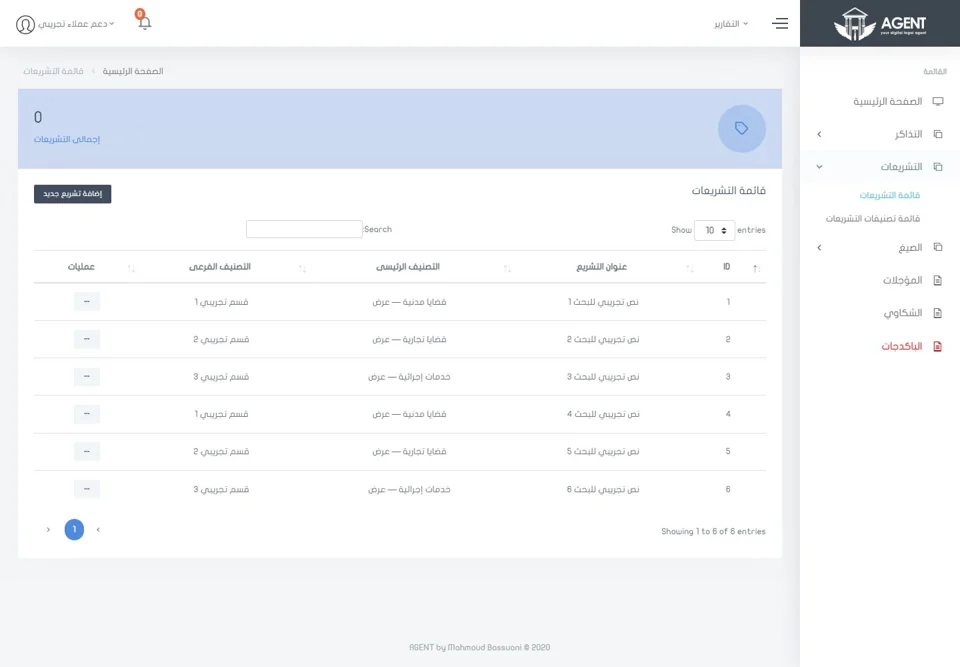 03Legal libraryالمكتبة القانونيةA legal library your team keeps up to date.مكتبة قانونية يحدّثها فريقك بنفسه.2 features · 2 screensميزتان · شاشتان
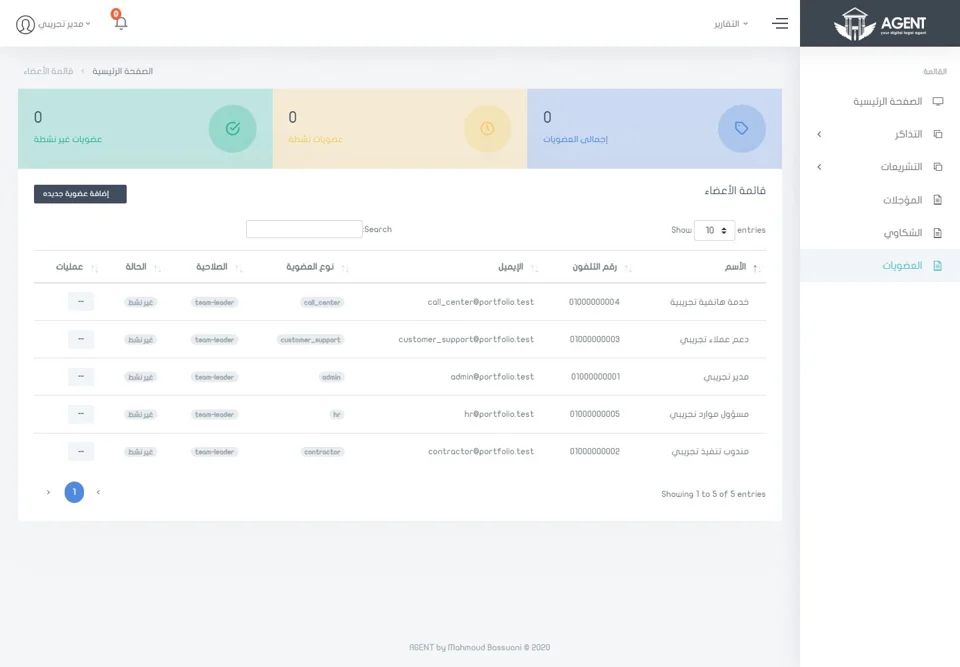 04Team & rolesالفريق والأدوارA dedicated dashboard for each team.لوحة مخصصة لكل فريق.2 features · 2 screensميزتان · شاشتان
One queue for every request, and a clear next step.قائمة واحدة لكل الطلبات، وخطوة تالية واضحة.
Your operations team reviews incoming legal requests and follows their progress from one shared list.يراجع فريق التشغيل طلبات الخدمات القانونية الواردة، ويتابع تقدمها من قائمة مشتركة واحدة.
See all featuresكل المزايا بالتفصيل
Requests at a glanceنظرة سريعة على الطلبات
See each request’s number, service type, assignee and current status.اعرض رقم كل طلب، ونوع خدمته، ومن كُلِّف به، وحالته الحالية.
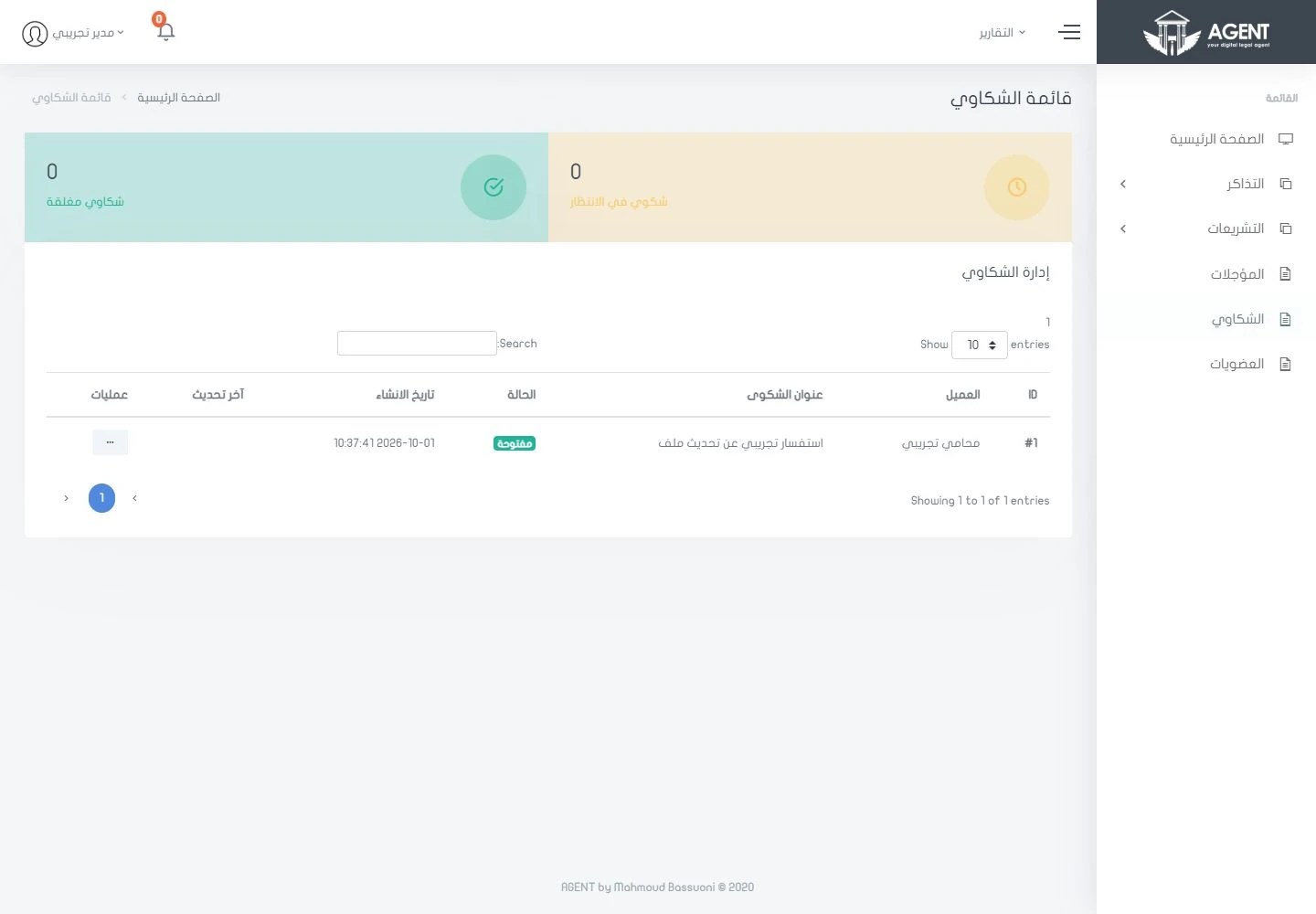
Complaint trackingمتابعة الشكاوى
Complaints get their own queue, with a clear status and route.للشكاوى قائمة مستقلة، بحالة واضحة ومسار توجيه معروف.
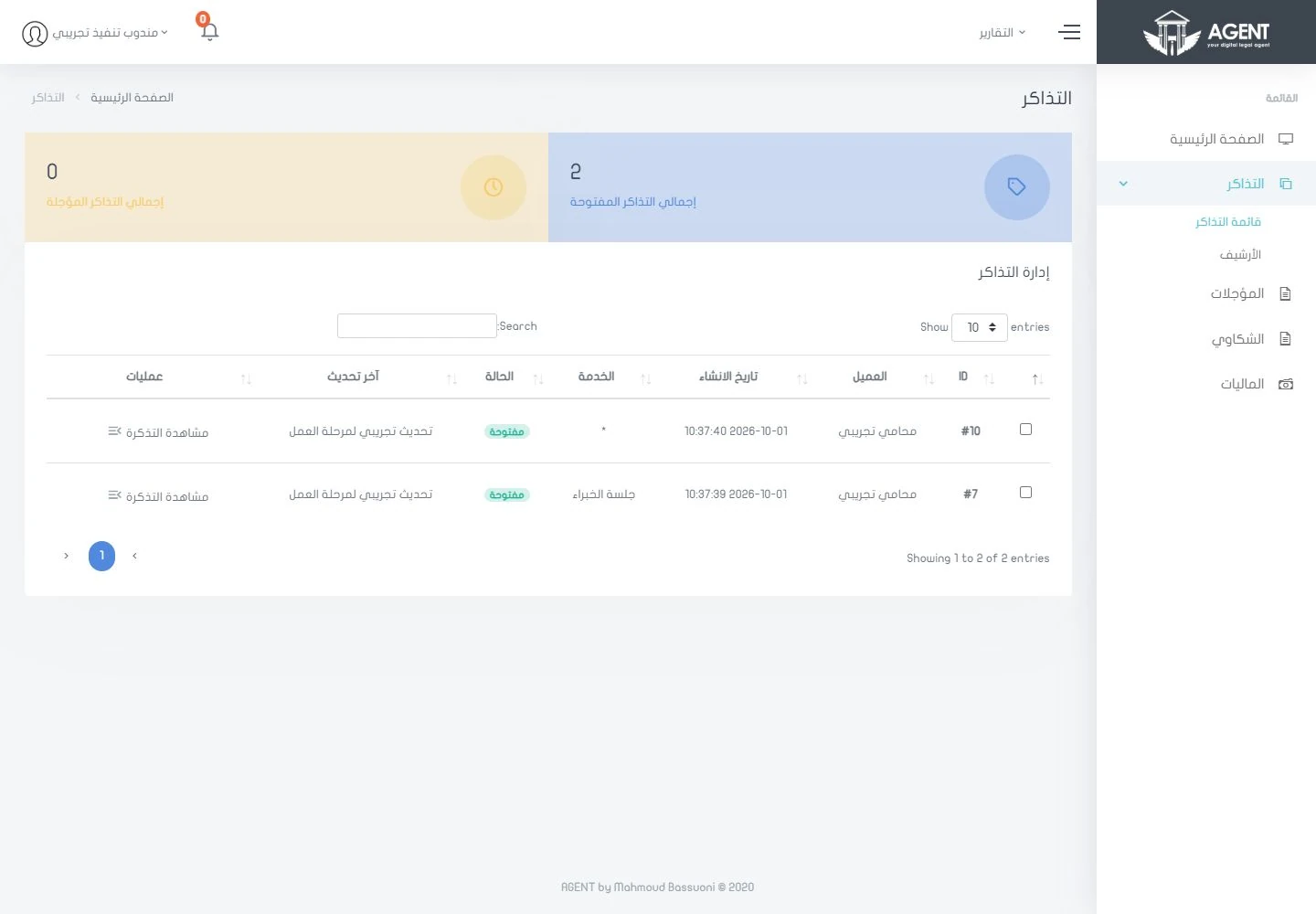
Every task, with its full history.كل مهمة بتاريخها الكامل.
Contractors work from their own task list and open the full details of each task.يعمل المتعاقد من قائمة مهامه الخاصة، ويفتح التفاصيل الكاملة لكل مهمة.
See all featuresكل المزايا بالتفصيل
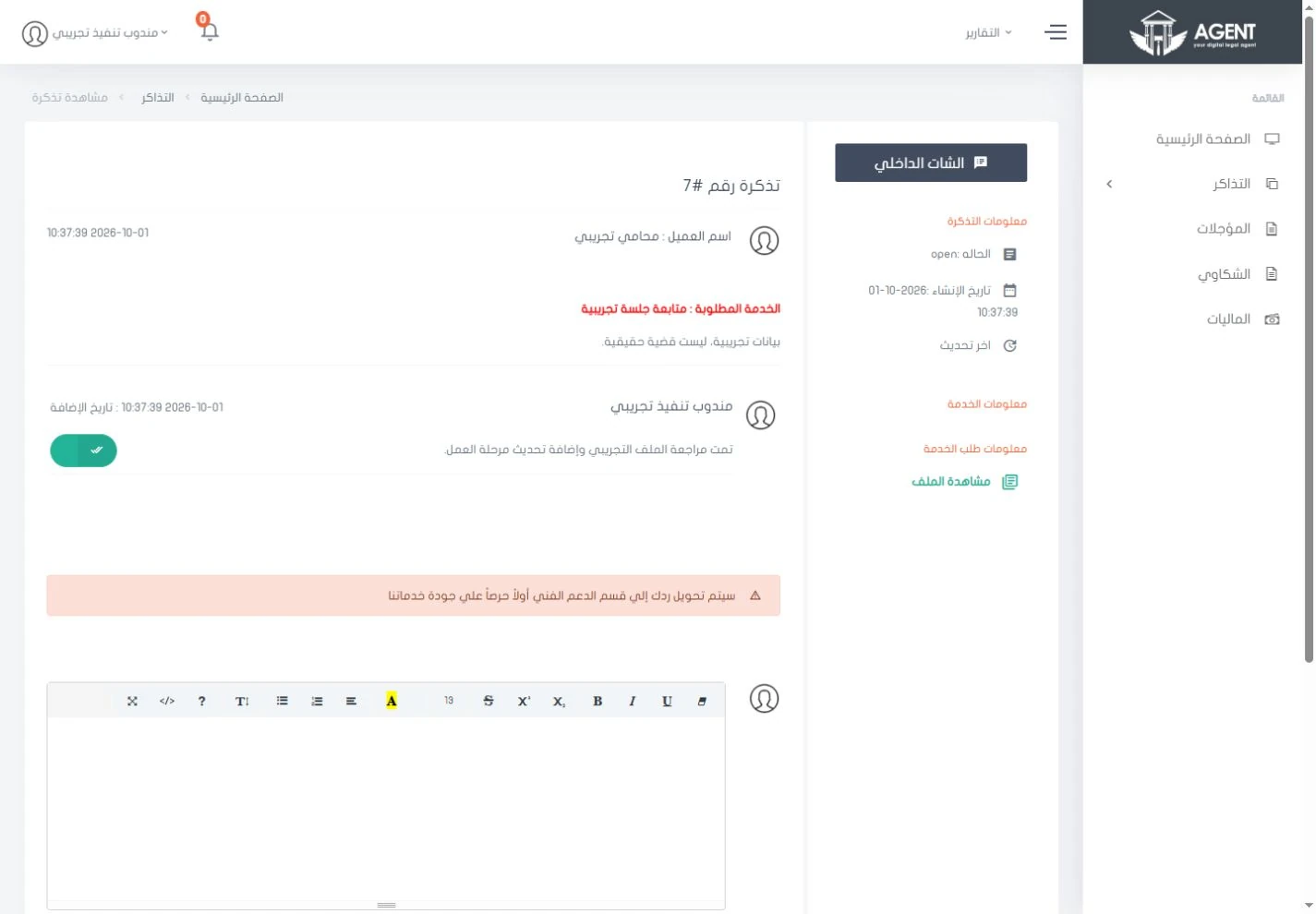
The request fileملف الطلب
Each request file shows its replies, attachments and review route on one screen.يعرض ملف كل طلب الردود والمرفقات ومسار المراجعة في شاشة واحدة.
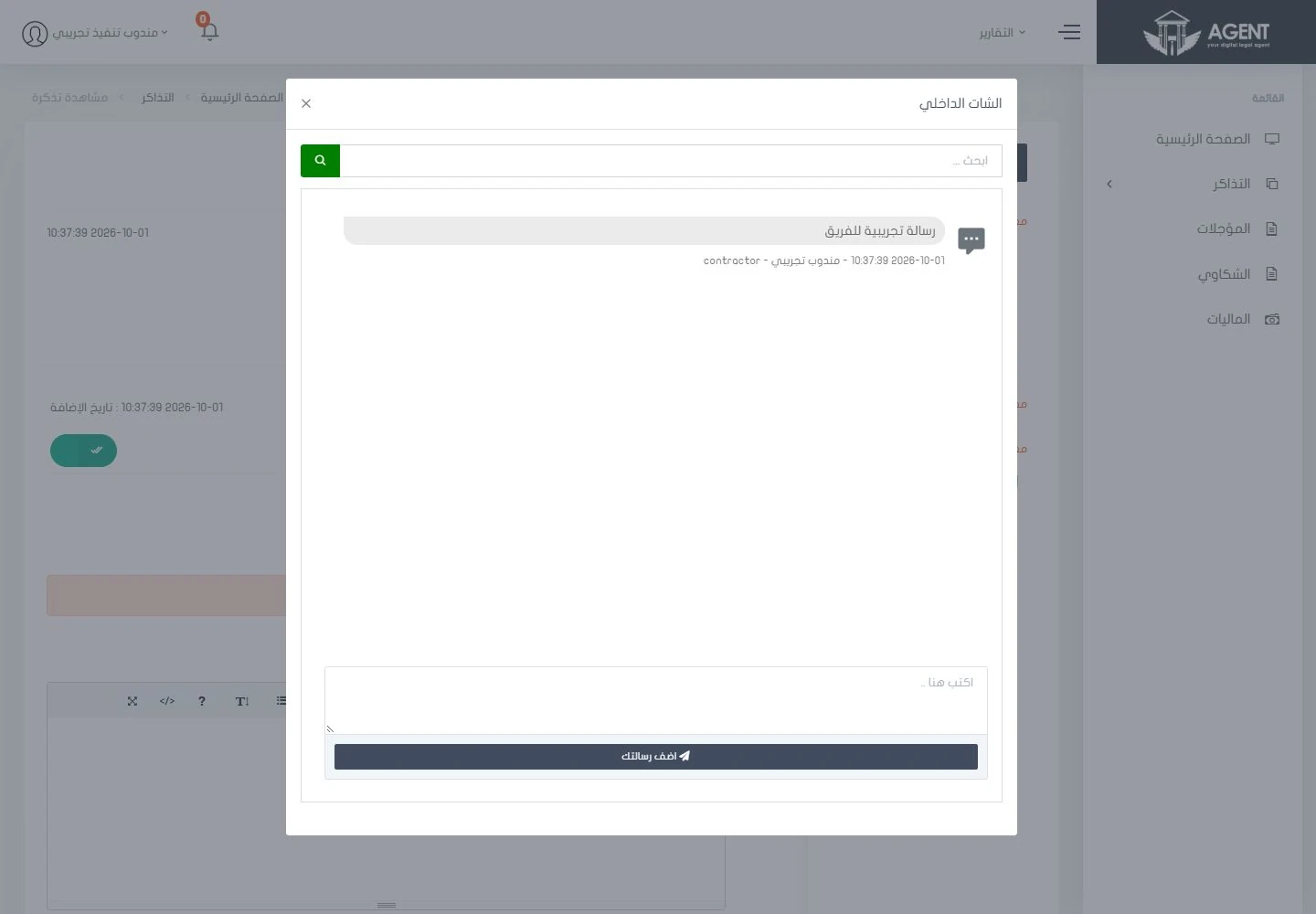
Internal chatالمحادثة الداخلية
Discuss each request with your team in an internal chat, right beside the request itself.ناقش كل طلب مع فريقك في محادثة داخلية، بجوار الطلب نفسه.
Support reviewمراجعة فريق الدعم
The screen shows which replies go through support before moving to the next step.توضح الشاشة الردود التي تمر على فريق الدعم قبل انتقالها إلى الخطوة التالية.
A legal library your team keeps up to date.مكتبة قانونية يحدّثها فريقك بنفسه.
Organise legal references by category and keep them easy to search.نظِّم المراجع القانونية حسب التصنيف، واجعل البحث فيها سهلًا.
See all featuresكل المزايا بالتفصيل
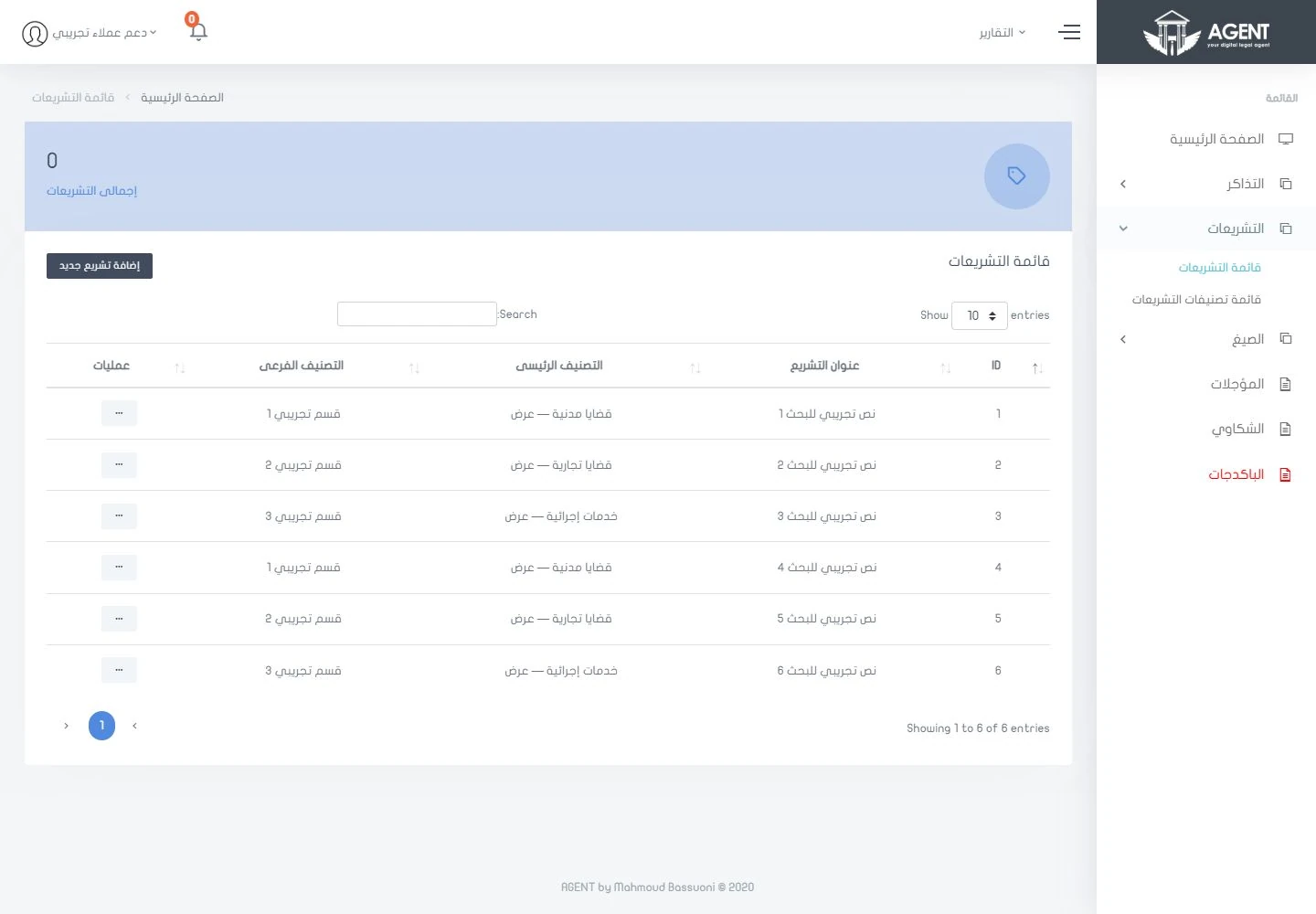
Legislation by categoryالتشريعات حسب التصنيف
Manage legislation and reference entries by category from the support dashboard.أدِر التشريعات والمراجع المصنفة من لوحة فريق الدعم.
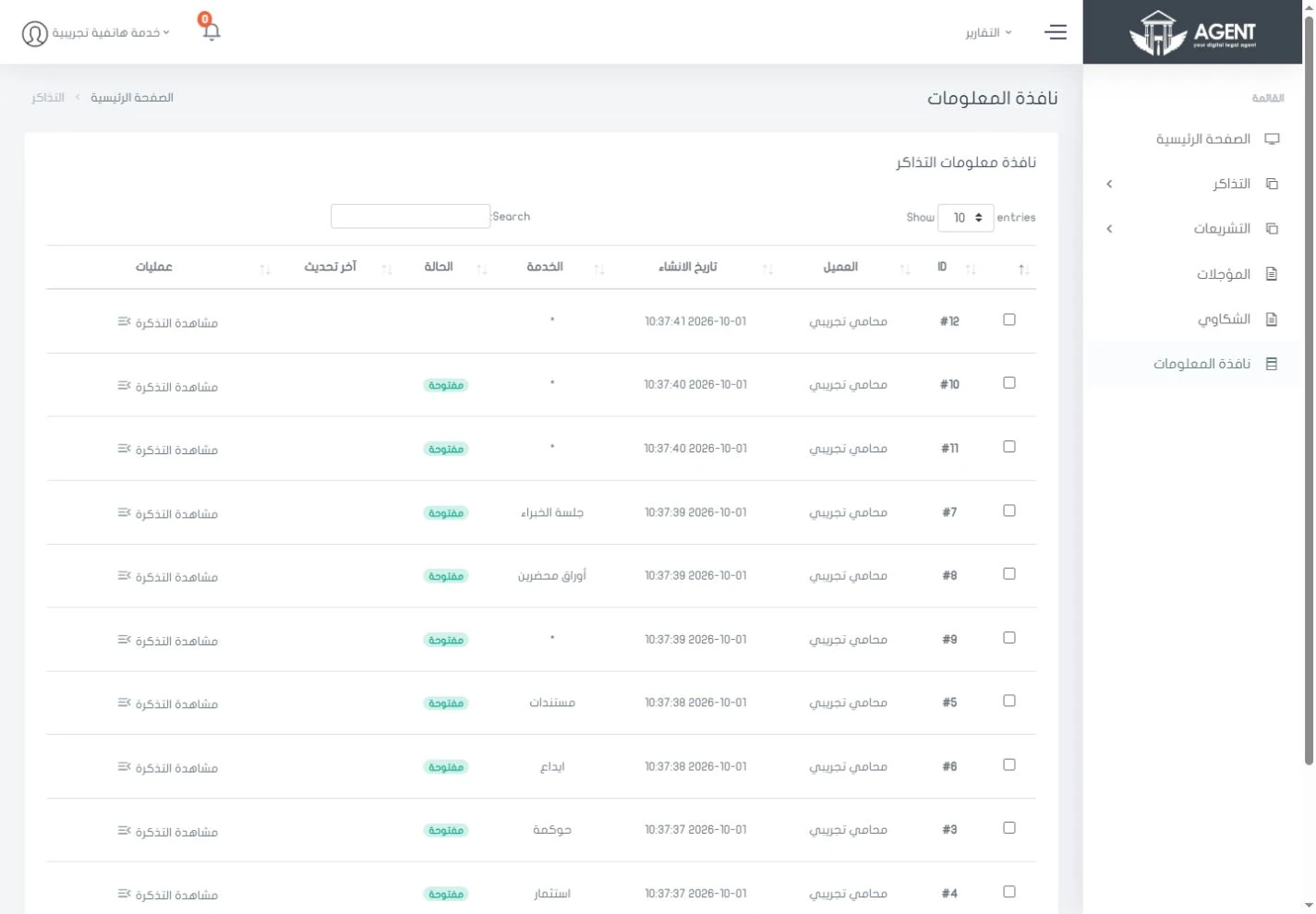
Service informationمعلومات الخدمات
Record service information in one list your follow-up teams can reach.سجِّل معلومات الخدمات في قائمة متاحة لفرق المتابعة.
A dedicated dashboard for each team.لوحة مخصصة لكل فريق.
Administration, contractors, support, call centre and HR each have their own entry point and screens, all shown here.لكلٍّ من الإدارة والمتعاقدين والدعم ومركز الاتصال والموارد البشرية مدخل مستقل وشاشات خاصة، تجدها كلها هنا.
See all featuresكل المزايا بالتفصيل
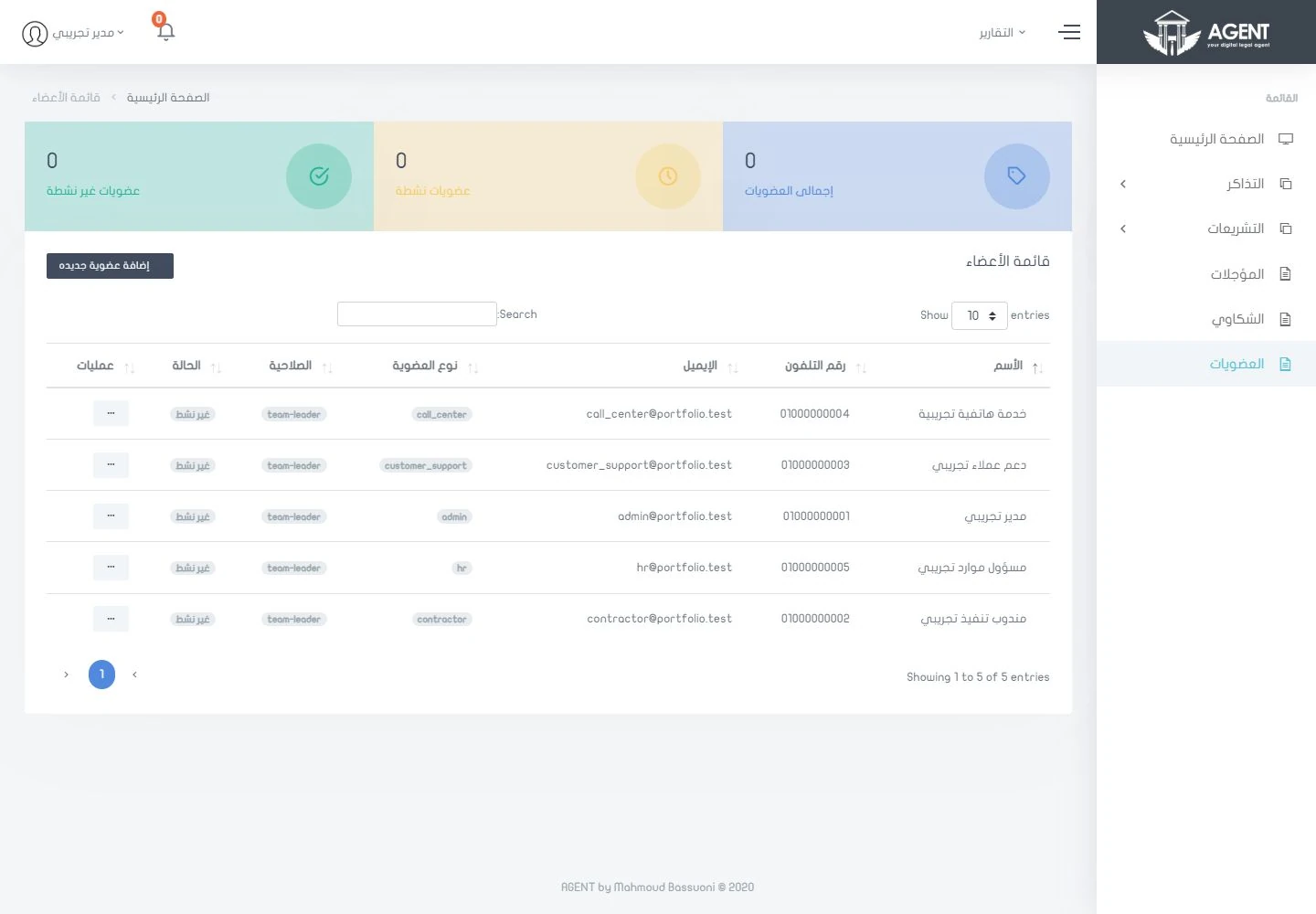
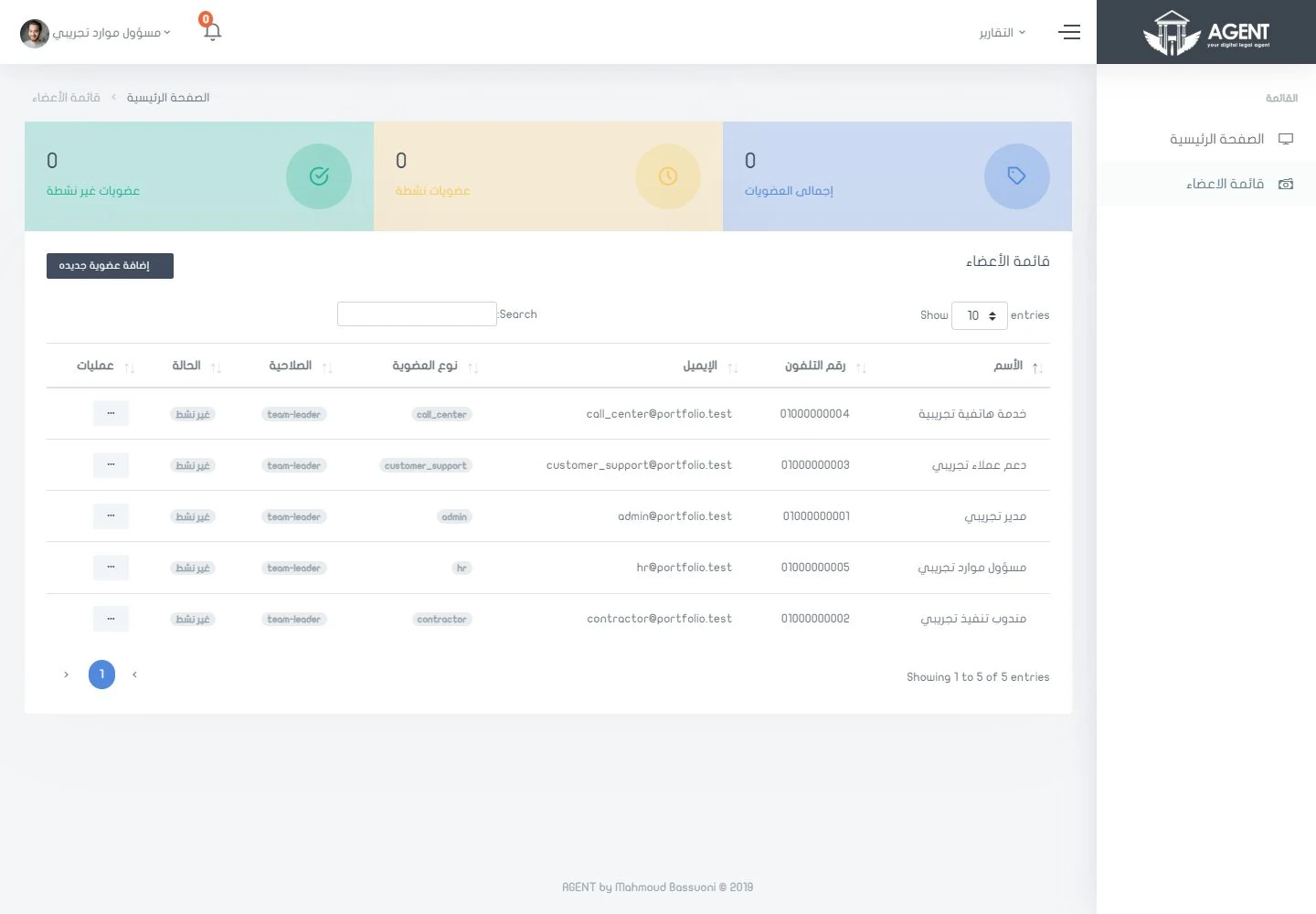
Team membersأعضاء الفريق
Browse team accounts and the role assigned to each one.استعرض حسابات الفريق والدور المسند إلى كل حساب.
HR panelلوحة الموارد البشرية
HR gets its own view for managing memberships and organising the operations team.للموارد البشرية واجهة خاصة لإدارة العضويات وتنظيم فريق التشغيل.
See the platform for yourself.شاهد المنصة بنفسك.
13 real screenshots from all five team roles. Open any image, zoom in on the details and browse them all.١٣ لقطة حقيقية من حسابات الأدوار الخمسة. افتح أي صورة، وكبِّر التفاصيل، وتنقّل بين الصور كلها.
Showing 8 of 13عرض ٨ من ١٣
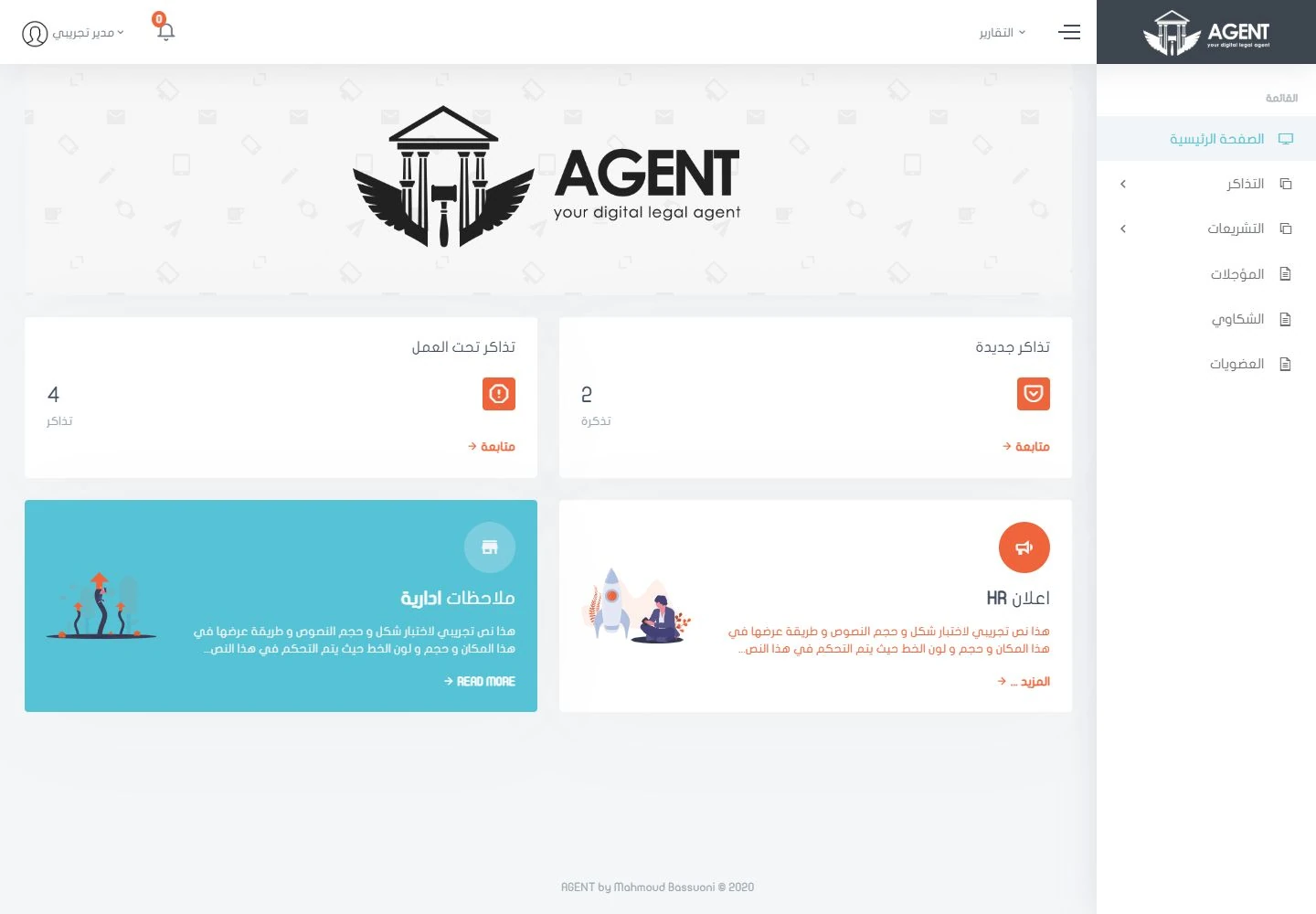
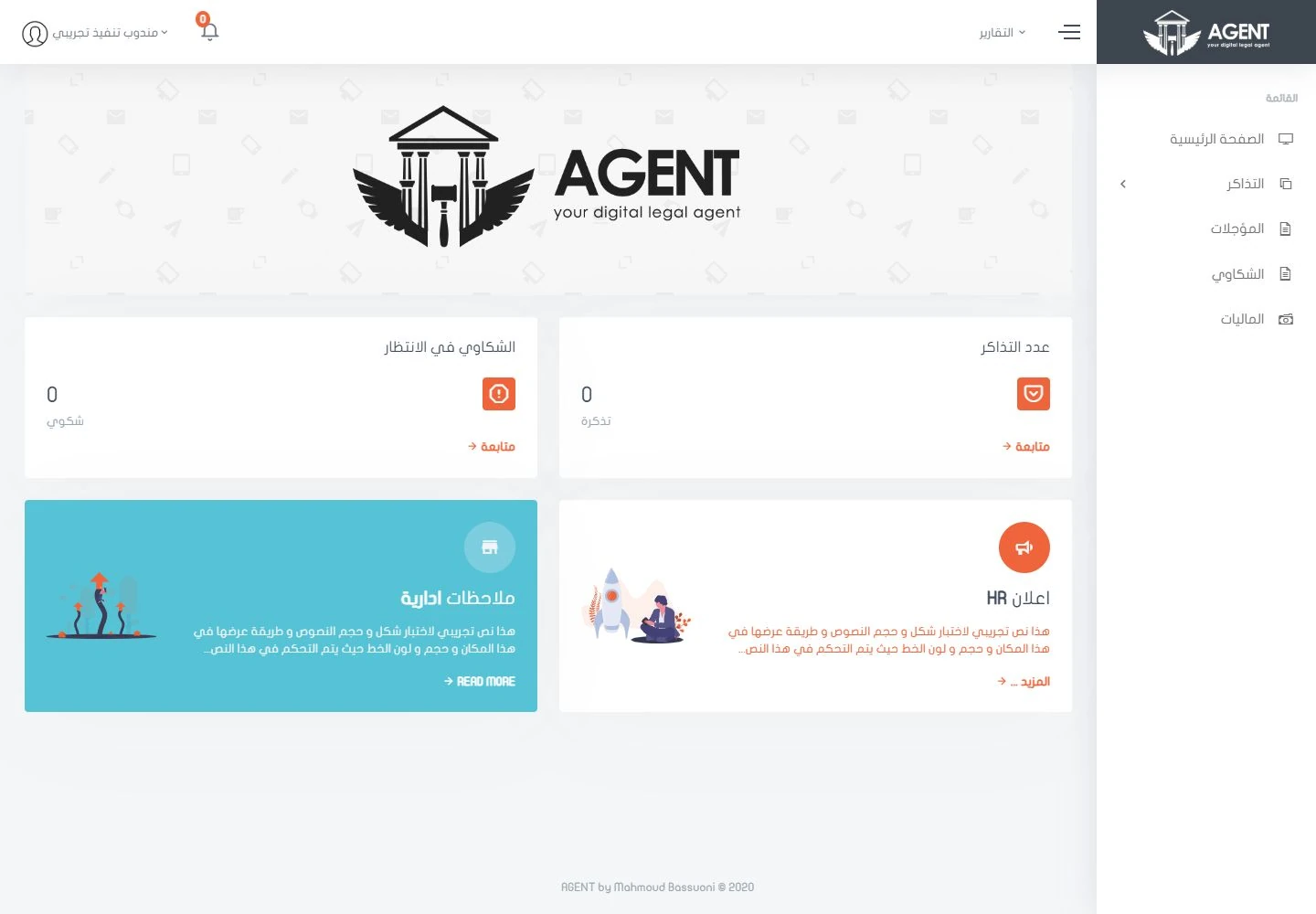
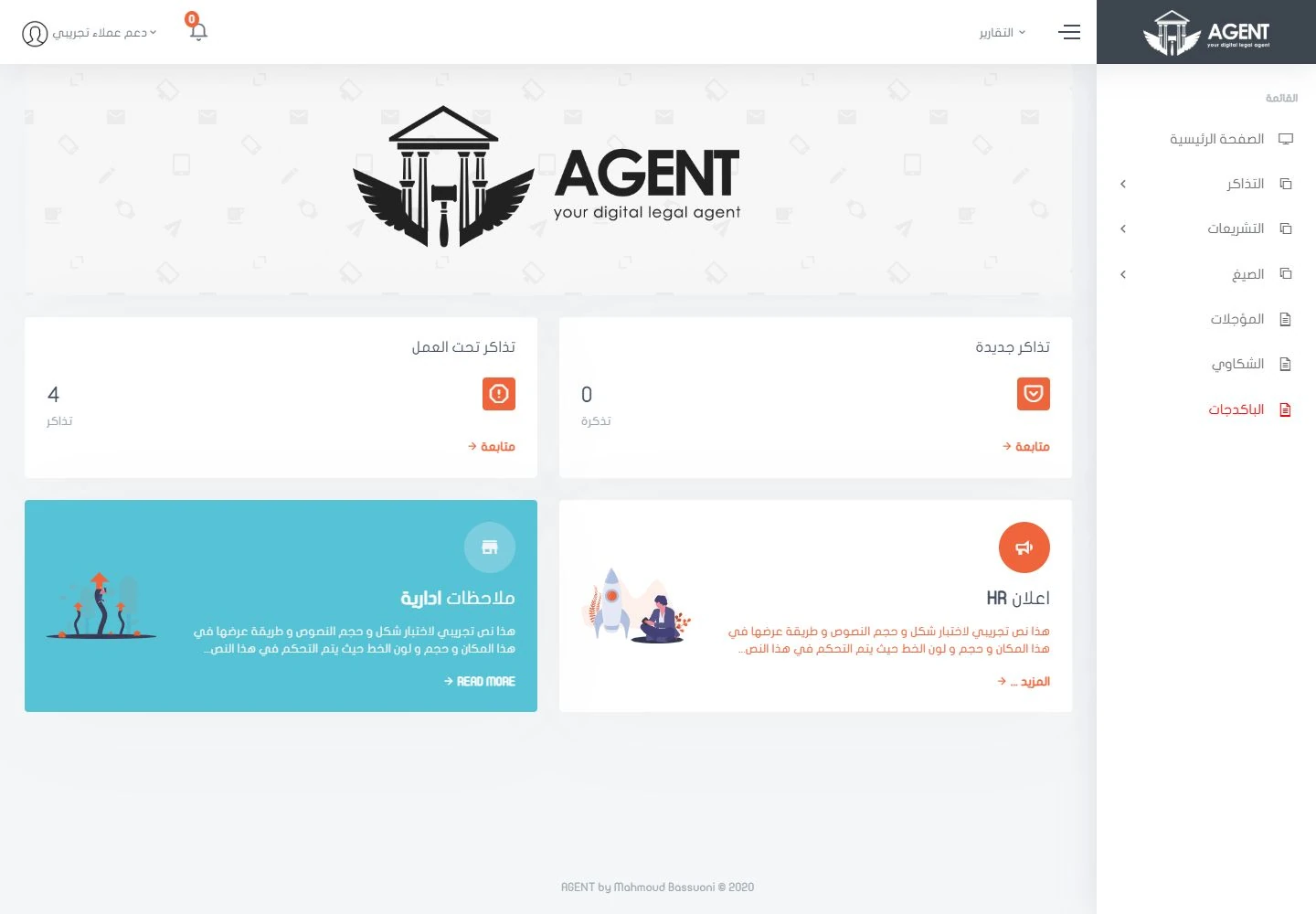
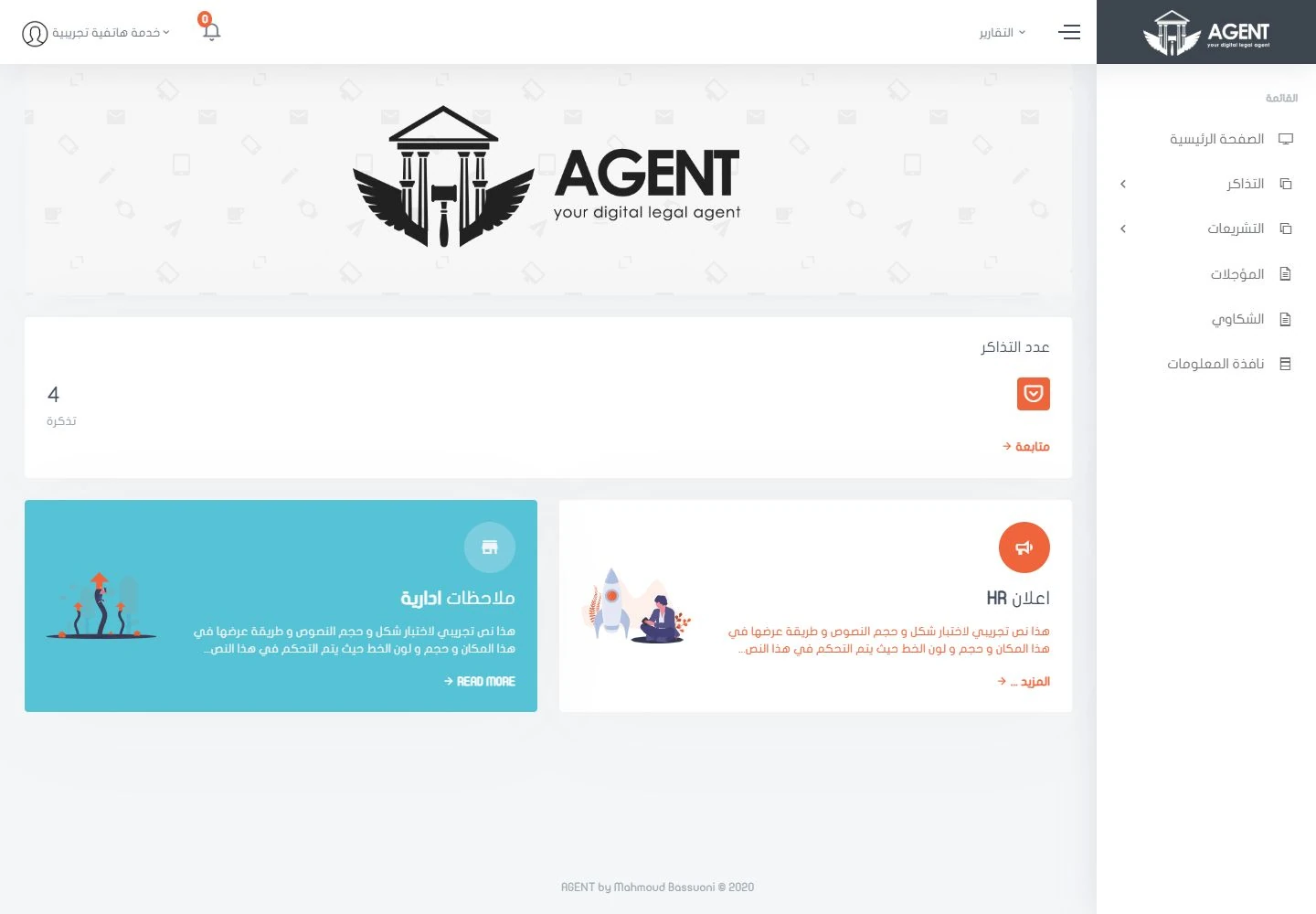
A screen for every role.شاشة مناسبة لكل دور.
These five accounts were opened in the demo copy. Choose a role to see its real screen.فُتحت هذه الحسابات الخمسة في نسخة العرض. اختر أي دور لتشاهد شاشته الحقيقية.
What this demo covers — and what it doesn’t.ما يغطيه هذا العرض، وما لا يغطيه.
Five team dashboards were reviewed using separate sample accounts and records, and the demo includes compatibility adjustments for the source versions supplied. External messaging, payment and permission enforcement in a live production setup were not verified. The library text is sample content, not legal advice.رُوجعت خمس لوحات عمل بحسابات وسجلات تجريبية منفصلة، وتتضمن نسخة العرض تعديلات توافق مع نسخ المصدر المسلَّمة. ولم يتم التحقق من الرسائل الخارجية، ولا الدفع، ولا تطبيق الصلاحيات في بيئة التشغيل الفعلية. ونصوص المكتبة محتوى تجريبي، وليست استشارة قانونية.