Al-Amin Eye Hospitals.مستشفيات الأمين للعيون.
From the first booking to the final invoice, all in one system.من أول حجز حتى آخر فاتورة، كل شيء في نظام واحد.
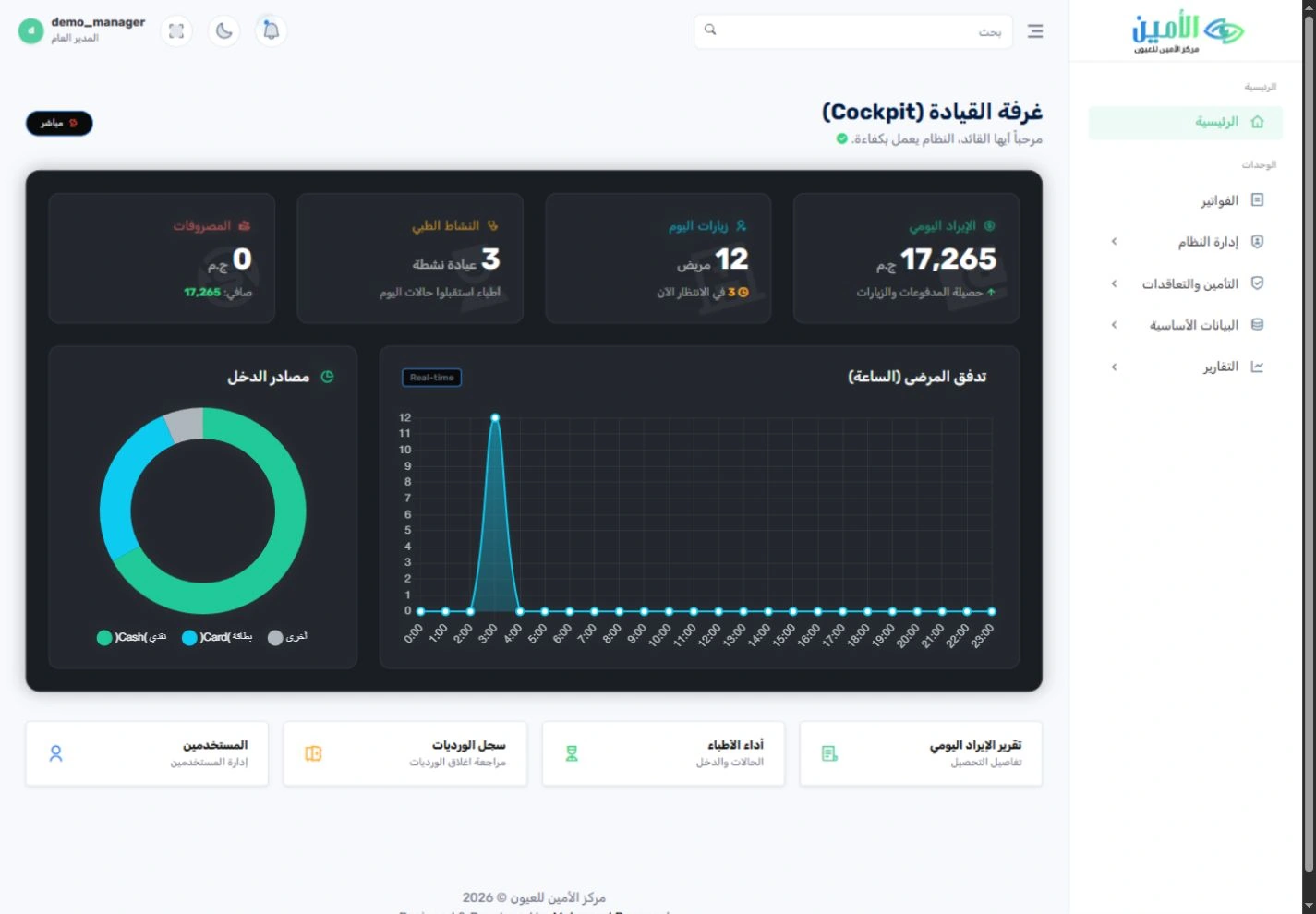
A custom-built ERP for eye hospitals that connects appointments, surgery, insurance, lenses, purchasing and finance. Each team gets a clear screen of its own; management gets the full picture.نظام ERP مصمم خصيصًا لمستشفيات العيون، يربط المواعيد والعمليات والتأمين والعدسات والمشتريات والحسابات. لكل فريق شاشته الواضحة، وللإدارة الصورة كاملة.
Real screenshots · Separate demo copy · Synthetic dataلقطات حقيقية من النظام · نسخة عرض منفصلة · بيانات تجريبية
One patient journey, every team in step.رحلة واحدة للمريض، تتابعها الأقسام كلها معًا.
The real value is in the handovers: the service a patient receives, what each department used and the payment recorded can each be followed from the responsible team’s screen.القيمة الحقيقية في انتقال العمل بين الأقسام: الخدمة التي حصل عليها المريض، وما استهلكه كل قسم، والمبلغ المسجَّل، كلها تُتابَع من شاشة الفريق المسؤول.
Registrationتسجيل المريض
Find the patient and open the right service ticket.ابحث عن المريض وافتح تذكرة الخدمة المناسبة.
Eye care & surgeryخدمات العيون والعمليات
Track the service, operating room, surgical team and consumables.تابِع الخدمة وغرفة العمليات وفريق العملية والمستهلكات.
Billing & paymentالحساب والتحصيل
Track the invoice, payments, receipt and remaining balance.تابِع الفاتورة والدفعات والإيصال والرصيد المتبقي.
Review & oversightالمراجعة والرقابة
Check stock, the financial impact and management indicators.راجِع المخزون والأثر المالي ومؤشرات الإدارة.
Ten departments, one system.١٠ أقسام في نظام واحد.
Open any department to see its real screens and what it does for your team.افتح أي قسم لتشاهد شاشاته الحقيقية، وتعرف ما يقدمه لفريقك.
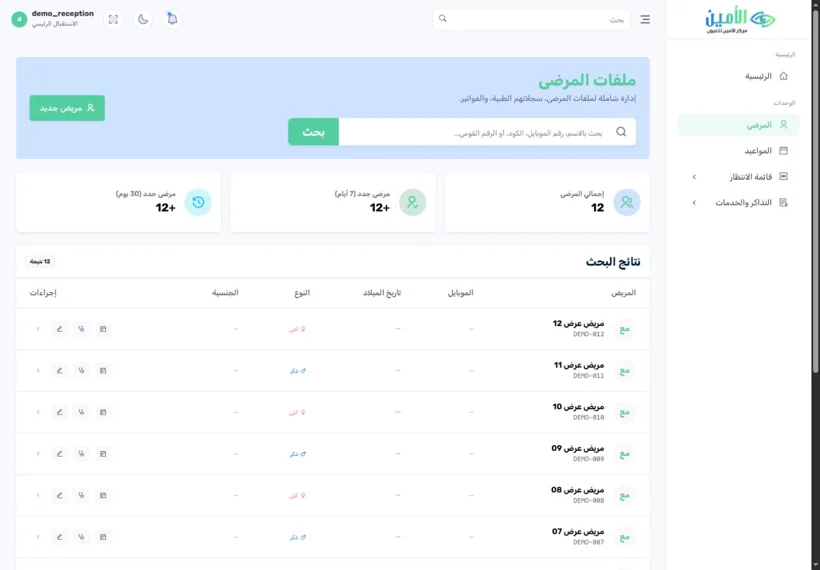 01Patient recordsملفات المرضىEvery visit starts with the patient’s history in view.كل زيارة تبدأ وملف المريض أمامك.3 features · 2 screens٣ مزايا · شاشتان
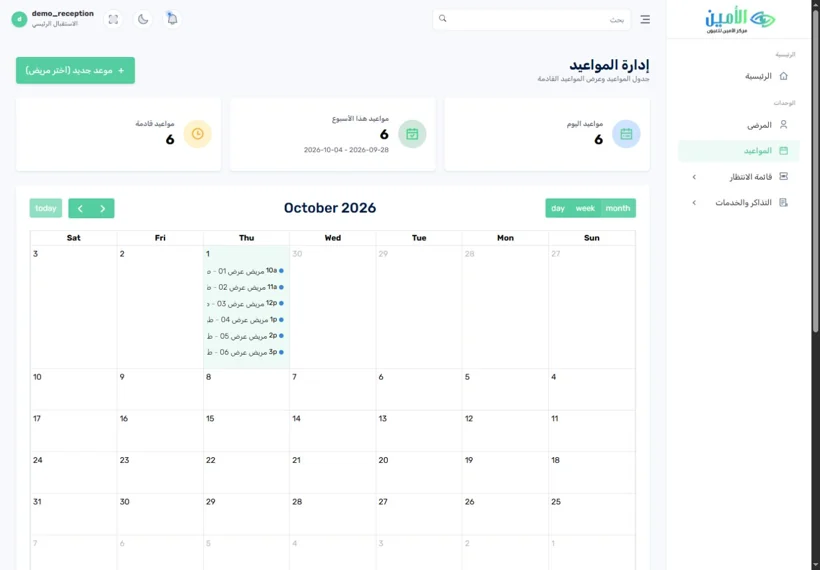 02Appointments & queueالمواعيد والانتظارPlan the day before the waiting room fills.نظِّم يومك قبل أن تمتلئ صالة الانتظار.3 features · 2 screens٣ مزايا · شاشتان
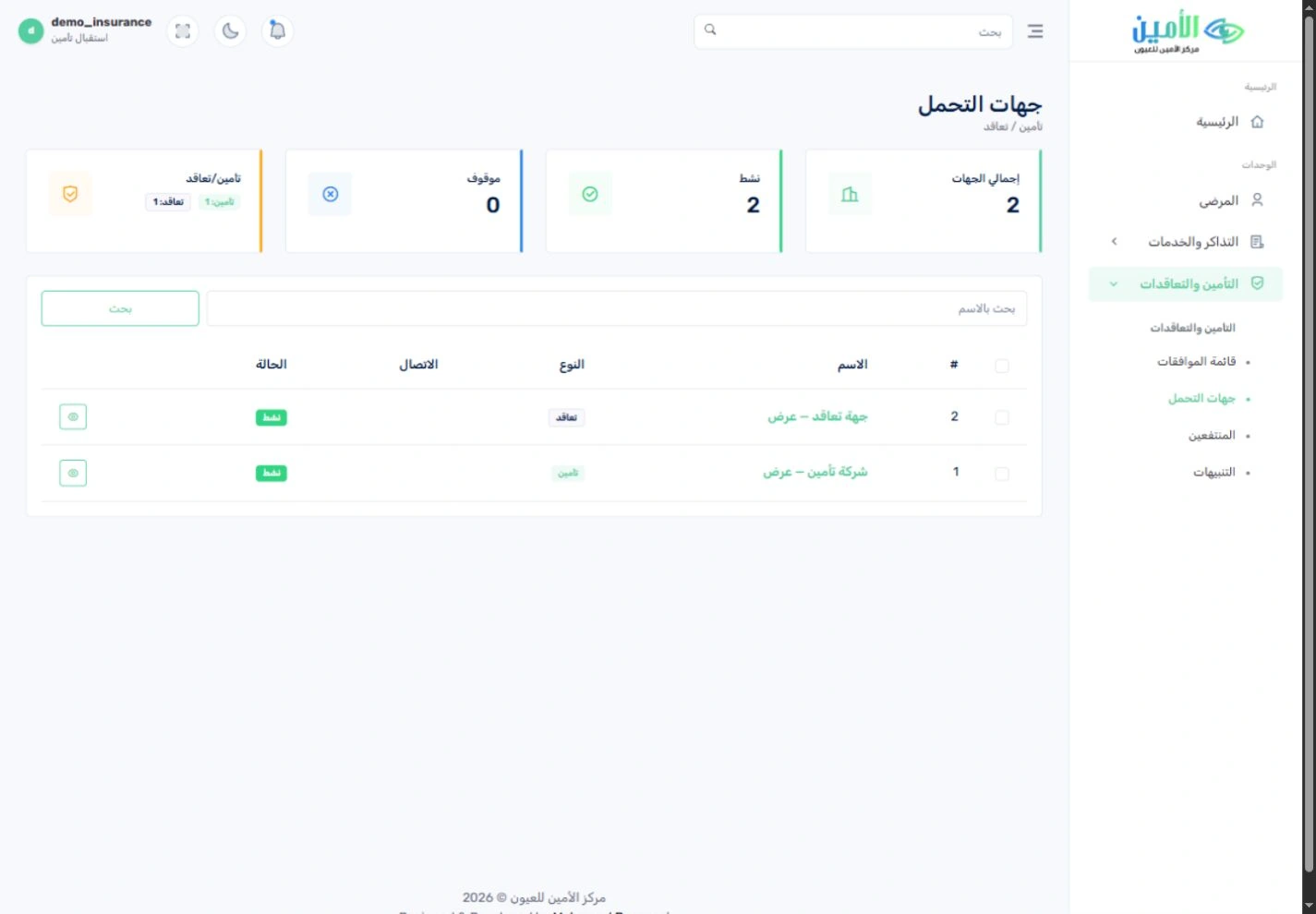
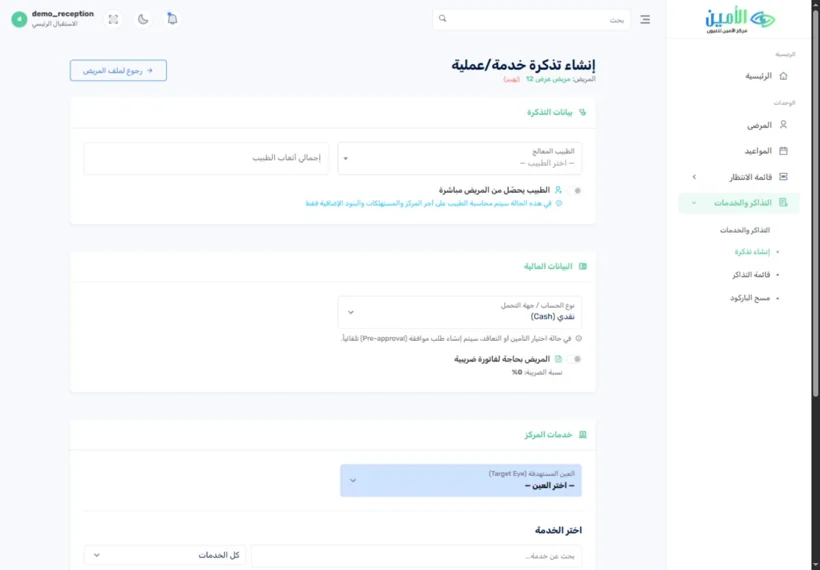 03Eye care & surgeryخدمات العيون والعملياتA workflow built for eye care.مسار عمل مصمم لخدمات العيون.4 features · 2 screens٤ مزايا · شاشتان
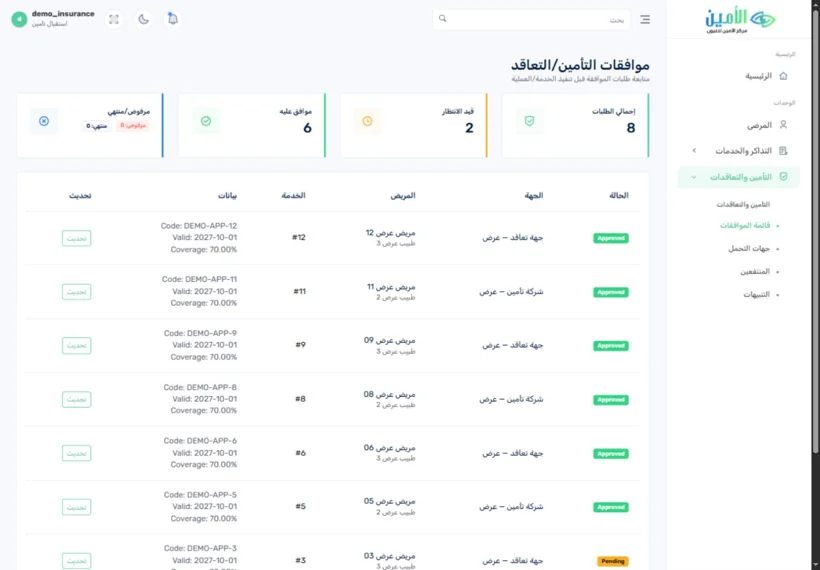 04Insurance & contractsالتأمين والتعاقداتKnow who pays before you collect.اعرف من يتحمّل التكلفة قبل التحصيل.3 features · 2 screens٣ مزايا · شاشتان
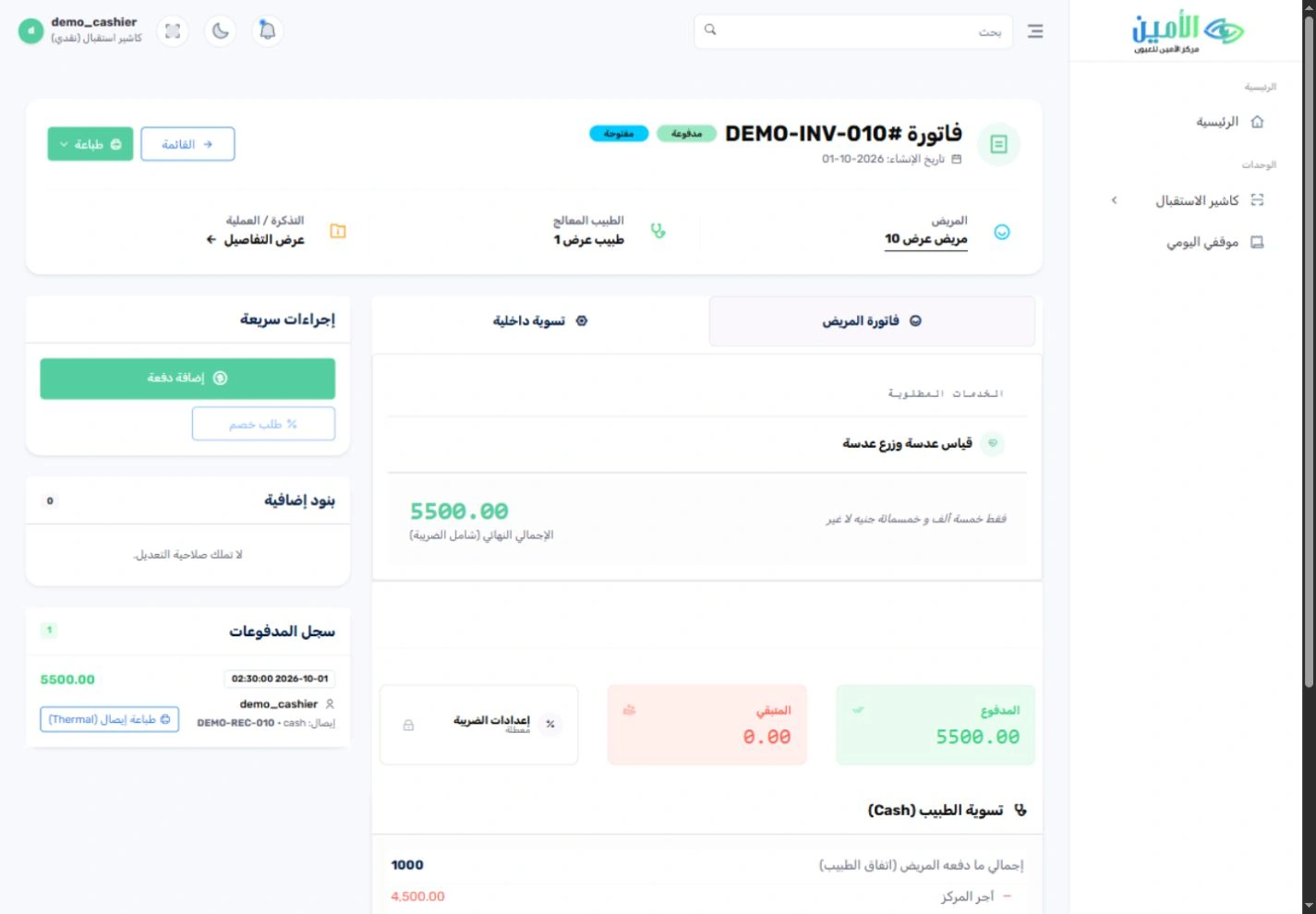
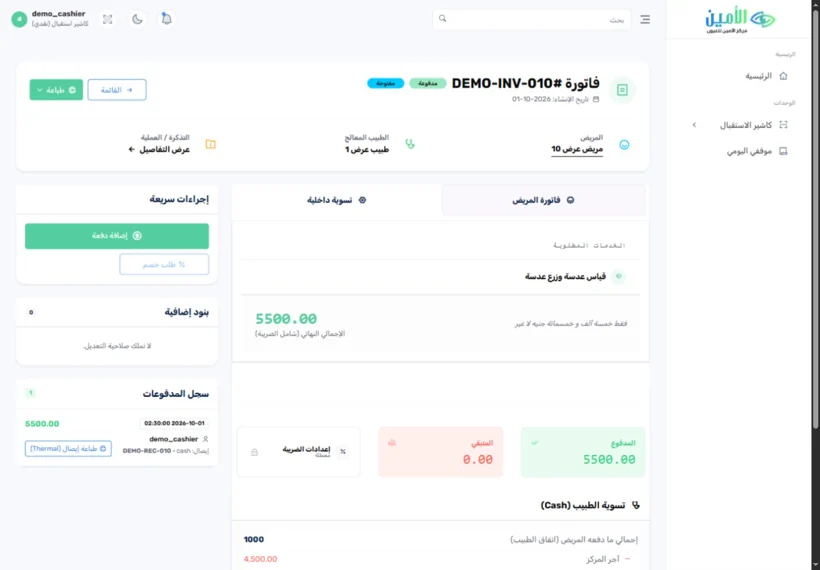 05Billing & collectionالفواتير والتحصيلEvery service, with a clear financial record.لكل خدمة سجل مالي واضح.3 features · 2 screens٣ مزايا · شاشتان
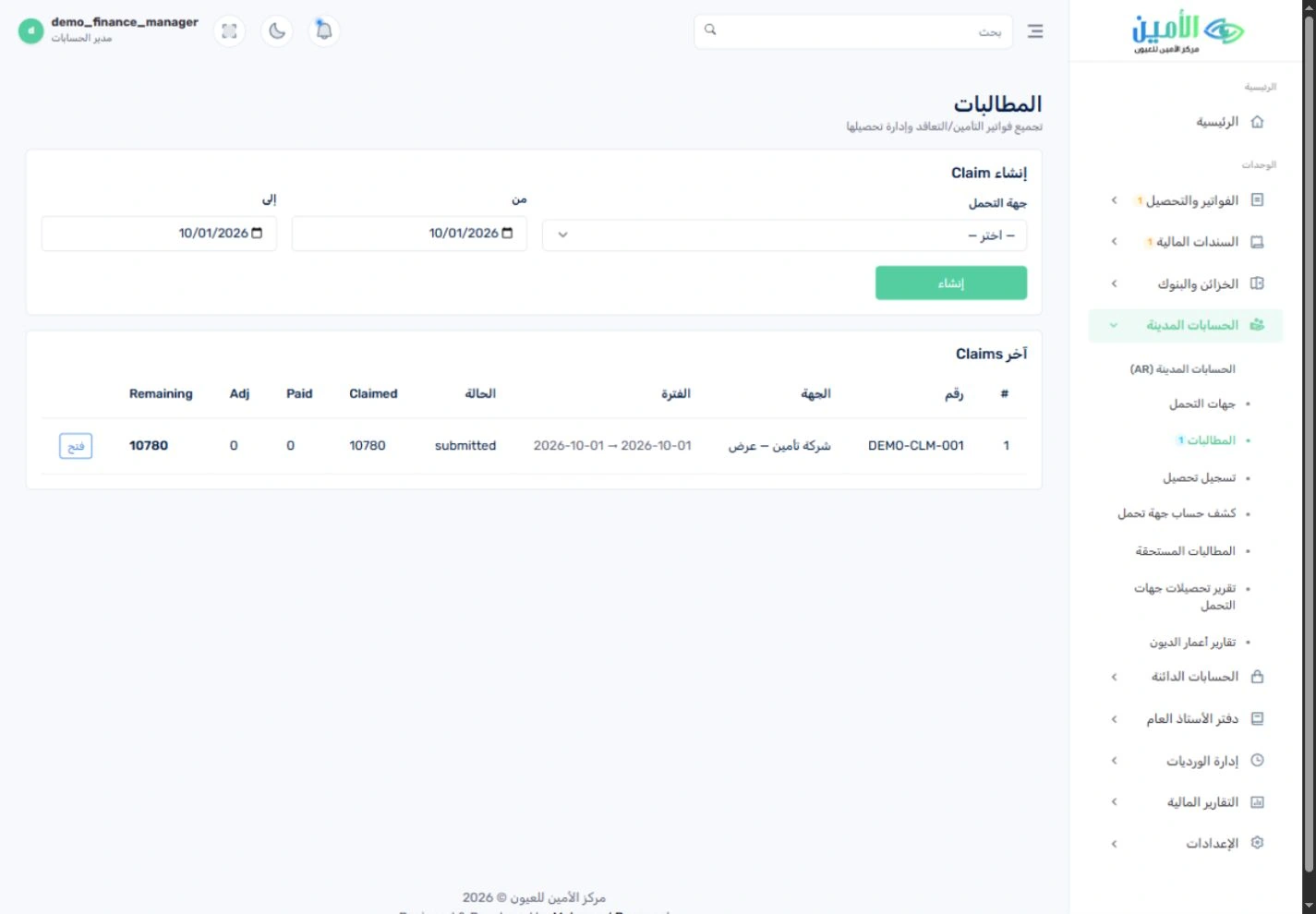
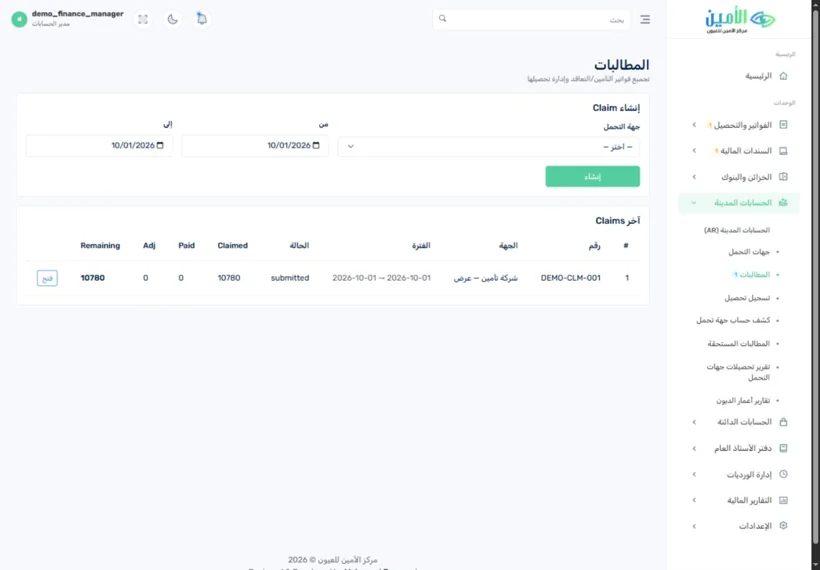 06Claims & doctor duesالمطالبات ومستحقات الأطباءStay on top of what payers owe you.تابِع مستحقاتك لدى جهات التحمل أولًا بأول.3 features · 2 screens٣ مزايا · شاشتان
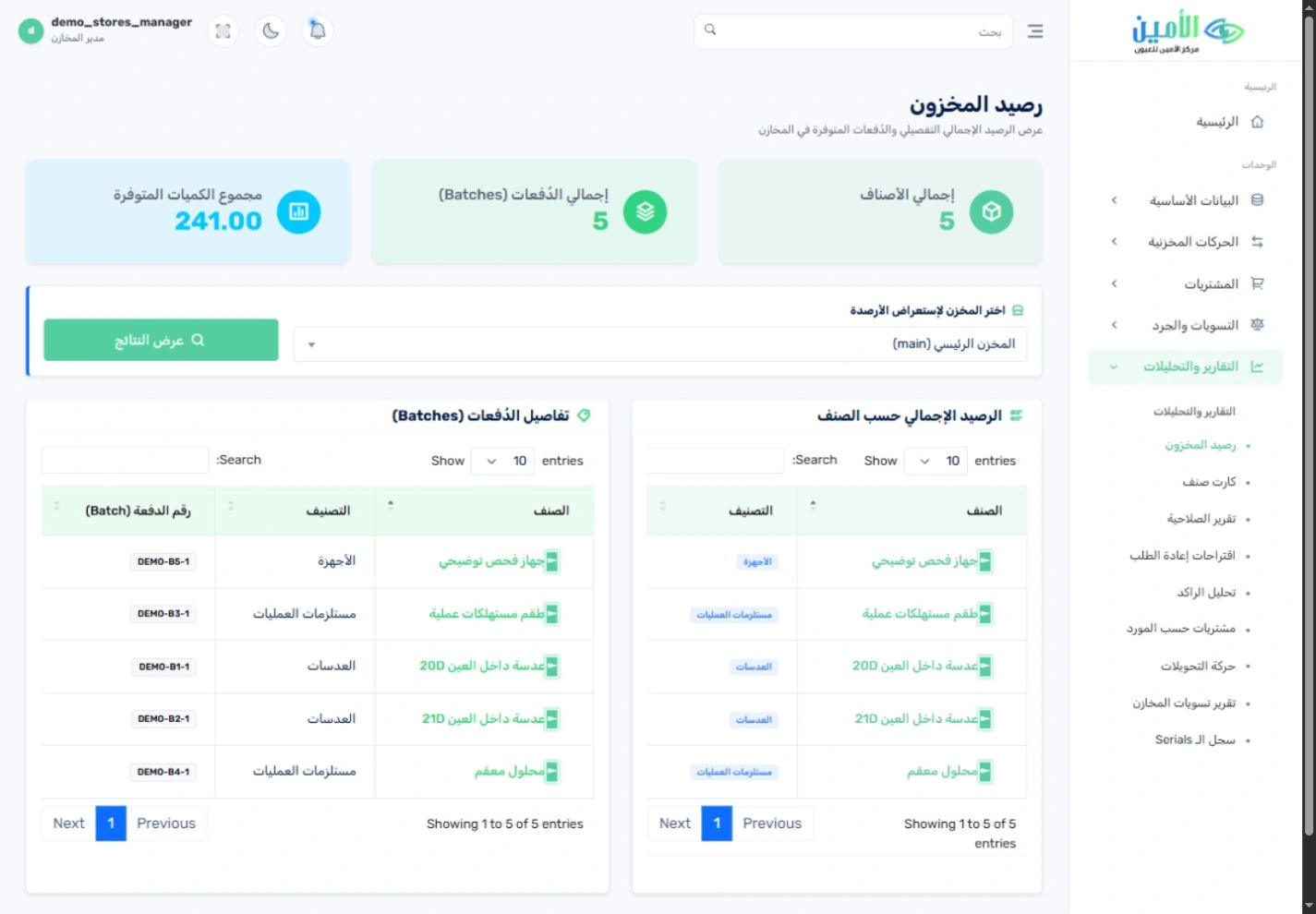
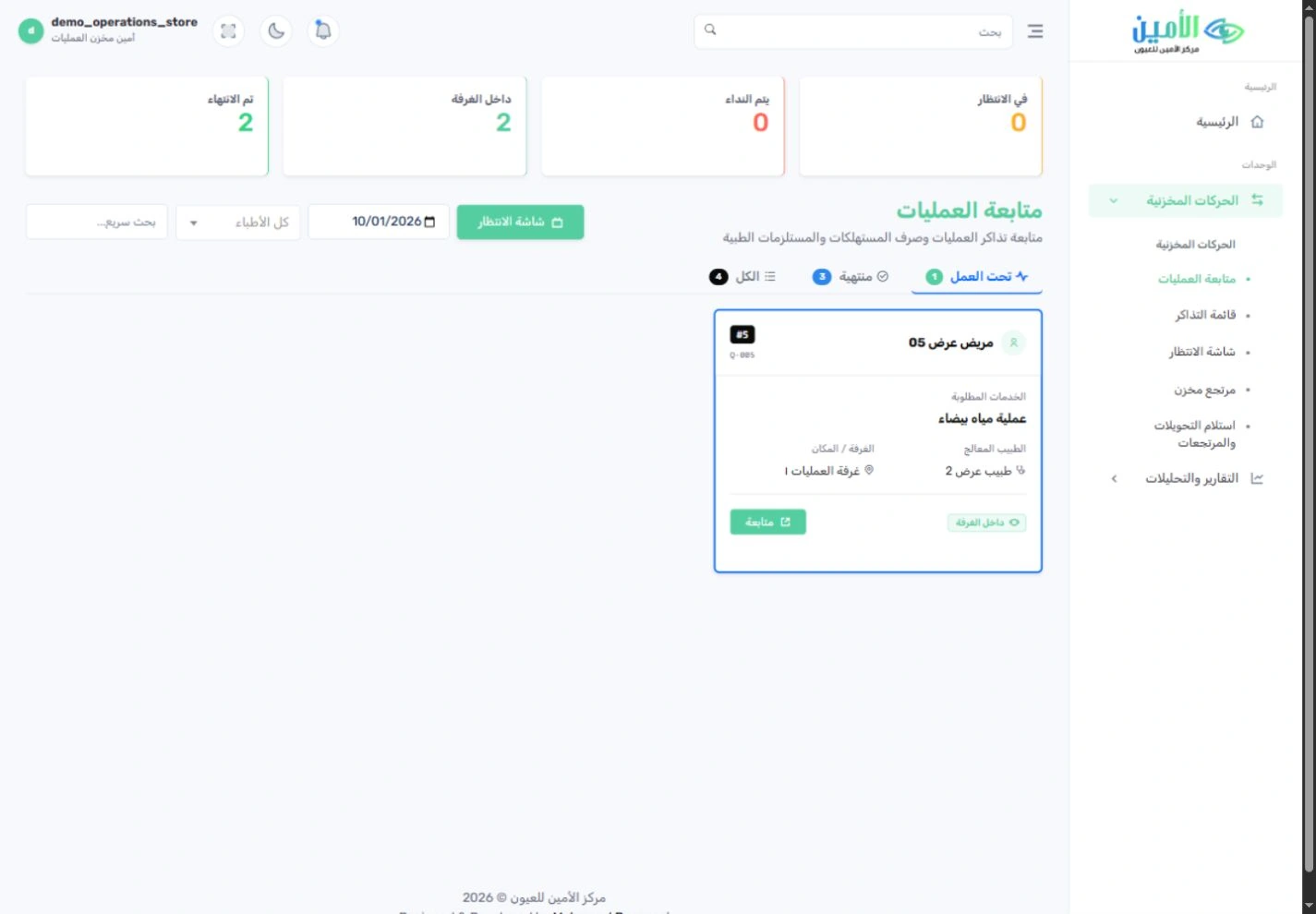
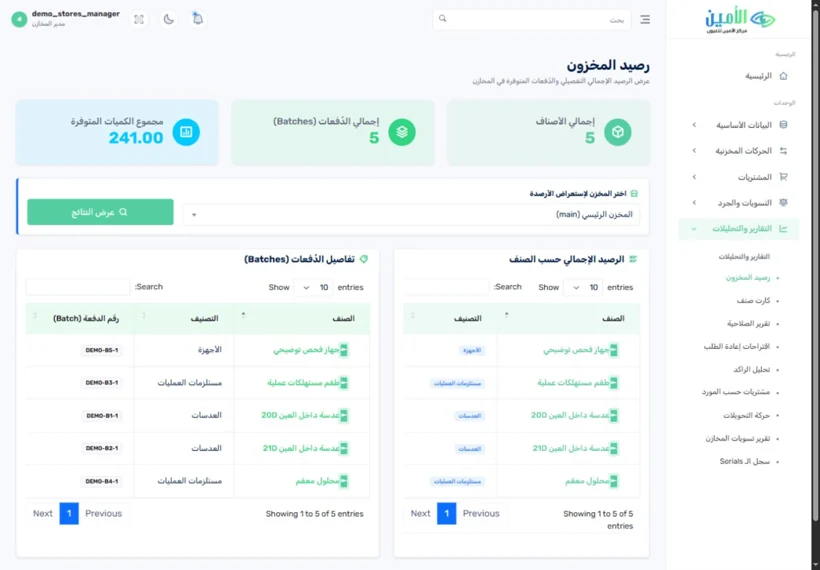 07StoresالمخازنKnow what’s on the shelf, and what reached each case.اعرف ما في المخزن، وما وصل إلى كل حالة.4 features · 2 screens٤ مزايا · شاشتان
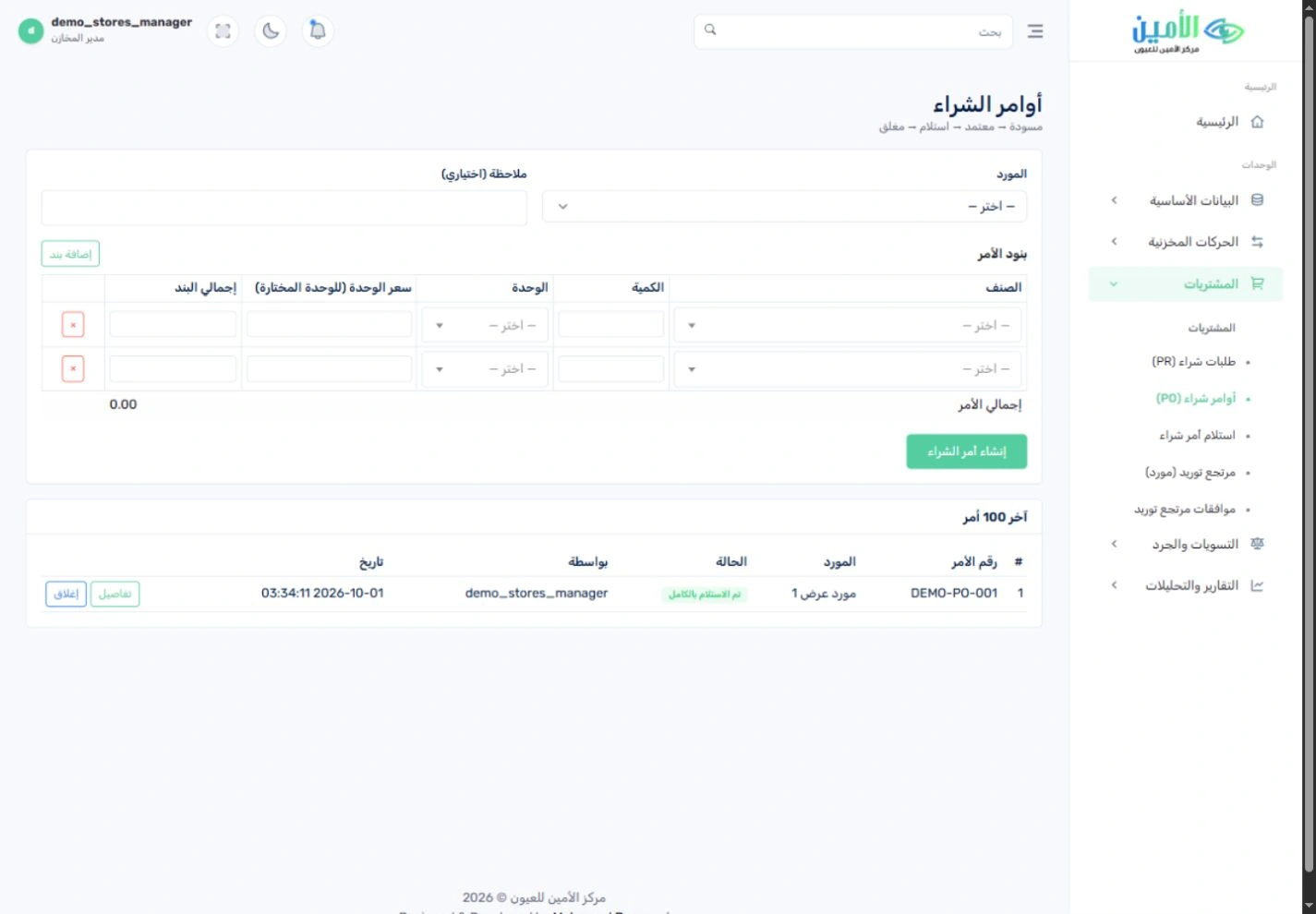
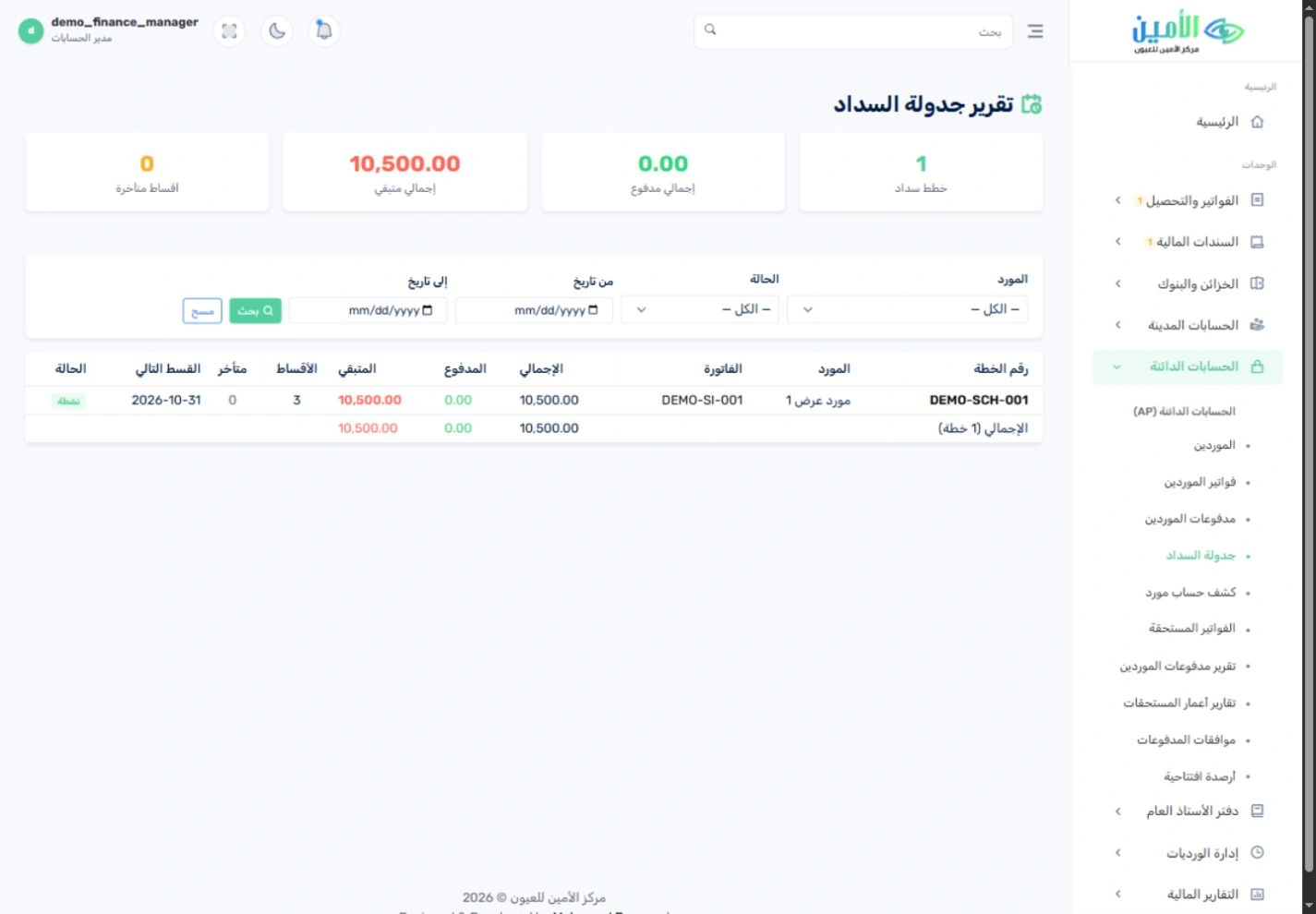
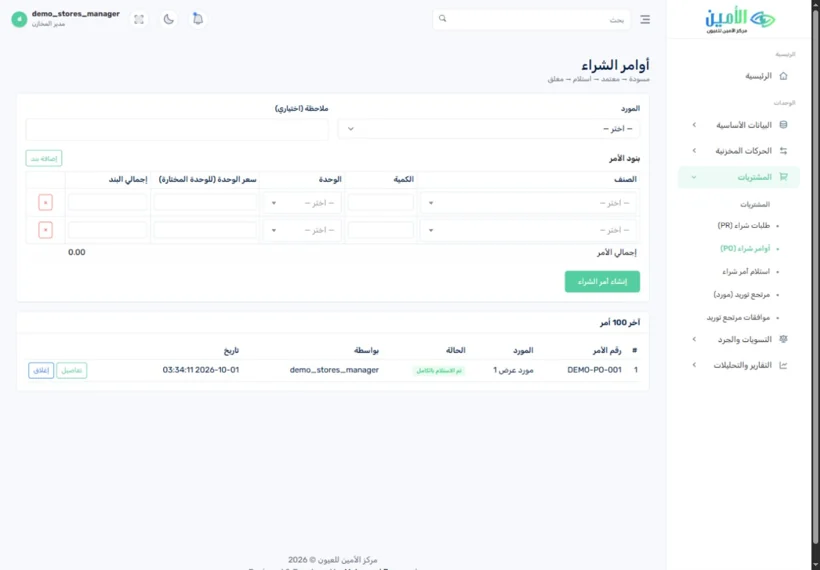 08Purchasing & suppliersالمشتريات والموردونFrom purchase request to supplier payment.من طلب الشراء حتى سداد المورد.3 features · 2 screens٣ مزايا · شاشتان
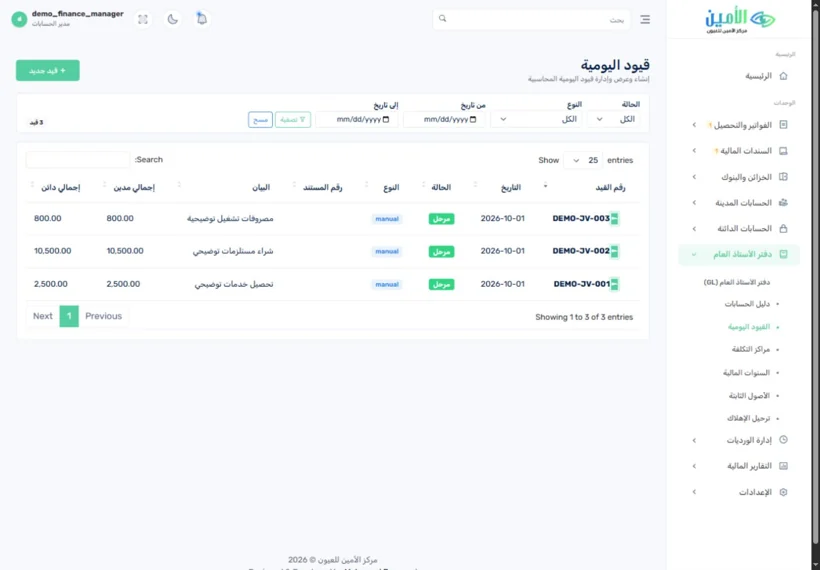 09AccountingالمحاسبةBring your finances into focus.صورة مالية أوضح لمستشفاك.4 features · 2 screens٤ مزايا · شاشتان
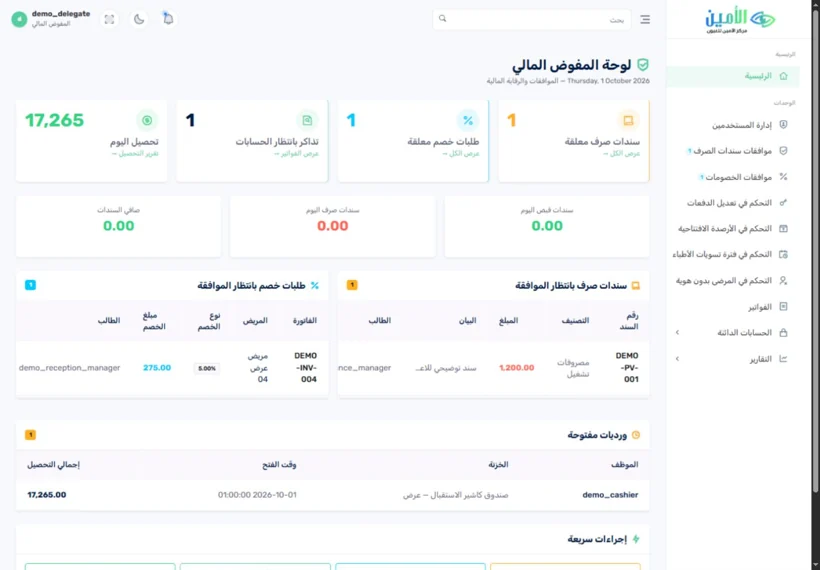 10Roles & approvalsالأدوار والاعتماداتEvery responsibility has a clear owner.لكل مسؤولية صاحبها الواضح.4 features · 2 screens٤ مزايا · شاشتان
Every visit starts with the patient’s history in view.كل زيارة تبدأ وملف المريض أمامك.
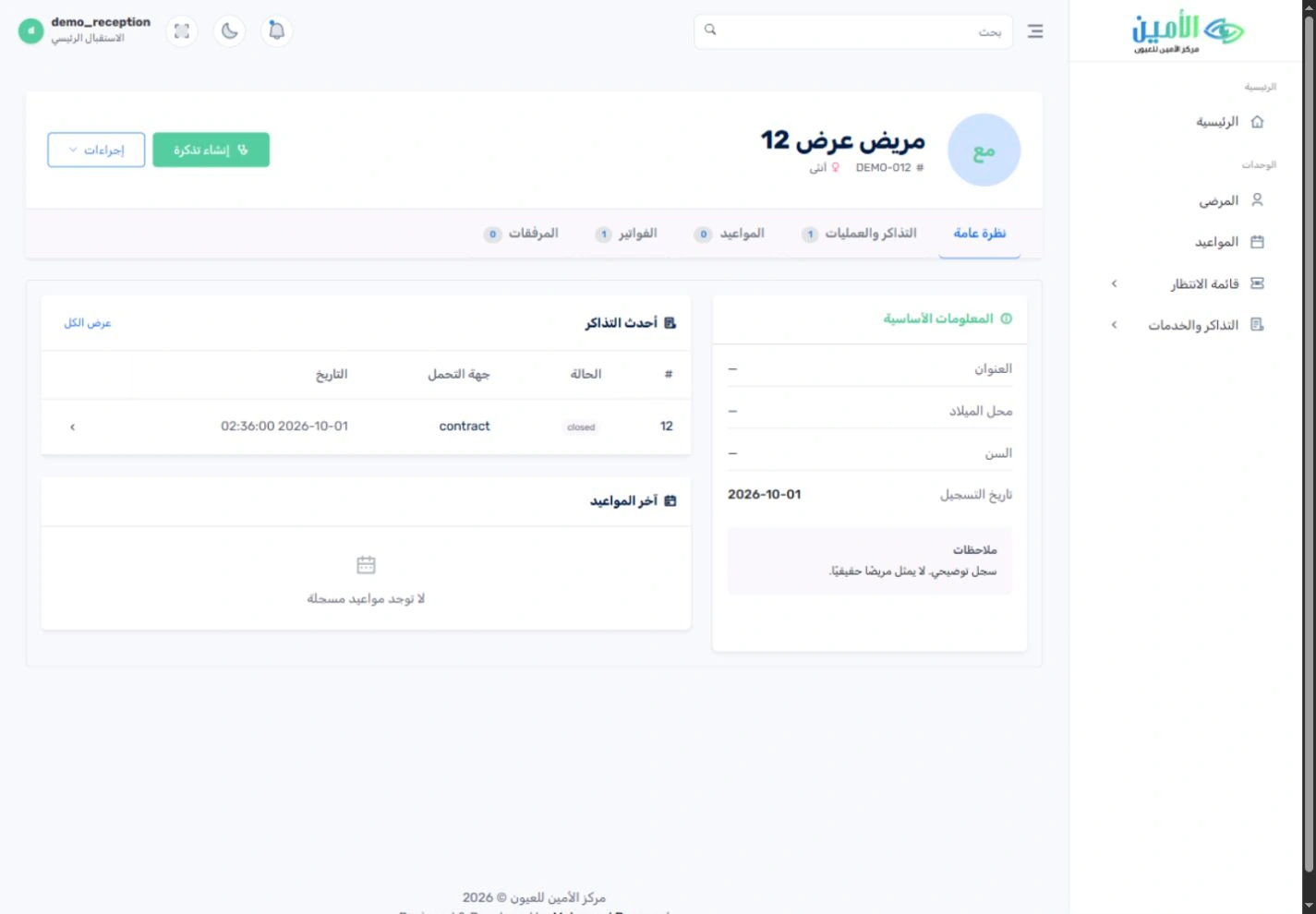
Registration, patient history and related visits sit together in one easy-to-reach file. Your reception team finds a patient already on file, reviews their previous tickets and starts the next service, still linked to everything recorded before.يجتمع التسجيل وتاريخ المريض وزياراته المرتبطة في ملف واحد يسهل الوصول إليه. يبحث موظف الاستقبال عن المريض المسجَّل مسبقًا، ويراجع تذاكره السابقة، ويبدأ الخدمة التالية مرتبطةً بكل ما سُجِّل له من قبل.
See all featuresكل المزايا بالتفصيل
Find the patient fileالبحث عن ملف المريض
Search the patient register and open the patient’s file before creating a new visit.ابحث في سجل المرضى وافتح ملف المريض قبل إنشاء زيارة جديدة.
History within reachتاريخ المريض في متناول يدك
Review past cases, services and invoices from the patient’s file.راجِع الحالات والخدمات والفواتير السابقة من ملف المريض.
An organised check-inتسجيل منظَّم لكل زيارة
Choose the doctor, the service, the eye being treated and the payment route (cash, insurance or contract) when you open a ticket.حدِّد الطبيب والخدمة والعين المعنية ومسار التحمل (نقدي أو تأمين أو تعاقد) عند فتح التذكرة.

Plan the day before the waiting room fills.نظِّم يومك قبل أن تمتلئ صالة الانتظار.
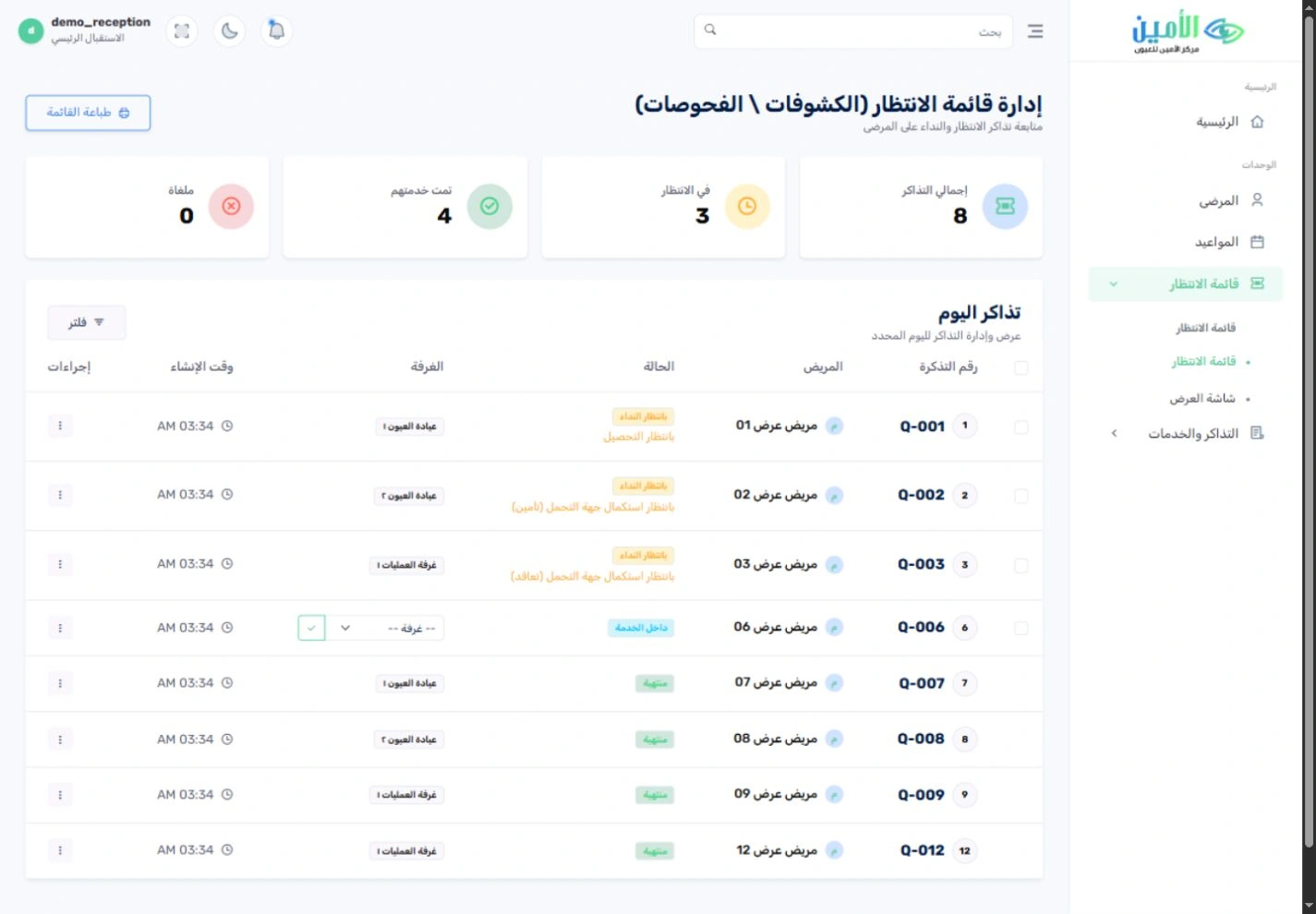
Doctor appointments and a live queue give your reception team one shared view of the day. See who is waiting, who is being seen and which room is handling each visit, with a separate display for the waiting area.مواعيد الأطباء وقائمة الانتظار المباشرة تمنح فريق الاستقبال صورة مشتركة عن اليوم. اعرف من ينتظر، ومن يتلقى الخدمة الآن، وأي غرفة تتولى كل زيارة، مع شاشة مستقلة لصالة الانتظار.
See all featuresكل المزايا بالتفصيل
Calendar by doctorتقويم المواعيد لكل طبيب
See booked appointments in a calendar and filter by the treating doctor.اعرض المواعيد المحجوزة في التقويم، وصفِّها حسب الطبيب المعالج.
The queue at a glanceقائمة الدور في نظرة واحدة
Track queue numbers and each patient’s status (waiting, in service or served) alongside the assigned room.تابِع أرقام الدور وحالة كل مريض (في الانتظار، أو داخل الخدمة، أو انتهت خدمته) مع الغرفة المحددة له.
Waiting-room displayشاشة صالة الانتظار
Show the queue on a dedicated screen, separate from the staff’s own screens.اعرض الدور على شاشة مخصصة، منفصلة عن شاشات الموظفين.

A workflow built for eye care.مسار عمل مصمم لخدمات العيون.
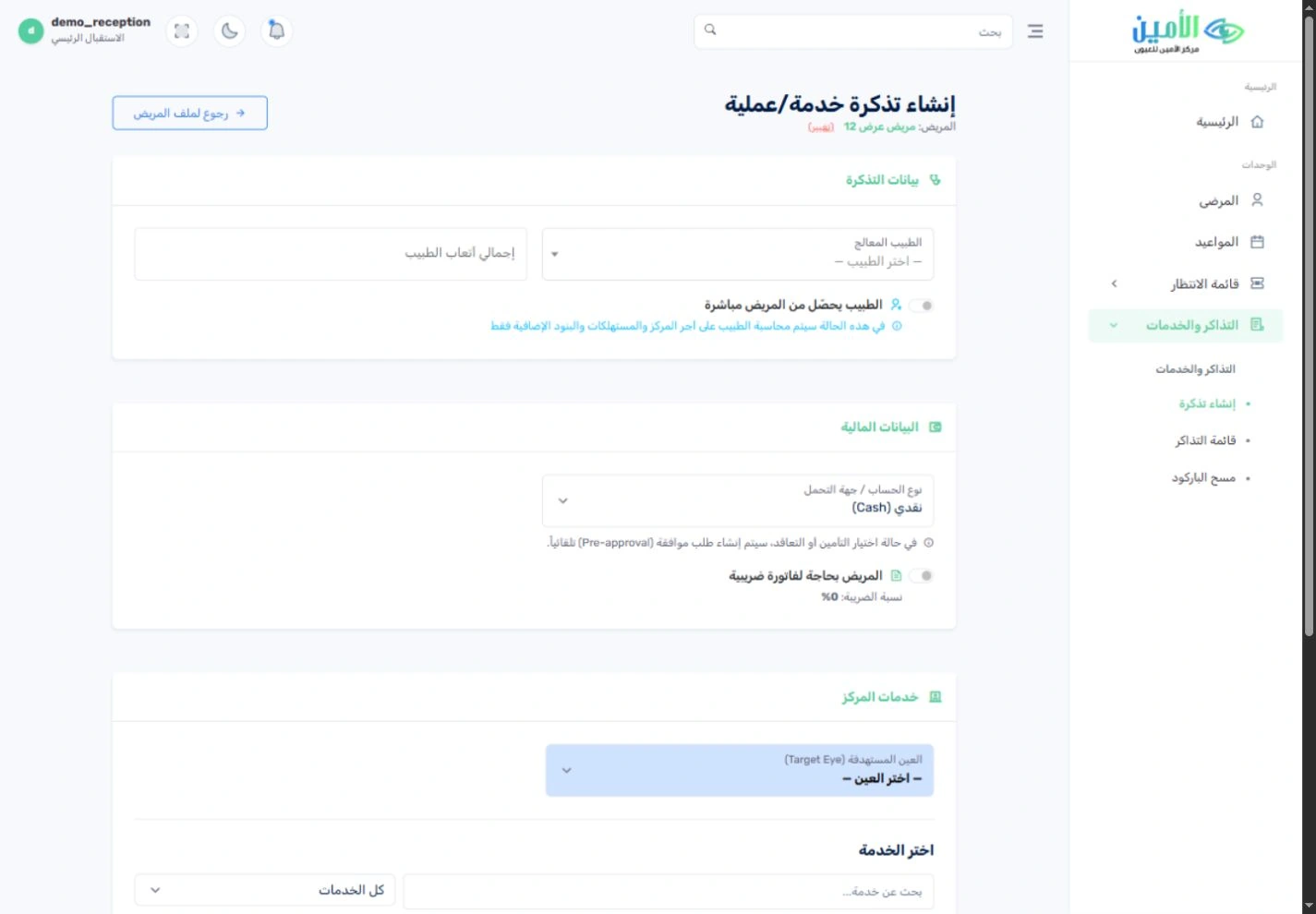
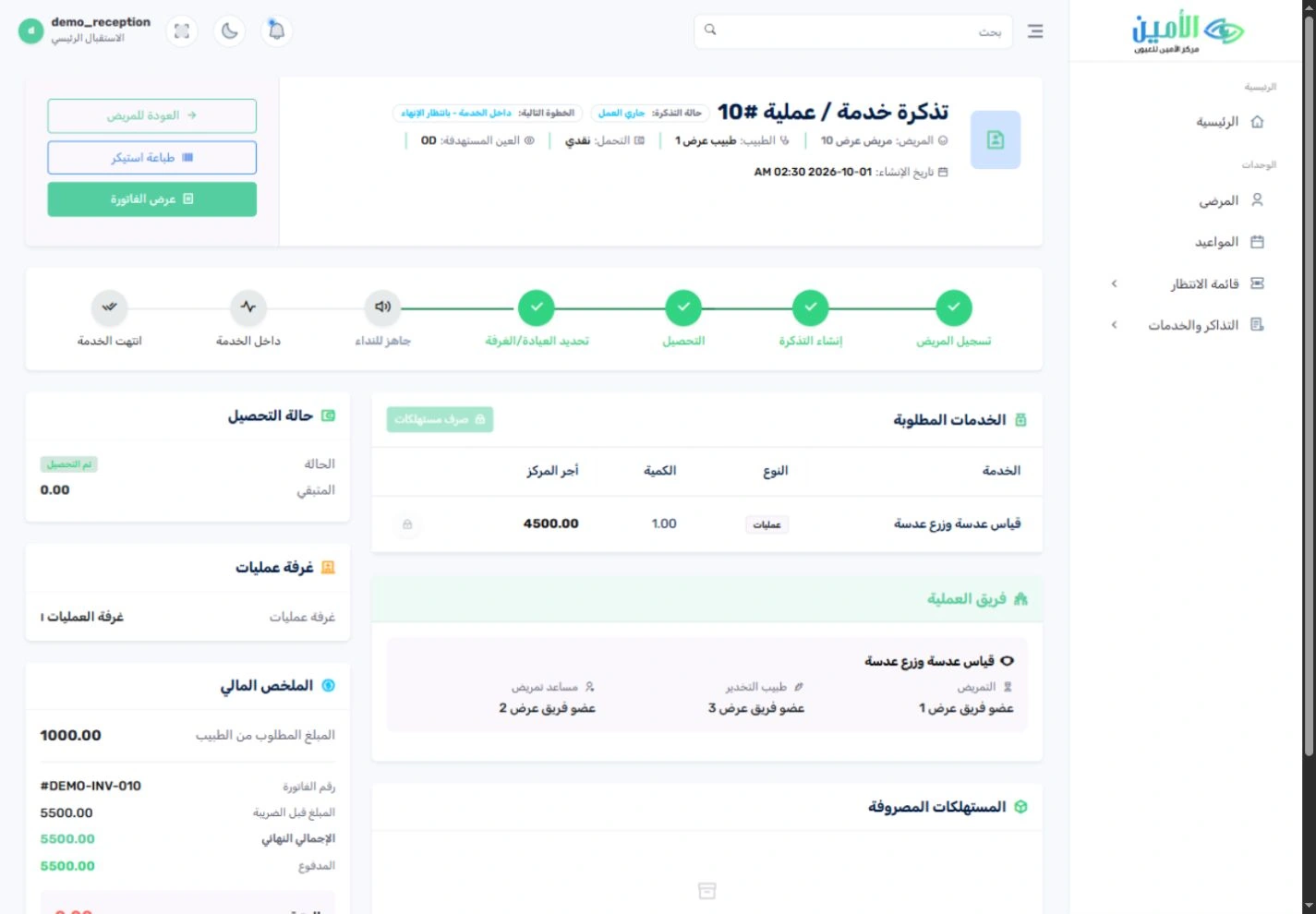
A visit is more than an invoice. The case file links the doctor, the eye being treated (OD, OS or OU), the requested services, the clinic or operating room, the surgical team, the consumables and the financial position, all in one place.الزيارة أكبر من مجرد فاتورة. يربط ملف الحالة الطبيب، والعين المعنية (اليمنى أو اليسرى أو كلتاهما)، والخدمات المطلوبة، والعيادة أو غرفة العمليات، وفريق العملية، والمستهلكات، والموقف المالي، في مكان واحد.
See all featuresكل المزايا بالتفصيل
Right, left or both eyesالعين اليمنى أو اليسرى أو كلتاهما
Record which eye is being treated directly on the service ticket.سجِّل العين المعنية بالخدمة مباشرة على التذكرة.
Service and surgical teamالخدمة وفريق العملية
Link each eye-care service to its doctor, nursing support and, where needed, the anaesthesia team.اربط كل خدمة عيون بطبيبها وطاقم التمريض، وبفريق التخدير عند الحاجة.
Know each case’s stageاعرف مرحلة كل حالة
See whether each case is booked, in progress, completed, awaiting accounts review, closed or cancelled.اعرف هل الحالة محجوزة، أم قيد التنفيذ، أم مكتملة، أم تنتظر مراجعة الحسابات، أم مغلقة، أم ملغاة.
Charges inside the case fileالتكاليف داخل ملف الحالة
Review the case’s invoice and the consumables issued to it from the same file.راجِع فاتورة الحالة والمستهلكات المصروفة لها من الملف نفسه.
Know who pays before you collect.اعرف من يتحمّل التكلفة قبل التحصيل.
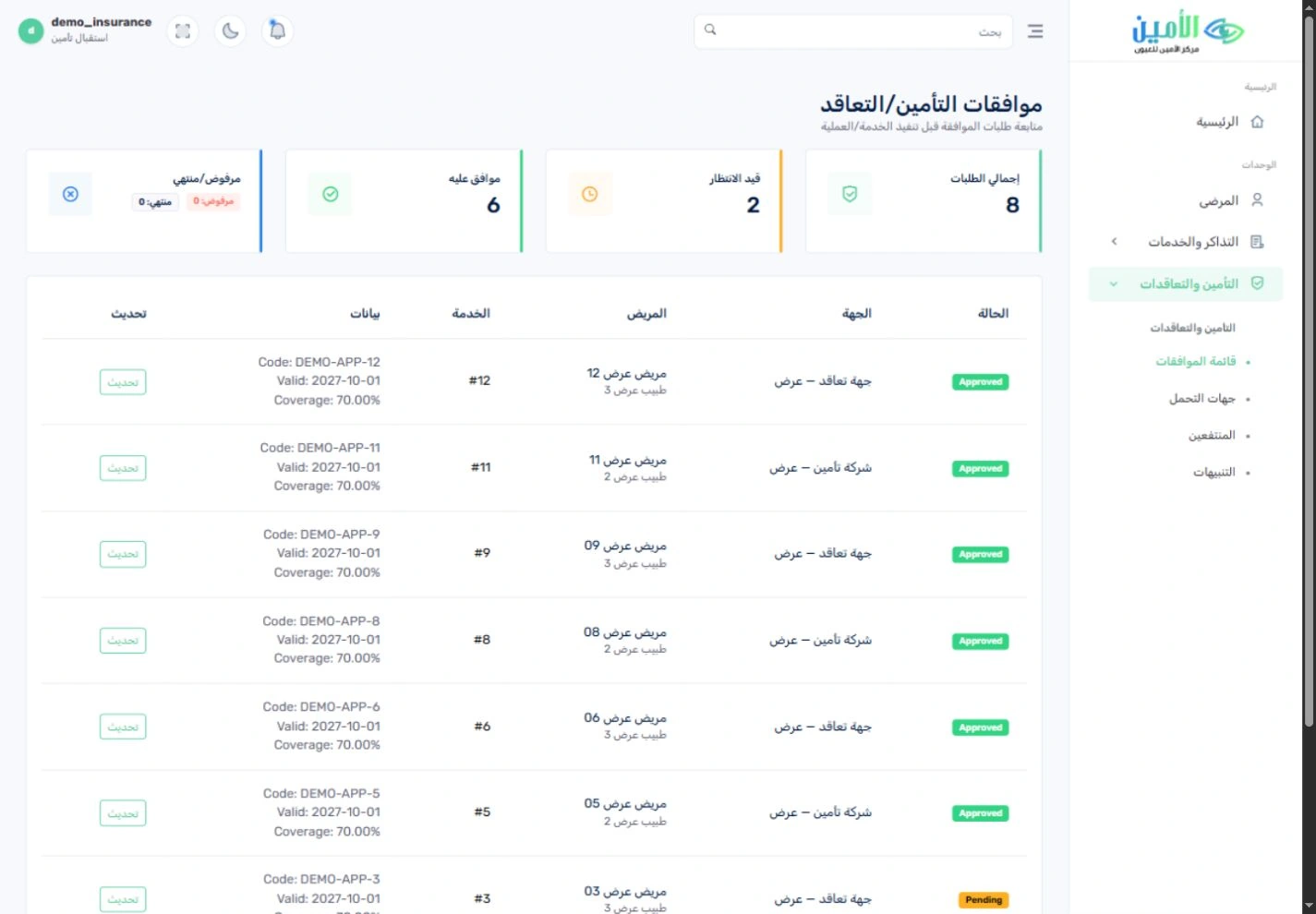
Cash, insurance and contract visits each come with different responsibilities. Dedicated reception roles, preapproval records, payer definitions and beneficiary records help your team set the right route before the financial follow-up begins.الزيارة النقدية وزيارة التأمين وزيارة التعاقد، لكلٍّ منها مسؤوليات مختلفة. وتساعد أدوار الاستقبال المخصصة وسجلات الموافقات المسبقة وتعريف جهات التحمل وسجلات المنتفعين فريقك على تحديد المسار الصحيح قبل بدء المتابعة المالية.
See all featuresكل المزايا بالتفصيل
Preapproval trackingمتابعة الموافقات المسبقة
Track each approval request with its status, validity and linked case.تابِع كل طلب موافقة وحالته وصلاحيته والحالة المرتبطة به.
Payers and beneficiariesجهات التحمل والمنتفعون
Set up payers and maintain the beneficiary records your reception team relies on.عرِّف جهات التغطية، وأدِر سجلات المنتفعين التي يعتمد عليها الاستقبال.
Prices per contractأسعار خاصة بكل تعاقد
Keep service price lists for each configured contract instead of relying on a single cash tariff.أدِر قوائم أسعار الخدمات لكل تعاقد معرَّف في النظام، بدل الاعتماد على السعر النقدي وحده.
Every service, with a clear financial record.لكل خدمة سجل مالي واضح.
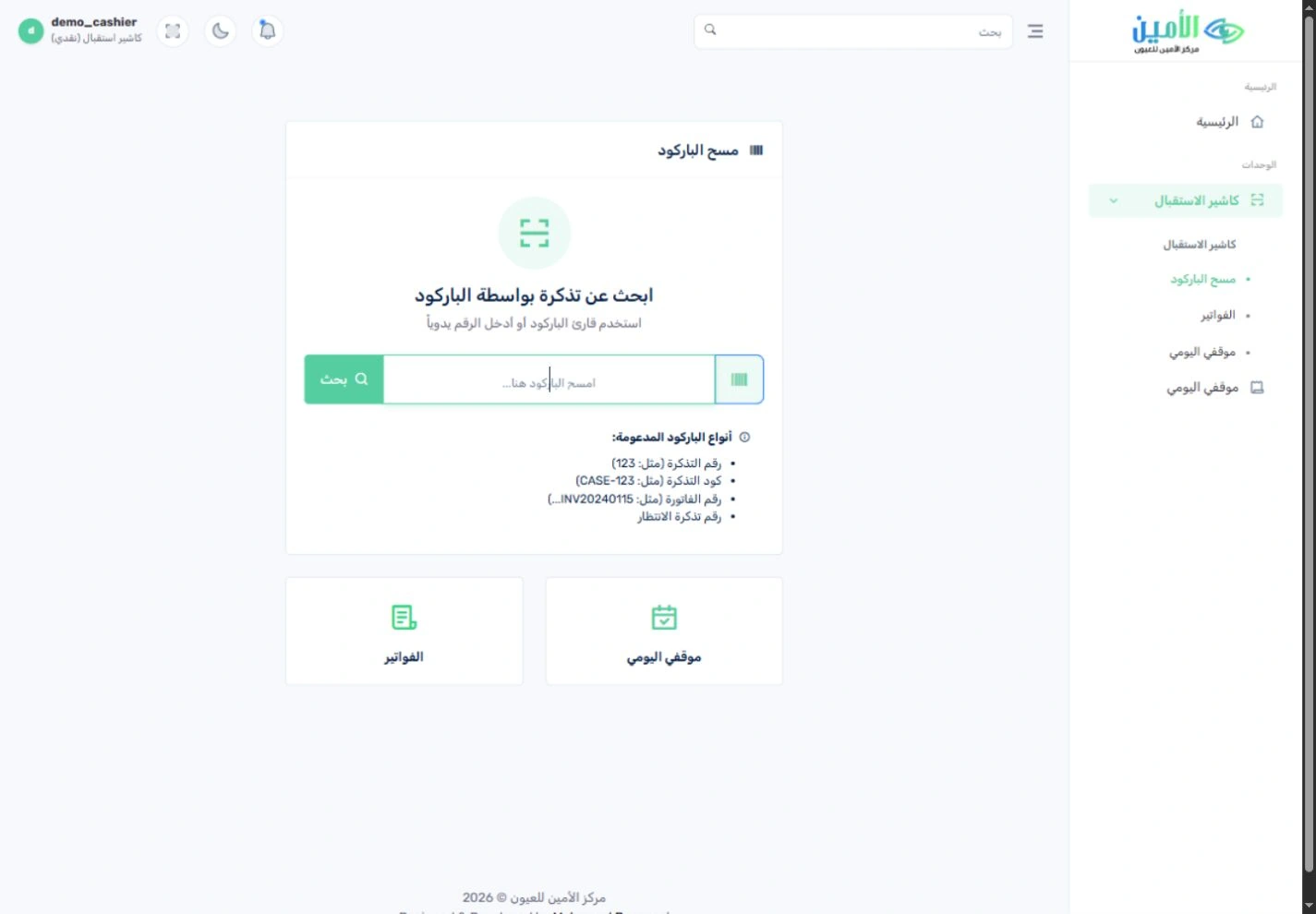
The invoice screen keeps the requested services, total, amount paid, remaining balance and payment records together. A dedicated cashier role and barcode lookup support the collection desk, while clinical progress and payment progress stay easy to tell apart.تجمع شاشة الفاتورة الخدمات المطلوبة والإجمالي والمدفوع والمتبقي وسجل الدفعات. ولمكتب التحصيل دور مستقل للكاشير مع إمكانية البحث بالباركود، ويبقى سير الخدمة الطبية منفصلًا بوضوح عن سير السداد.
See all featuresكل المزايا بالتفصيل
Invoice and receipts, linkedالفاتورة والإيصالات مترابطة
Open the case from its invoice, review recorded payments and print receipts.افتح الحالة من فاتورتها، وراجِع الدفعات المسجلة، واطبع الإيصالات.
Payment methodsطرق الدفع
Record cash, card, transfer or cheque payments through the configured collection steps.سجِّل الدفع نقدًا أو بالبطاقة أو بالتحويل أو بالشيك، وفق خطوات التحصيل المحددة في النظام.
Clear daily accountabilityمسؤولية يومية واضحة
Review cashier activity, shifts and cashbox records as part of your financial follow-up.راجِع نشاط الكاشير والورديات وسجلات الخزنة ضمن المتابعة المالية.
Stay on top of what payers owe you.تابِع مستحقاتك لدى جهات التحمل أولًا بأول.
Your finance team prepares claims, tracks payer balances and reviews receivables aging. Doctor settlements have their own register, so doctors’ dues stay visible alongside the centre’s service revenue.يجهّز فريق الحسابات المطالبات، ويتابع أرصدة جهات التحمل، ويراجع أعمار الذمم المدينة. ولتسويات الأطباء سجل مستقل، فتبقى مستحقاتهم واضحة بجانب إيرادات خدمات المركز.
See all featuresكل المزايا بالتفصيل
Claims and collectionالمطالبات والتحصيل
Track insurance and contract claims, their invoices and the related collections.تابِع مطالبات التأمين والتعاقدات، وفواتيرها، والتحصيلات المرتبطة بها.
Receivables agingأعمار الذمم المدينة
See outstanding amounts by age and focus follow-up on the balances that need it.اعرض المبالغ المستحقة حسب أعمارها، لتركّز المتابعة على الأرصدة التي تحتاجها.
Doctors’ duesمستحقات الأطباء
Review doctor settlement records and the split shown on each case invoice.راجِع سجل تسويات الأطباء، وتوزيع المبلغ كما يظهر في فاتورة الحالة.

Know what’s on the shelf, and what reached each case.اعرف ما في المخزن، وما وصل إلى كل حالة.
The main store and the operating store each have their own screens. Track lenses and consumables by item, warehouse, batch and expiry date, while the operating-store team handles what each case uses and receives approved transfers.للمخزن الرئيسي ومخزن العمليات شاشات منفصلة. تابِع العدسات والمستهلكات حسب الصنف والمخزن والتشغيلة وتاريخ الصلاحية، بينما يتولى فريق مخزن العمليات استهلاك الحالات واستلام التحويلات المعتمدة.
See all featuresكل المزايا بالتفصيل
Stock by warehouse and batchالرصيد حسب المخزن والتشغيلة
See quantities and available batches in the selected warehouse.اعرض الكميات والتشغيلات المتاحة في المخزن الذي تختاره.
Expiry and reorder planningمتابعة الصلاحية وإعادة الطلب
Let expiry reports, reorder suggestions and slow-moving stock analysis guide your purchasing.استرشد بتقارير الصلاحية واقتراحات إعادة الطلب وتحليل الأصناف الراكدة عند اتخاذ قرارات الشراء.
Controlled transfersتحويلات تحت الرقابة
Follow each transfer from request to approval to receipt, with separate roles for handing over and receiving.تابِع كل تحويل من الطلب إلى الاعتماد ثم الاستلام، مع أدوار منفصلة لتسليم العهدة واستلامها.
Stocktakes and serial numbersالجرد والأرقام المسلسلة
Review stocktakes, adjustment approvals and serial-number records for the items set up to use them.راجِع عمليات الجرد واعتماد التسويات، وسجلات الأرقام المسلسلة للأصناف المعرَّفة بها.
From purchase request to supplier payment.من طلب الشراء حتى سداد المورد.
Purchase requests, orders, receiving and supplier invoices form one clear purchasing chain. Finance follows scheduled instalments, supplier accounts and payables aging alongside the stores team’s receiving records.طلبات الشراء وأوامره والاستلام وفواتير الموردين تشكّل سلسلة شراء واحدة واضحة. وتتابع الحسابات الأقساط المجدولة وكشوف حسابات الموردين وأعمار الذمم الدائنة، بجانب سجلات الاستلام لدى فريق المخازن.
See all featuresكل المزايا بالتفصيل
Request, order, receiveالطلب، فأمر الشراء، فالاستلام
Follow purchase requests and orders through to the receiving screen.تابِع طلبات الشراء وأوامره حتى شاشة استلام التوريد.
Supplier invoice follow-upمتابعة فواتير الموردين
Review supplier invoices, what has been paid and what remains.راجِع فواتير الموردين، وما سُدِّد منها، وما تبقّى.
Due dates in viewمواعيد الاستحقاق أمامك
Use payment schedules and payables-aging reports to review what is coming due and what is still outstanding.استخدم جدولة السداد وتقارير أعمار الذمم الدائنة لمراجعة ما يستحق قريبًا وما زال قائمًا.
Bring your finances into focus.صورة مالية أوضح لمستشفاك.
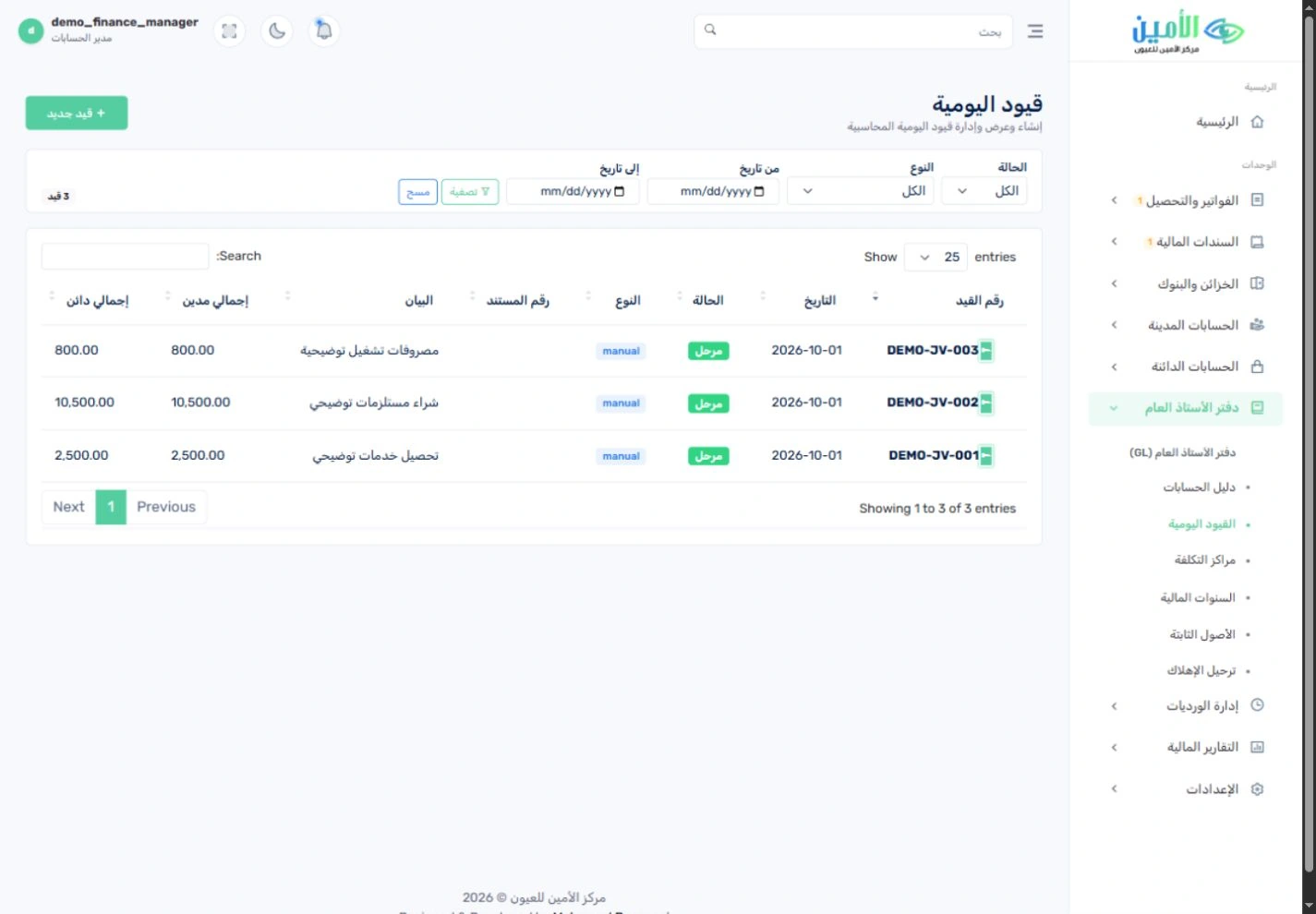
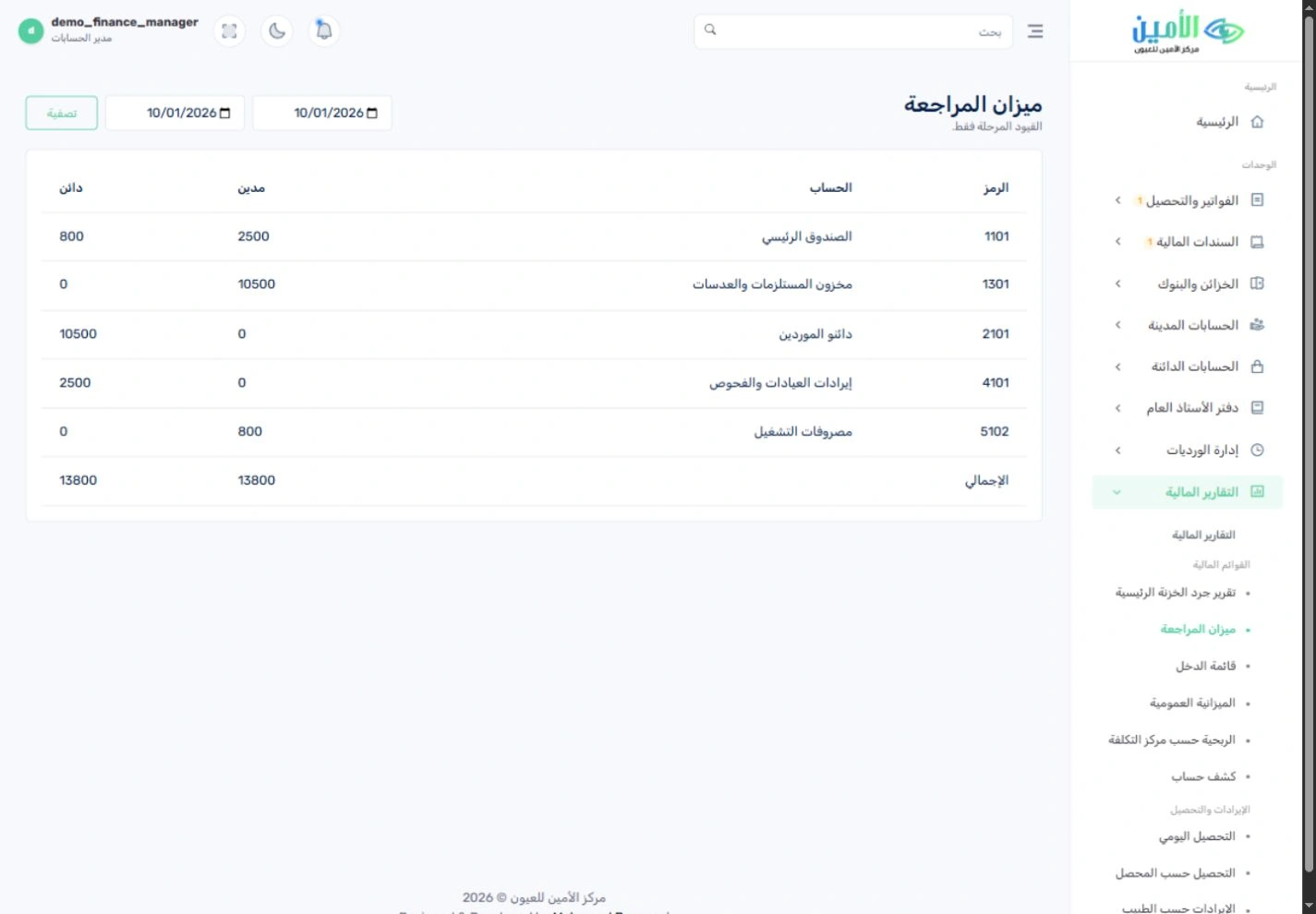
The general ledger handles the chart of accounts, journal entries, fiscal periods and cost centres. Your finance team also gets the trial balance, income statement, fixed assets, cheque tracking and bank reconciliation, side by side.يغطي دفتر الأستاذ العام دليل الحسابات والقيود والفترات المالية ومراكز التكلفة. ويجد فريق الحسابات إلى جانب ذلك ميزان المراجعة وقائمة الدخل والأصول الثابتة ومتابعة الشيكات والمطابقة البنكية.
See all featuresكل المزايا بالتفصيل
Organised accountingمحاسبة منظَّمة
Set up the chart of accounts, financial years, periods and cost centres to match your agreed accounting model.جهِّز دليل الحسابات والسنوات والفترات المالية ومراكز التكلفة وفق النموذج المحاسبي المتفق عليه.
Journals and reports in one placeالقيود والتقارير في مكان واحد
Review journal entries and financial reports, with recorded operations linked to the ledger through the account mappings you set up.راجِع القيود والتقارير المالية، مع ربط الحركات التشغيلية المسجلة بالحسابات من خلال التوجيه المحاسبي المحدد مسبقًا.
Cash and bank follow-upمتابعة النقدية والبنوك
Track cashbox balances, receipt and payment vouchers, cheques and reconciliation records.تابِع أرصدة الخزائن، وسندات القبض والصرف، والشيكات، وسجلات المطابقة.
Fixed assetsالأصول الثابتة
Record each asset’s cost, useful life, residual value and depreciation settings.سجِّل تكلفة كل أصل وعمره الإنتاجي وقيمته المتبقية وإعدادات إهلاكه.
Every responsibility has a clear owner.لكل مسؤولية صاحبها الواضح.
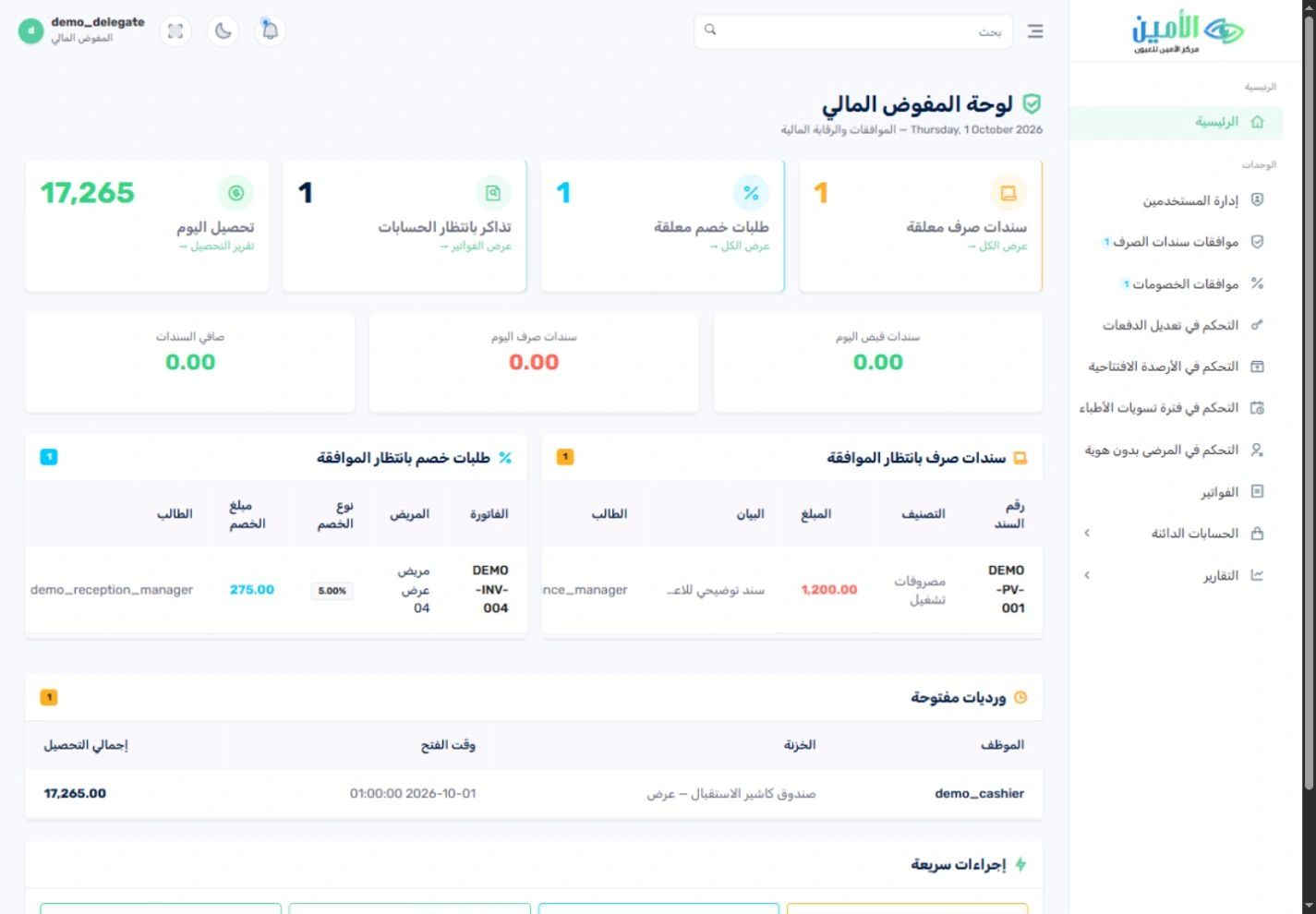
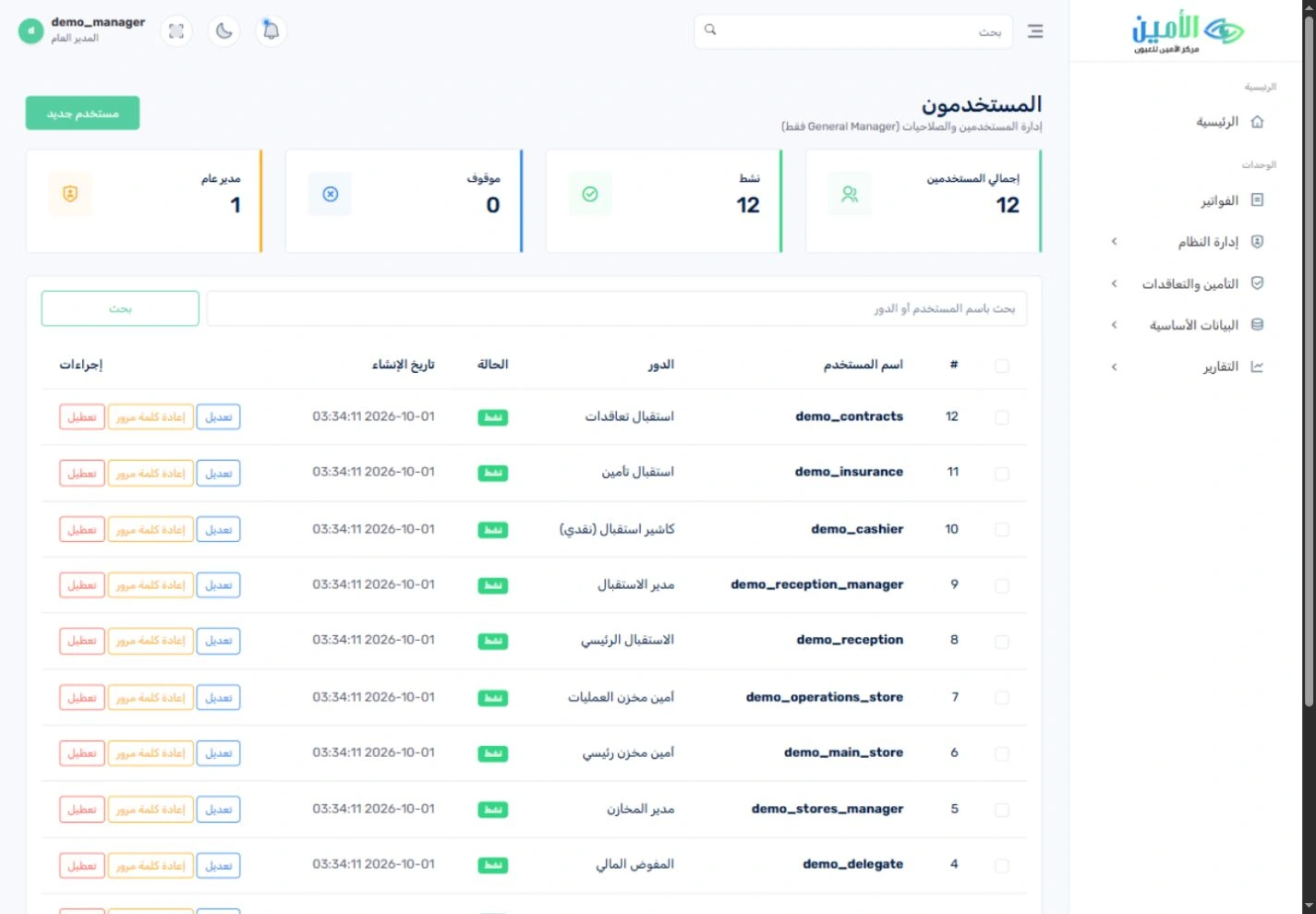
Twelve user roles split the work across reception, collection, finance and stores. Approval queues and audit records put key actions in front of the right reviewer, while management gets its own overview.تتوزع المهام على ١٢ دورًا وظيفيًا في الاستقبال والتحصيل والحسابات والمخازن. وتضع قوائم الاعتماد وسجل المراجعة الإجراءات المهمة أمام المراجع المسؤول، بينما تحصل الإدارة على لوحة متابعة خاصة بها.
See all featuresكل المزايا بالتفصيل
Access by roleصلاحيات حسب الدور
Give each role its own screen, including separate reception accounts for insurance, contracts and the cashier.امنح كل دور شاشته الخاصة، ومنها حسابات استقبال مستقلة للتأمين والتعاقدات والكاشير.
Approval queuesقوائم الاعتماد
Payment, discount, transfer and stock-adjustment requests that need approval go to the role responsible for reviewing them.تصل طلبات السداد والخصم والتحويل وتسوية المخزون الخاضعة للاعتماد إلى الدور المسؤول عن مراجعتها.
Audit trail and management reportsسجل المراجعة وتقارير الإدارة
Follow recorded activity through the system audit log, daily collection reports and doctor revenue reports.تابِع النشاط المسجَّل من خلال سجل النظام وتقارير التحصيل اليومي وإيرادات الأطباء.
Set up around your hospitalإعدادات تناسب مستشفاك
Define doctors, services, clinics, operating rooms and contract prices to match your hospital’s scope.عرِّف الأطباء والخدمات والعيادات وغرف العمليات وأسعار التعاقدات بما يناسب نطاق مستشفاك.
See the system for yourself.شاهد النظام بنفسك.
66 real screenshots from all 12 roles. Open any image, zoom in on the details and browse the full gallery.٦٦ لقطة حقيقية من الأدوار الاثني عشر كلها. افتح أي صورة، وكبِّر التفاصيل، وتنقّل بين الصور كلها.
Showing 8 of 66عرض ٨ من ٦٦
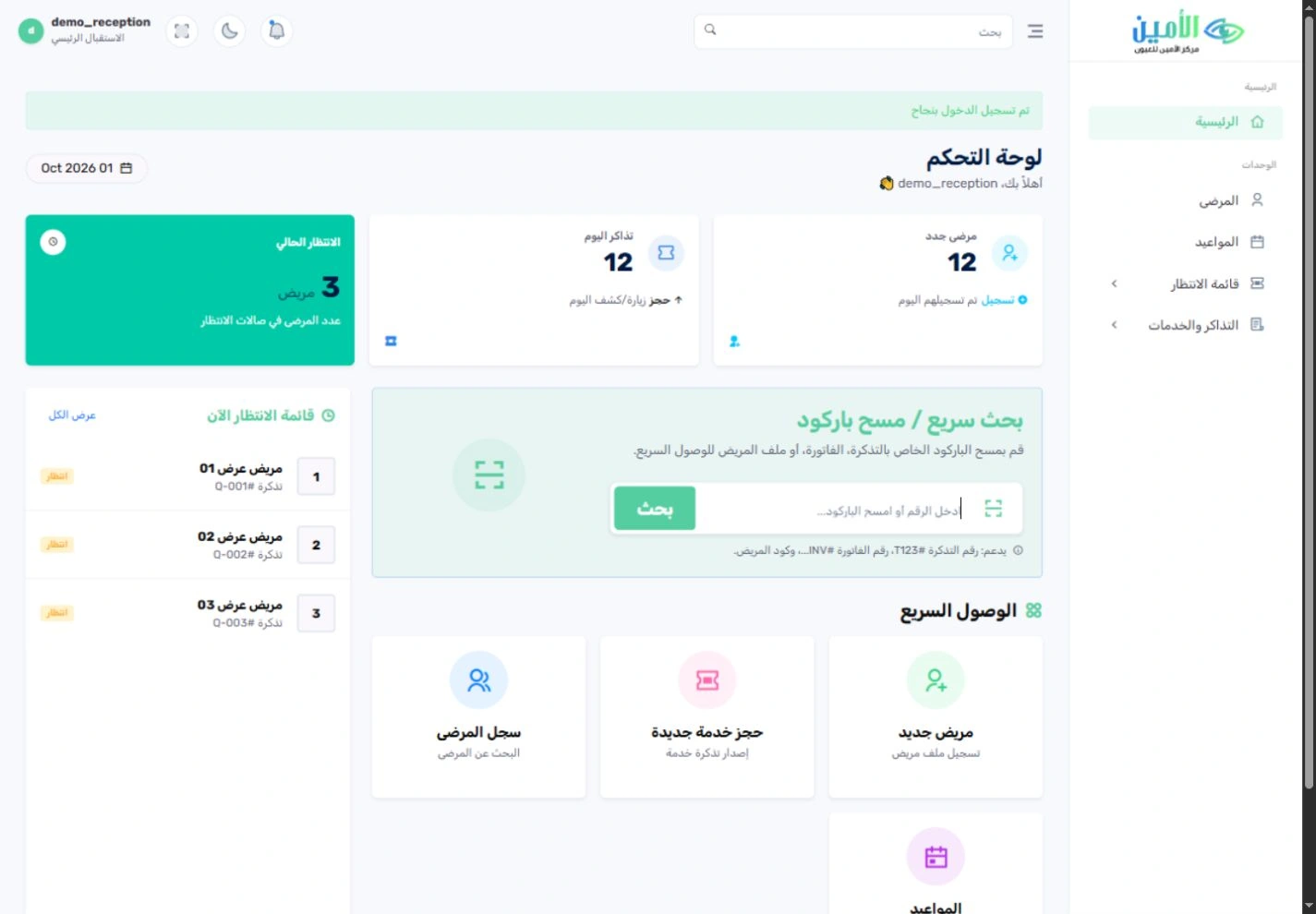
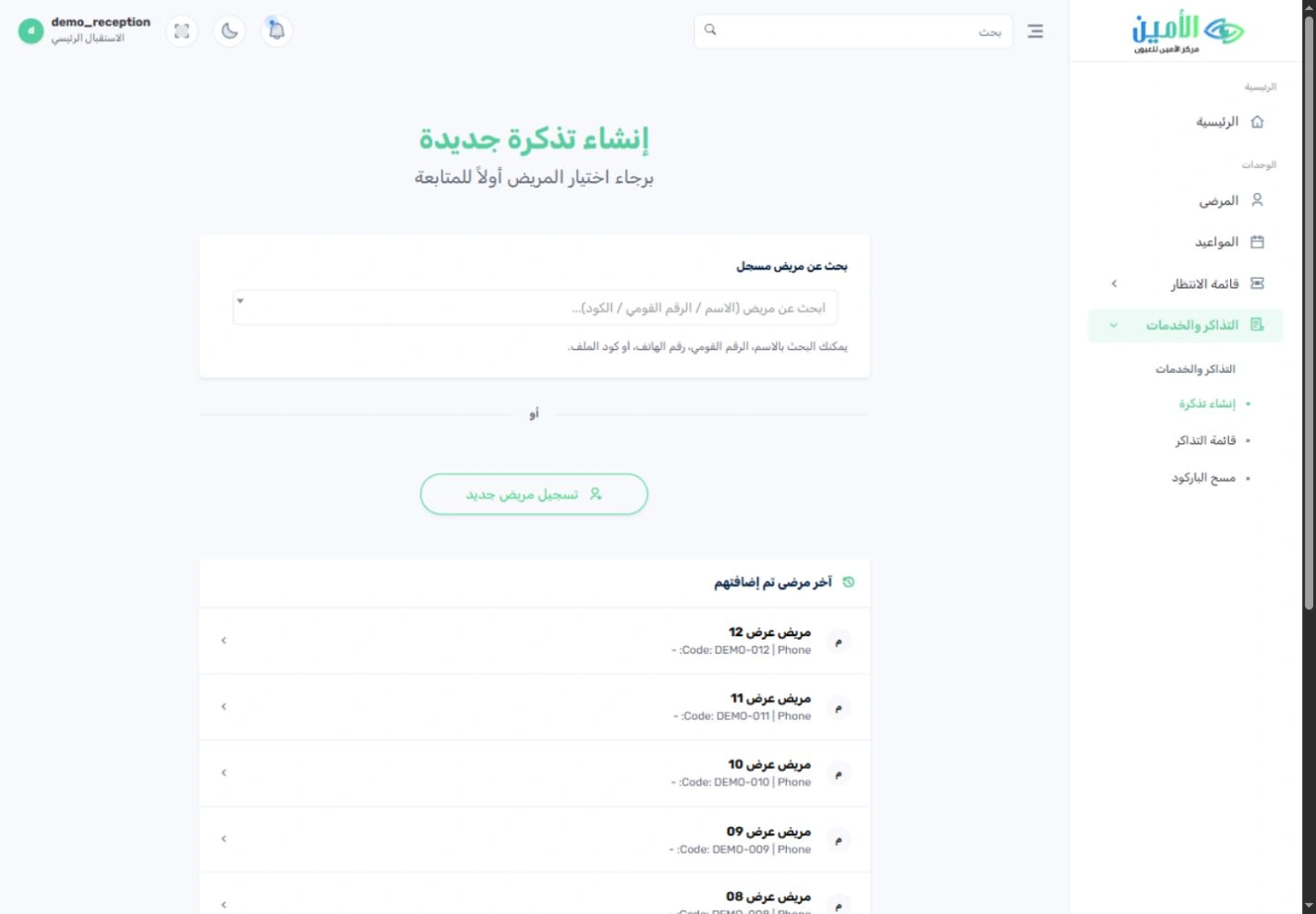
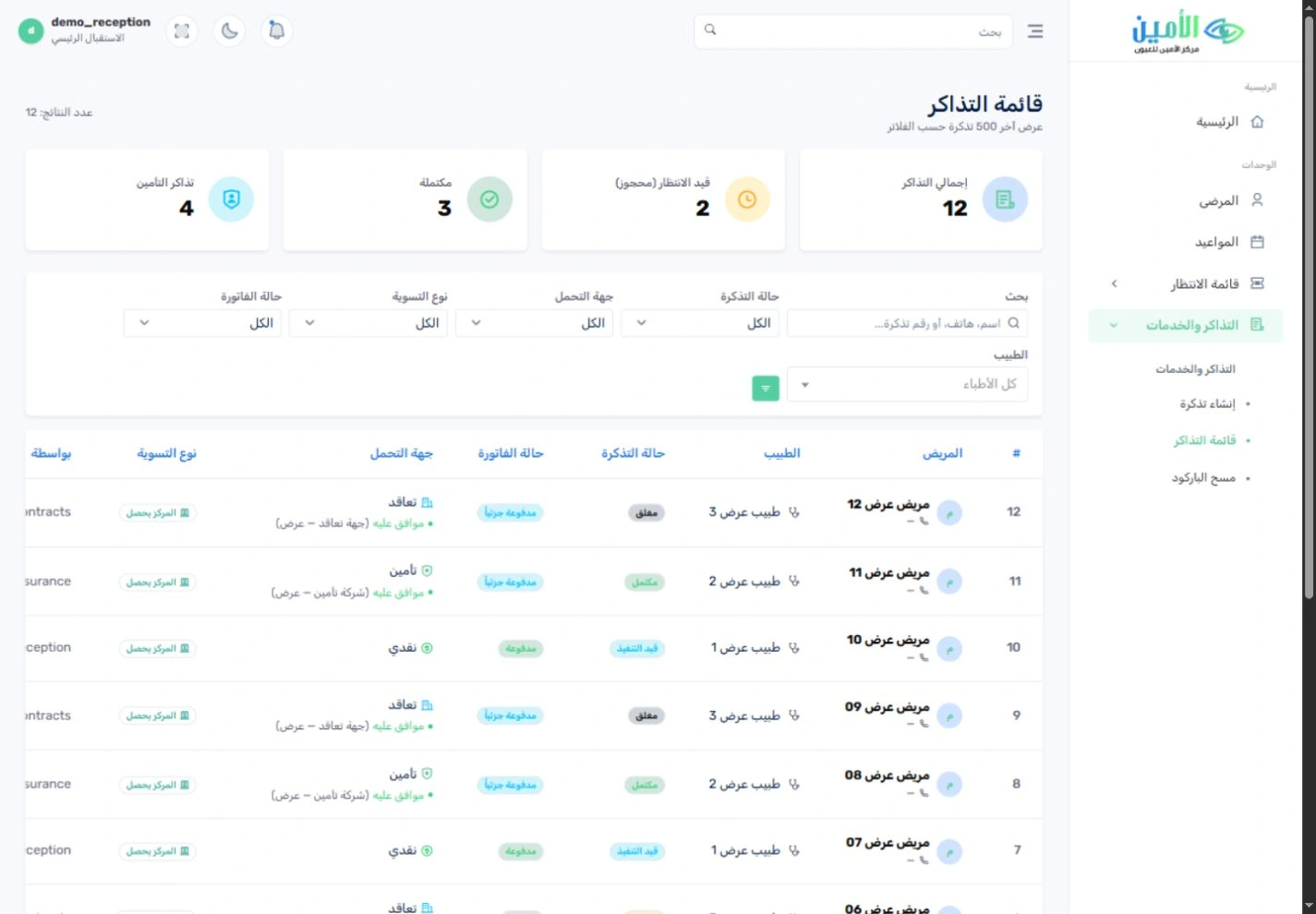
The right screen for every job.الشاشة المناسبة لكل وظيفة.
All 12 roles were signed in on a separate local demo copy. Choose a role to see its real dashboard. Each role has its own defined access and responsibilities.جرى تسجيل الدخول بالأدوار الاثني عشر كلها في نسخة عرض محلية منفصلة. اختر أي دور لتشاهد لوحته الحقيقية. ولكل دور نطاق محدد من الصلاحيات والمسؤوليات.
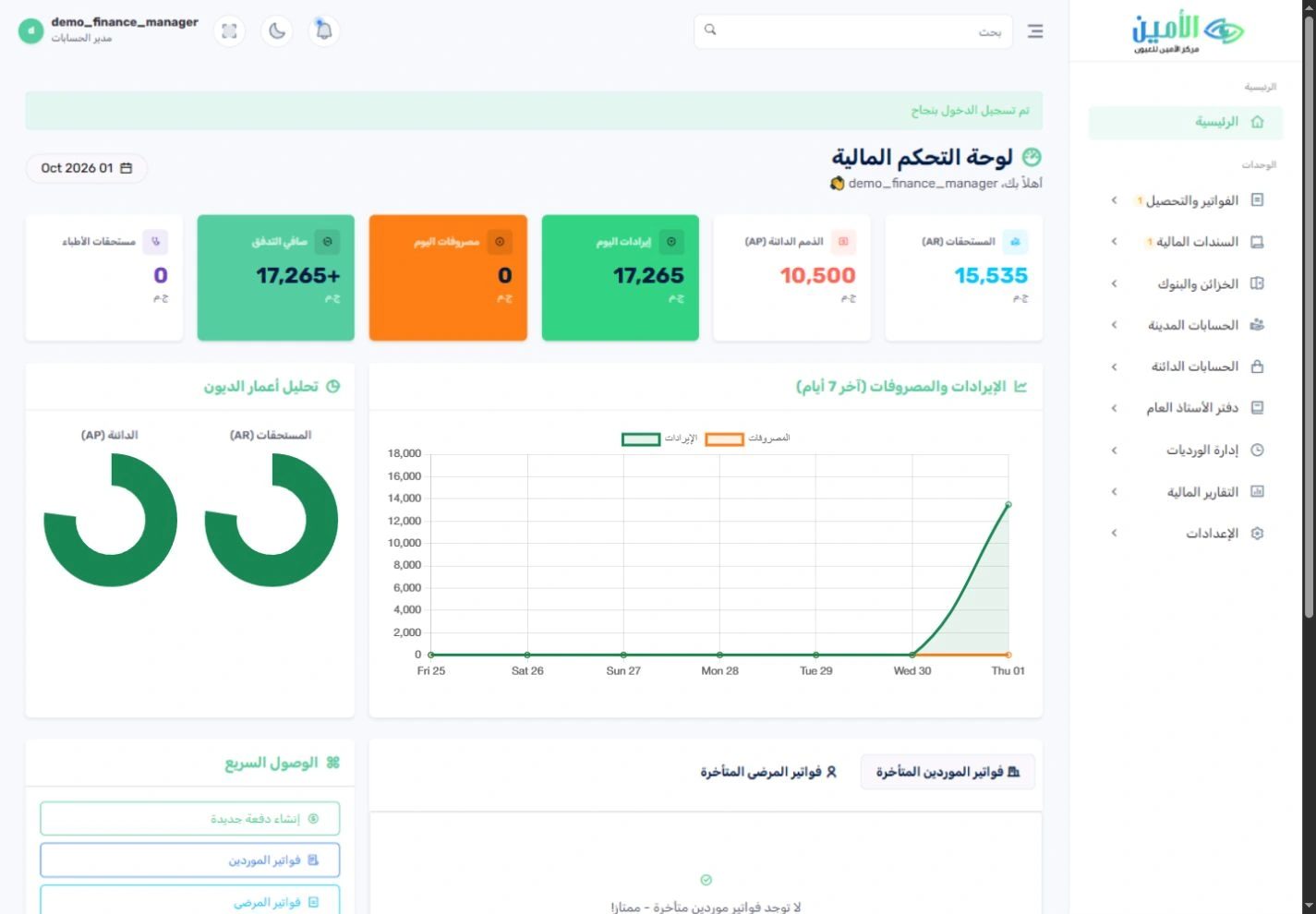
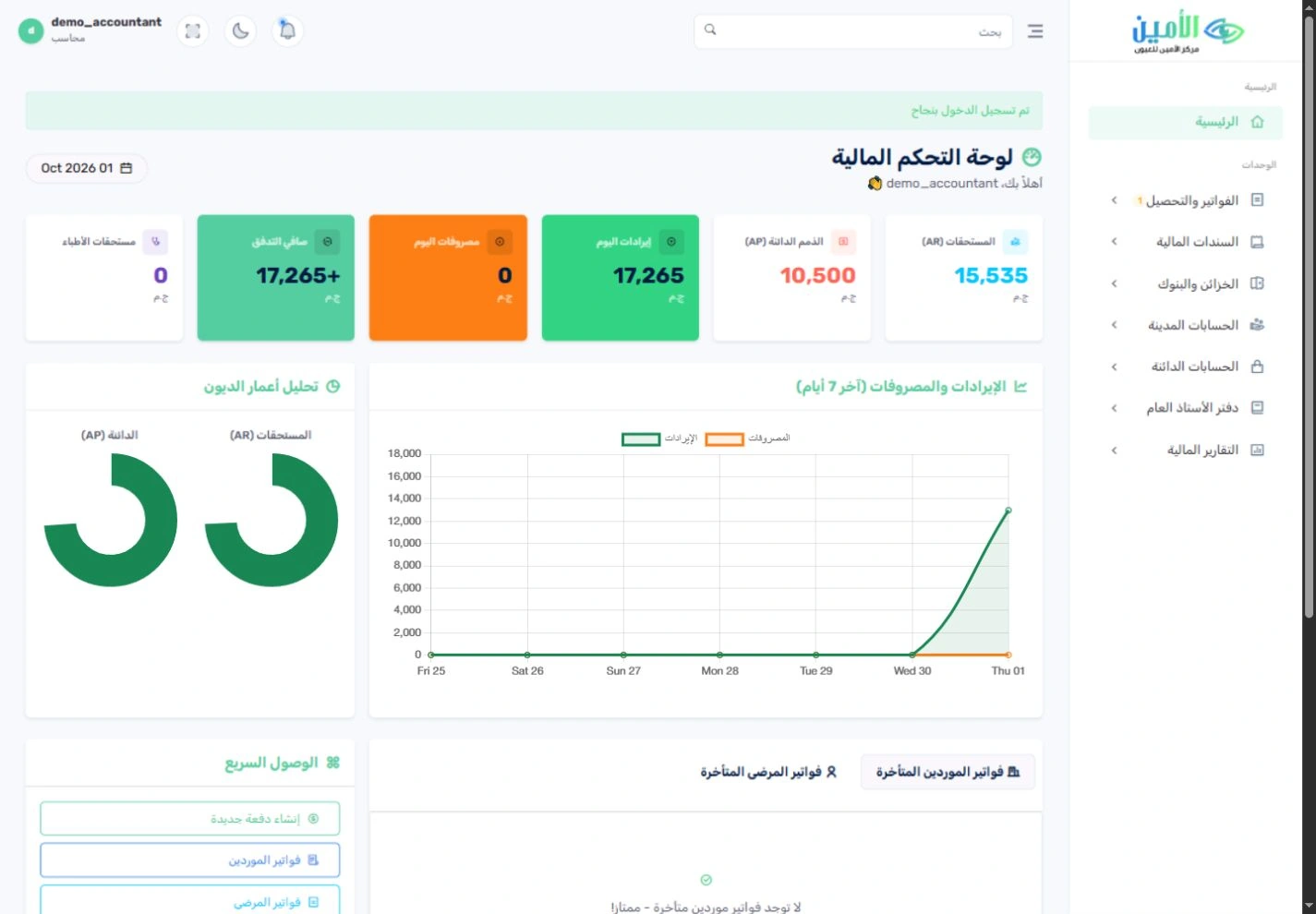
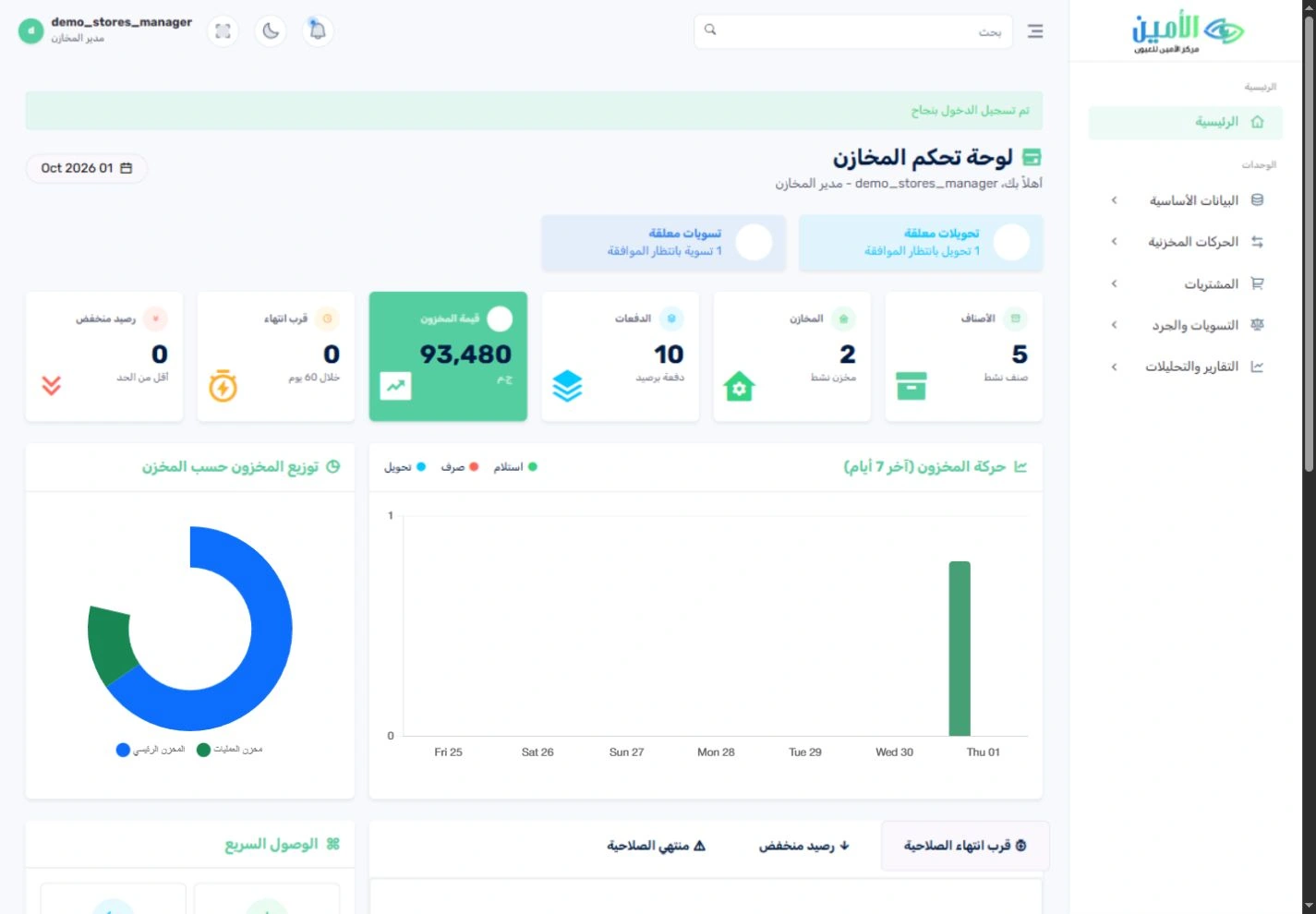
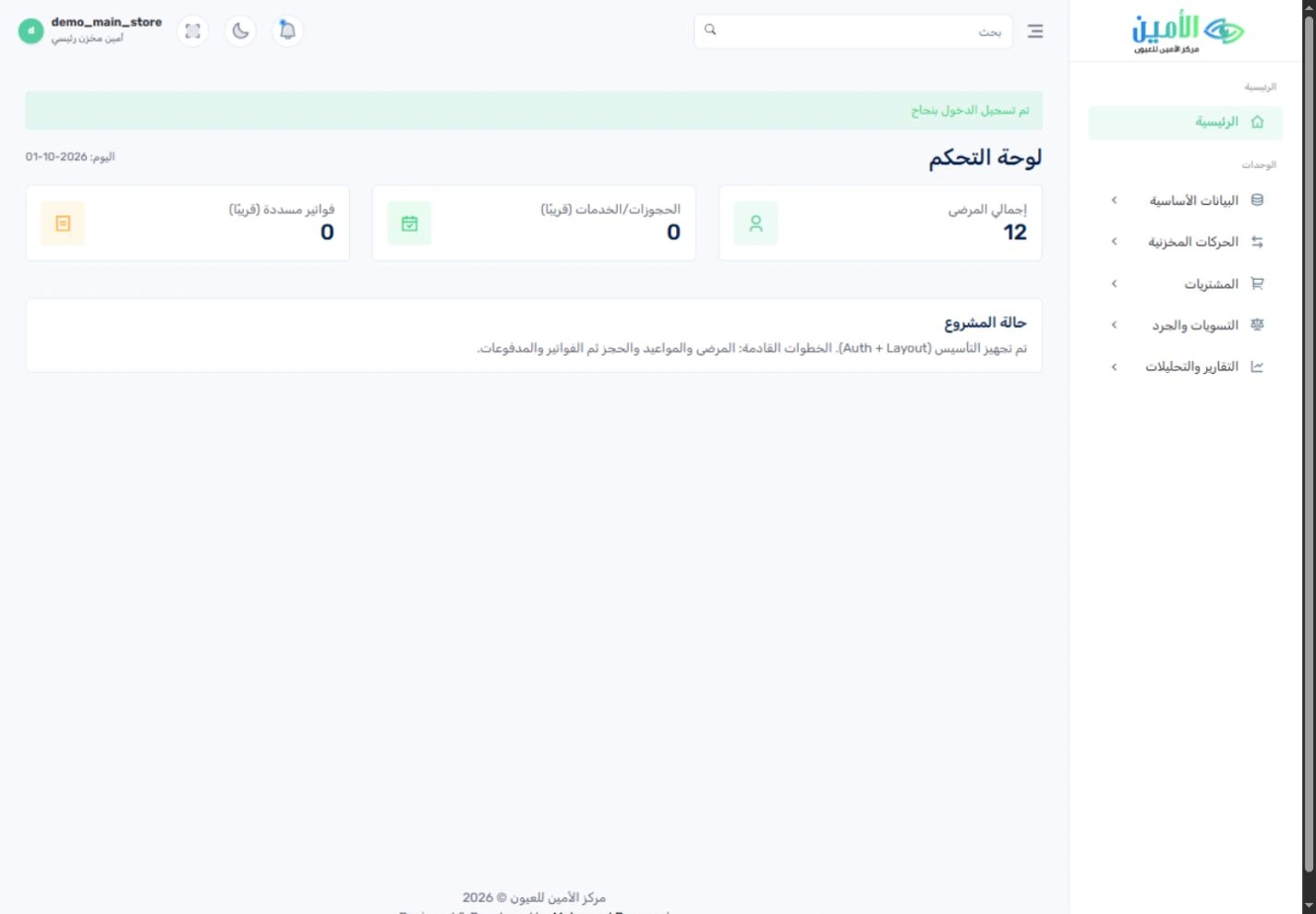
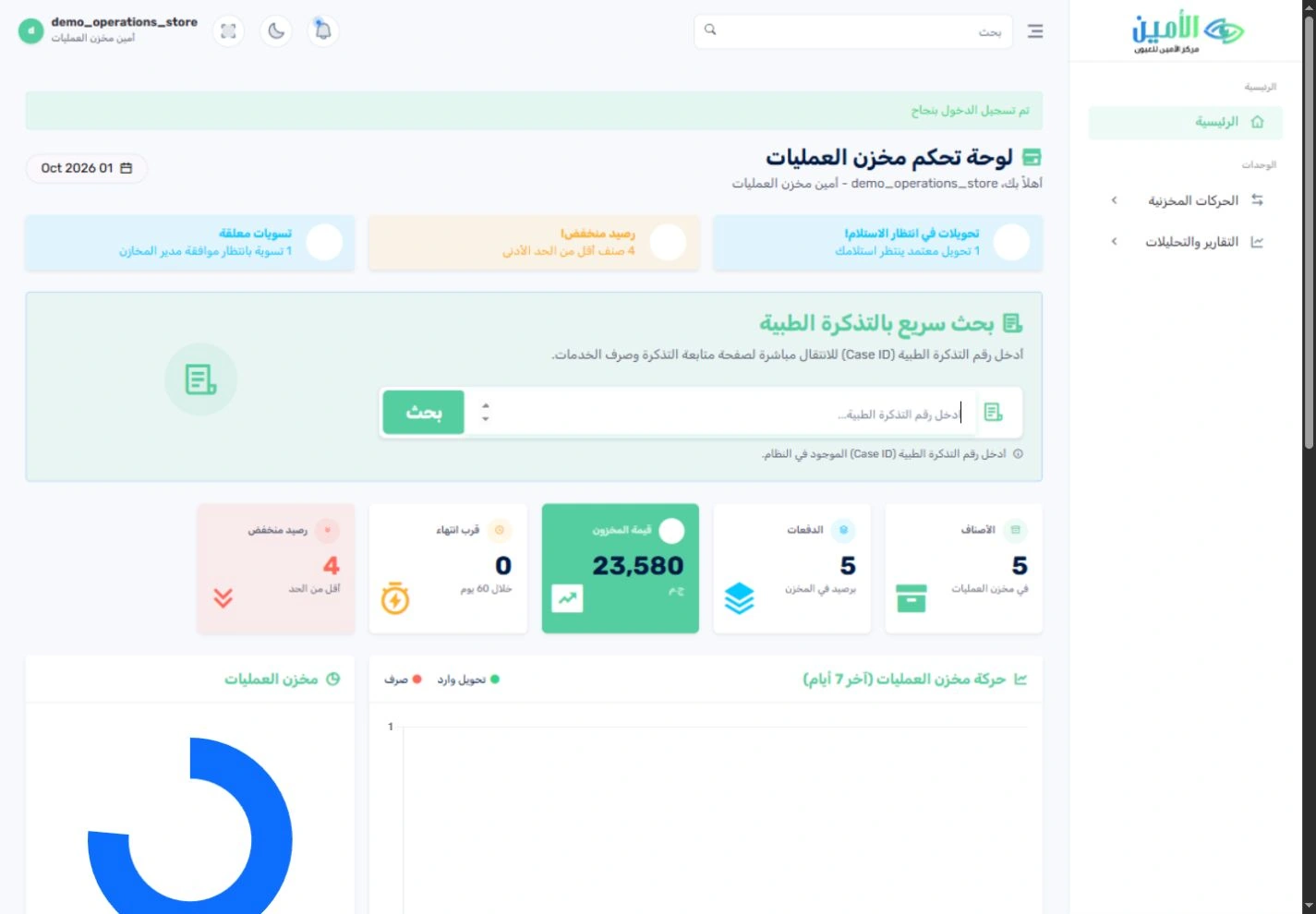
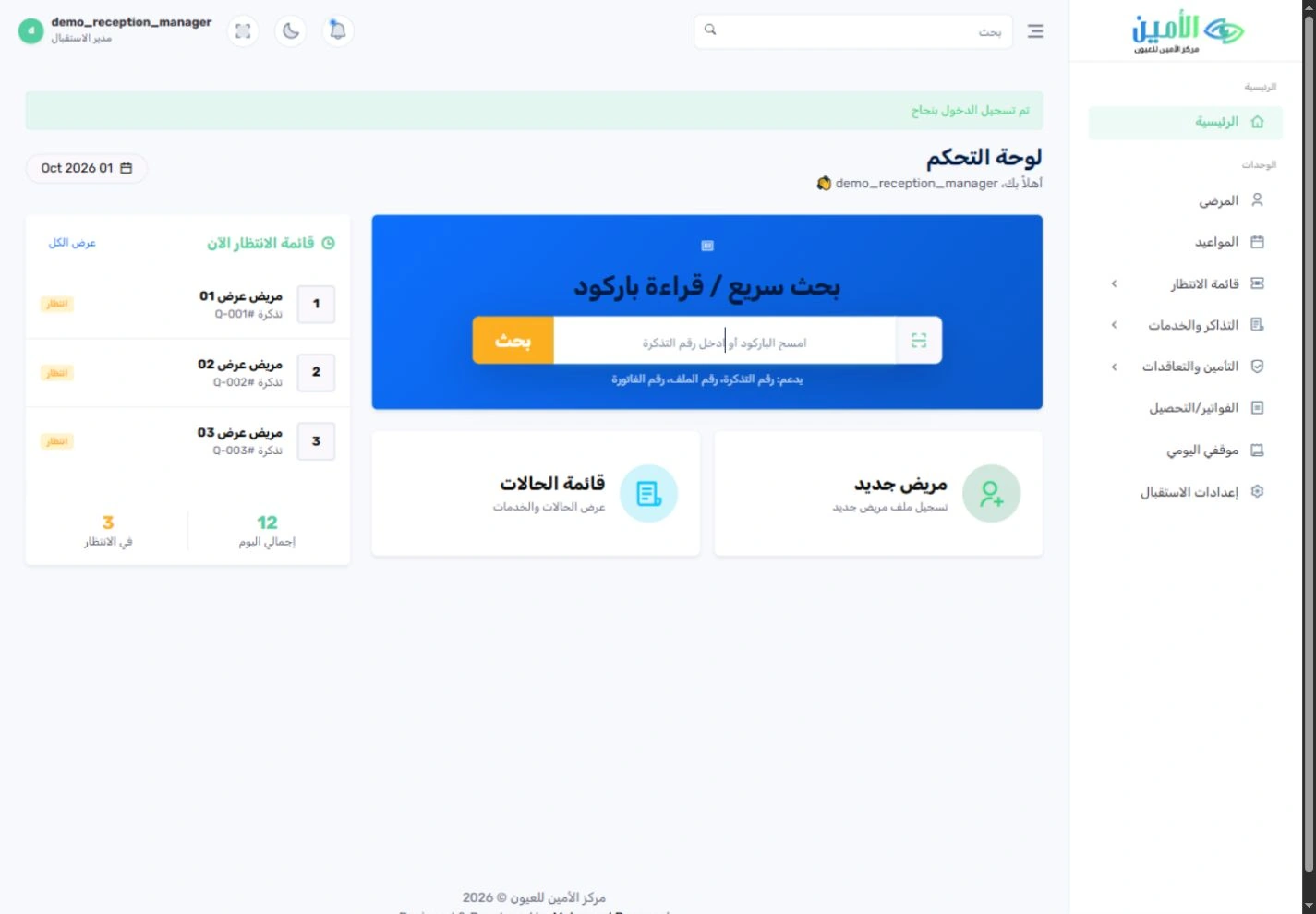
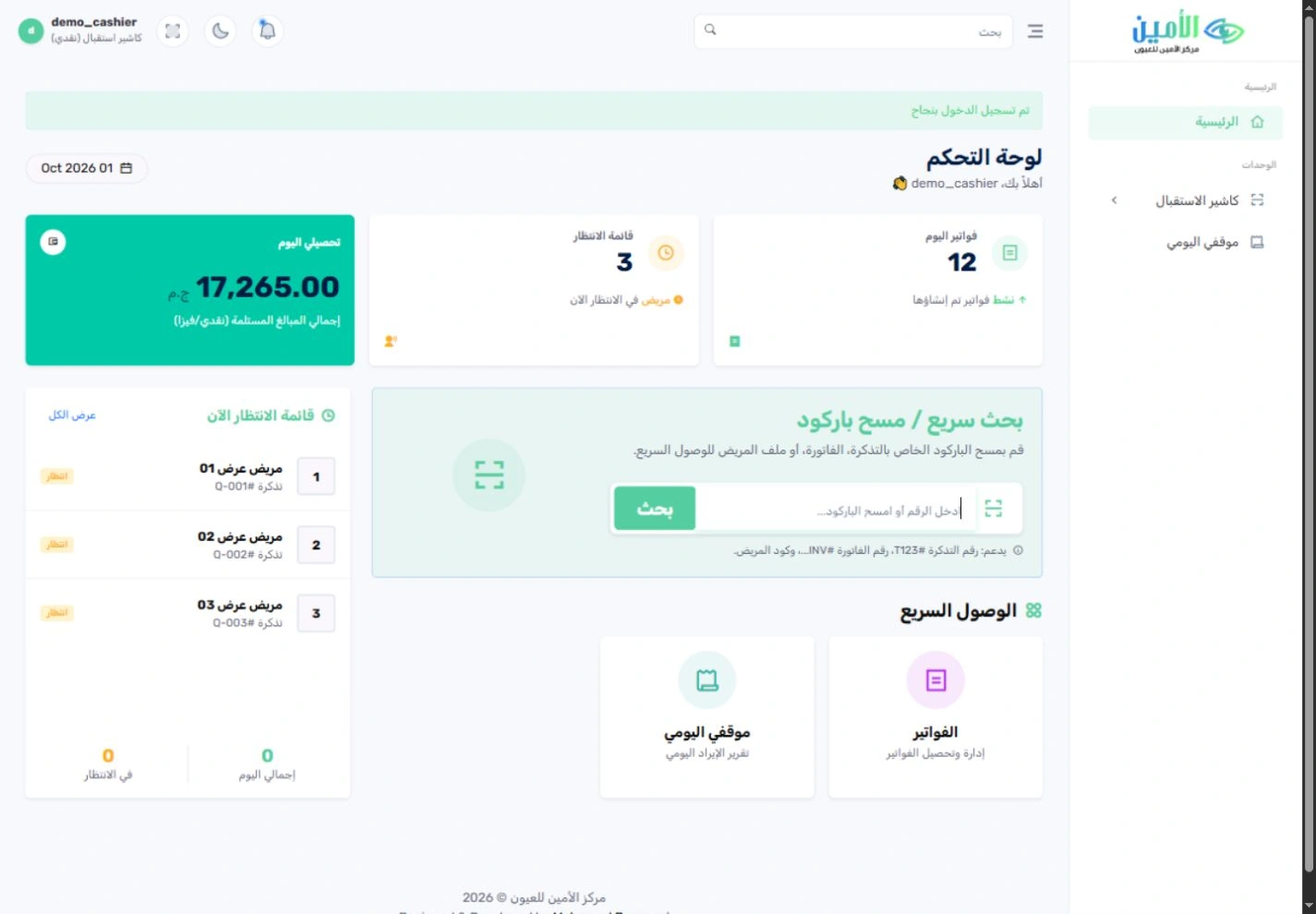
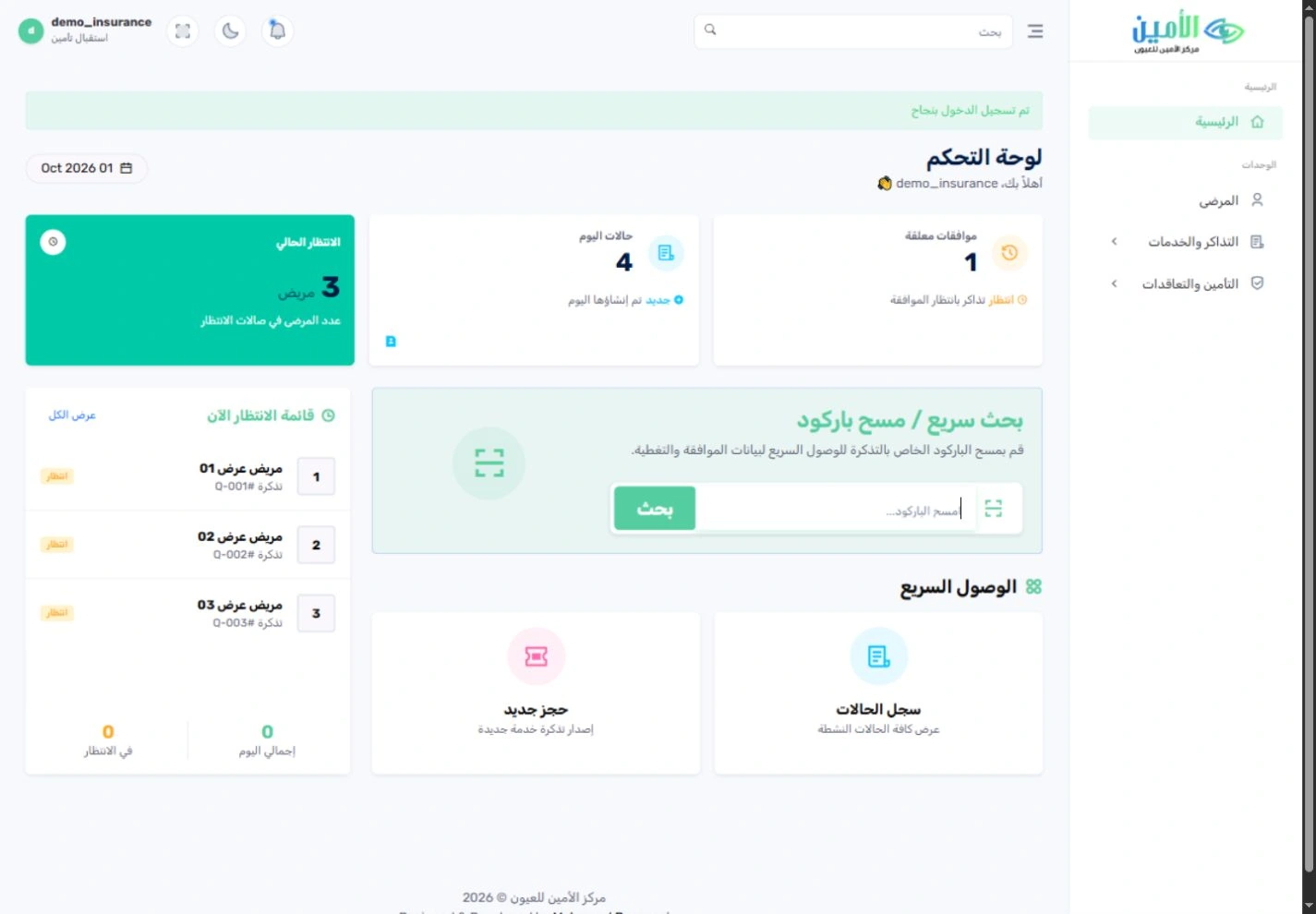
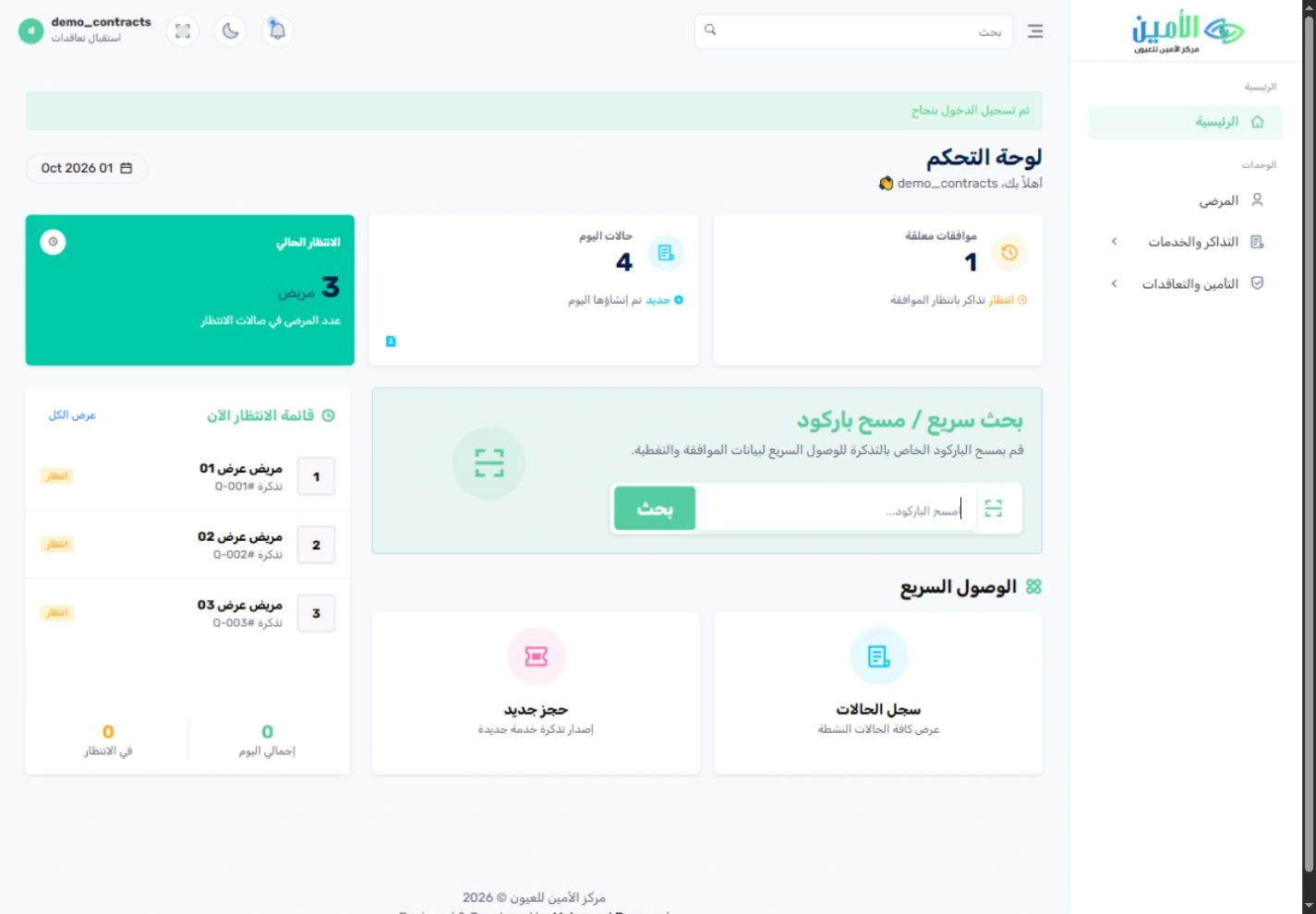
Built around the way your hospital works.يُهيَّأ على طريقة عمل مستشفاك.
Every eye hospital has its own clinics, services, operating rooms, team, prices and approval rules. Implementation starts by agreeing that scope together, then setting up the system and testing the agreed workflows with the people who will use them every day.لكل مستشفى عيون عياداته وخدماته وغرف عملياته وفريقه وأسعاره وقواعد اعتماده. يبدأ التنفيذ بتحديد هذا النطاق معًا، ثم تجهيز النظام، واختبار مسارات العمل المتفق عليها مع من سيستخدمونه يوميًا.
The screenshots come from a separate copy of the Al-Amin system with synthetic patients, staff and financial amounts; the original patient database was not used for any of them. They show the interface and workflows, not real operating results or a production-readiness certificate. Deployment scope, setup and workflow sign-off are agreed with each hospital.الصور مأخوذة من نسخة منفصلة من نظام الأمين، ببيانات مرضى وعاملين ومبالغ مالية تجريبية، ولم تُستخدم قاعدة بيانات المرضى الأصلية في أيٍّ منها. هدفها عرض الواجهة ومسارات العمل، وليست نتائج تشغيل فعلية أو شهادة جاهزية للتشغيل. ويُتفق على نطاق التنفيذ والإعداد واعتماد مسارات العمل مع كل مستشفى على حدة.