Healthy Corner.هيلثي كورنر.
Products up front. Campaigns under your control.منتجاتك في الواجهة، وحملاتك تحت سيطرتك.
A grocery store where shoppers browse categories, open product pages and manage their account, plus a separate Arabic control panel where your team runs banners, customer enquiries and site content.متجر إلكتروني للمنتجات الغذائية يتصفح فيه العميل التصنيفات، ويفتح صفحات المنتجات، ويدير حسابه، مع لوحة تحكم عربية مستقلة يدير منها فريقك البنرات واستفسارات العملاء ومحتوى الموقع.
Real screenshots · Isolated demo · Sample recordsلقطات حقيقية · نسخة عرض منفصلة · بيانات تجريبية
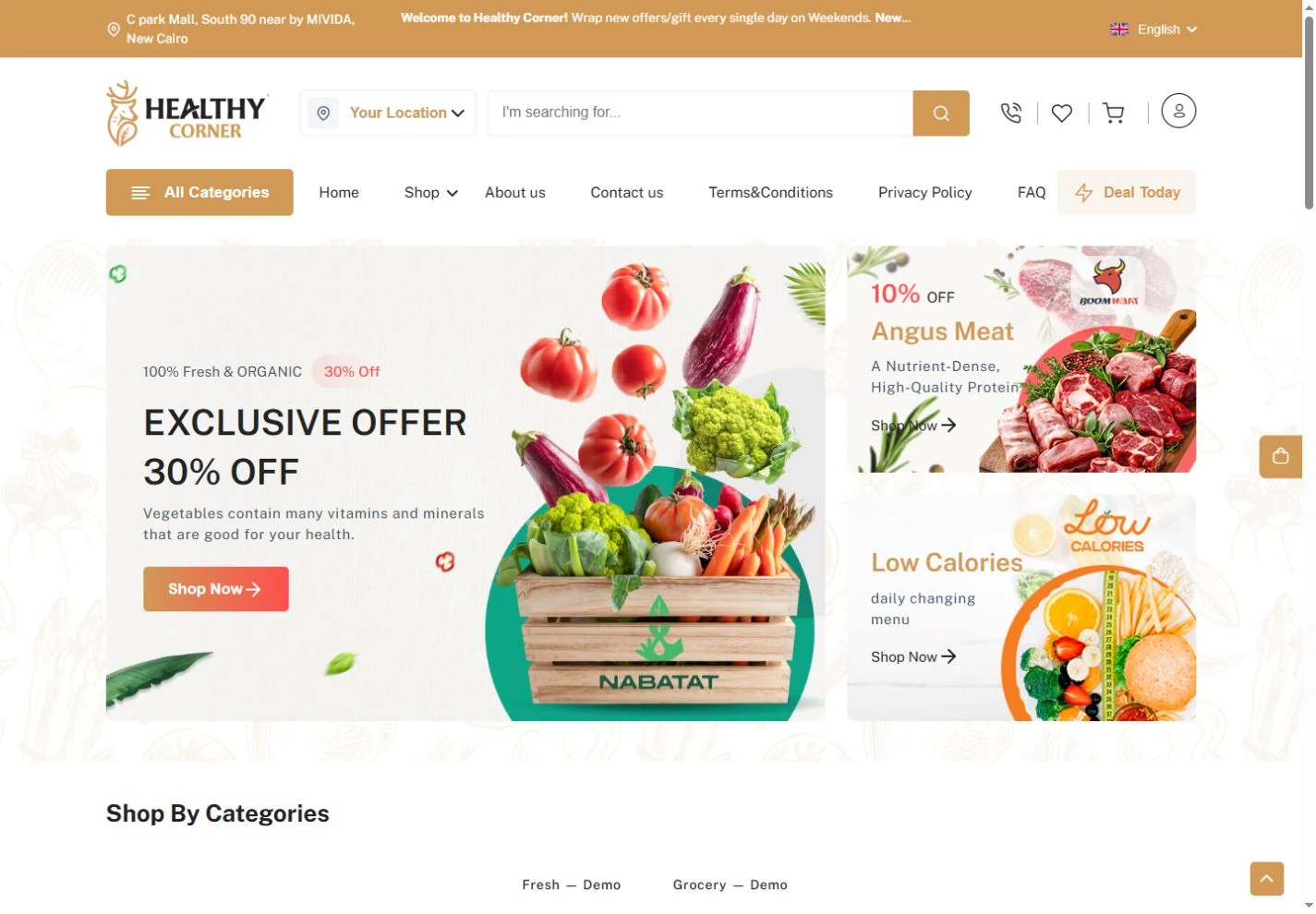
What it brings to your store.ماذا يضيف إلى متجرك؟
Products that are easy to explore, offers you can keep current, and one clear panel where your team manages banners, enquiries and site content.منتجات يسهل استكشافها، وعروض تحدّثها بسهولة، ولوحة واضحة يدير منها فريقك البنرات والاستفسارات ومحتوى الموقع.
Three key areas, one store.ثلاثة أقسام رئيسية في متجر واحد.
Open any section to see its real screens and what it does for your store.افتح أي قسم لتشاهد شاشاته الحقيقية، وتعرف ما يقدمه لمتجرك.
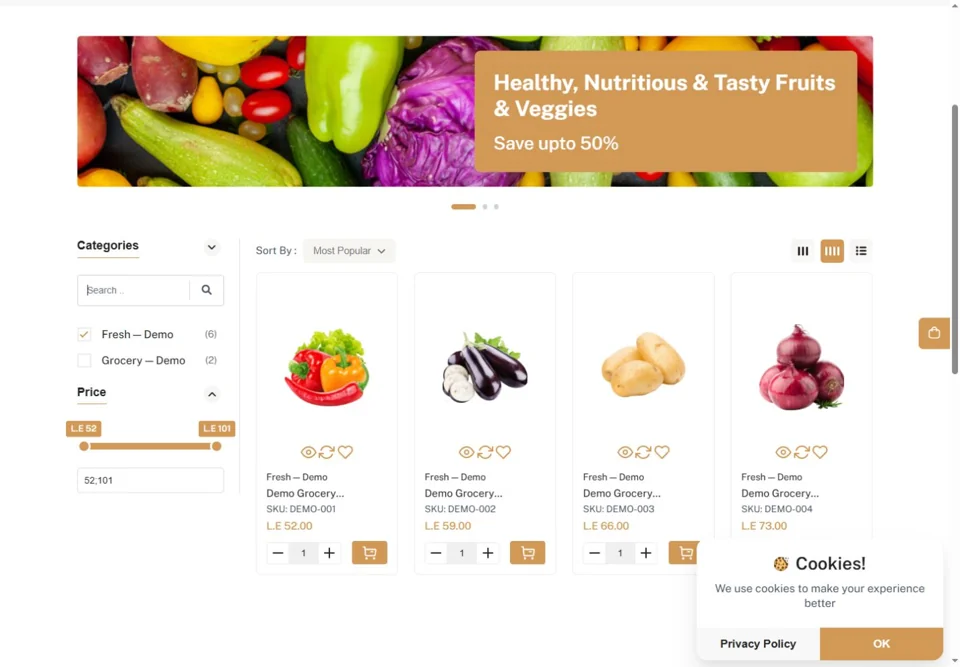 01Storefrontواجهة المتجرA store that puts the product first.متجر يضع المنتج في المقدمة.3 features · 3 screens٣ مزايا · ٣ شاشات
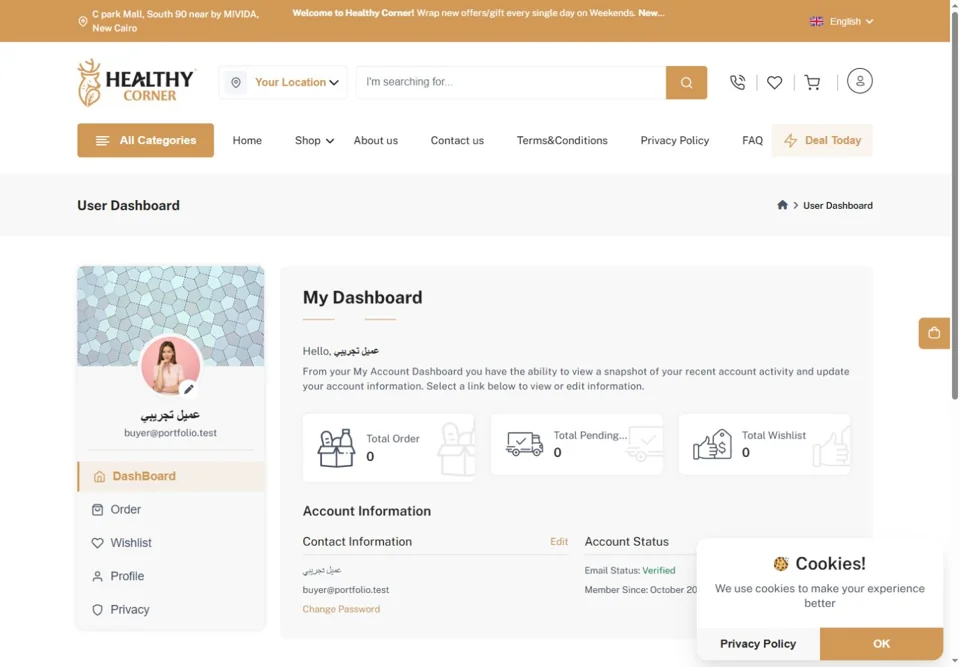 02Customer accountحساب العميلOrders, favourites and details in one account.الطلبات والمفضلة والبيانات في حساب واحد.2 features · 1 screenميزتان · شاشة واحدة
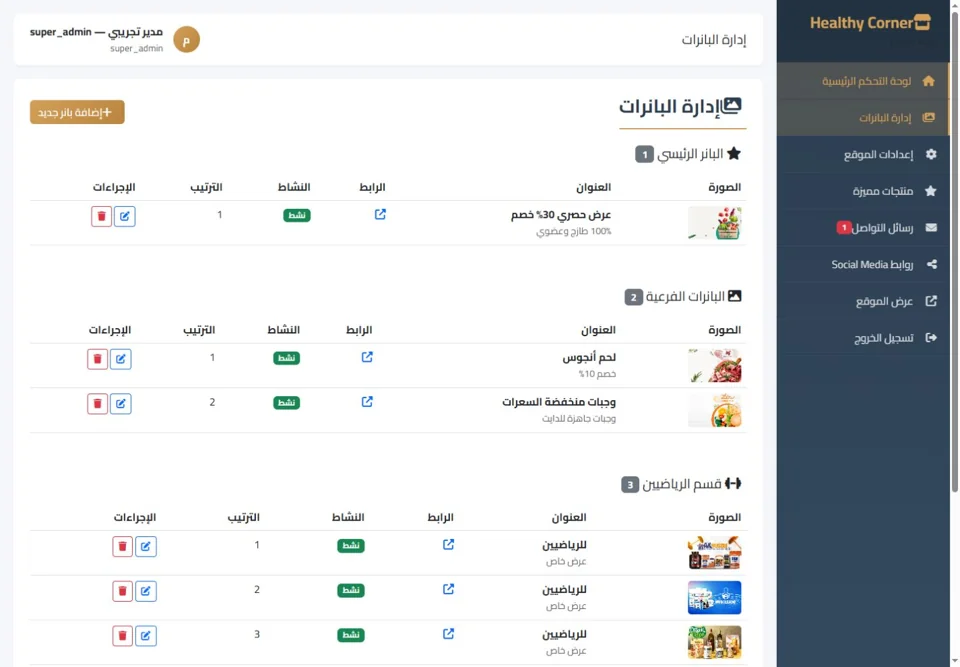 03Control panelلوحة التحكمCampaigns and content, managed from one Arabic panel.الحملات والمحتوى، من لوحة تحكم عربية واحدة.3 features · 3 screens٣ مزايا · ٣ شاشات
A store that puts the product first.متجر يضع المنتج في المقدمة.
Shoppers move from an eye-catching offer to a category, then to the product and its details, along one clear path.ينتقل العميل من العرض الجذاب إلى التصنيف، ثم إلى المنتج وكل تفاصيله، في مسار واضح.
See all featuresكل المزايا بالتفصيل
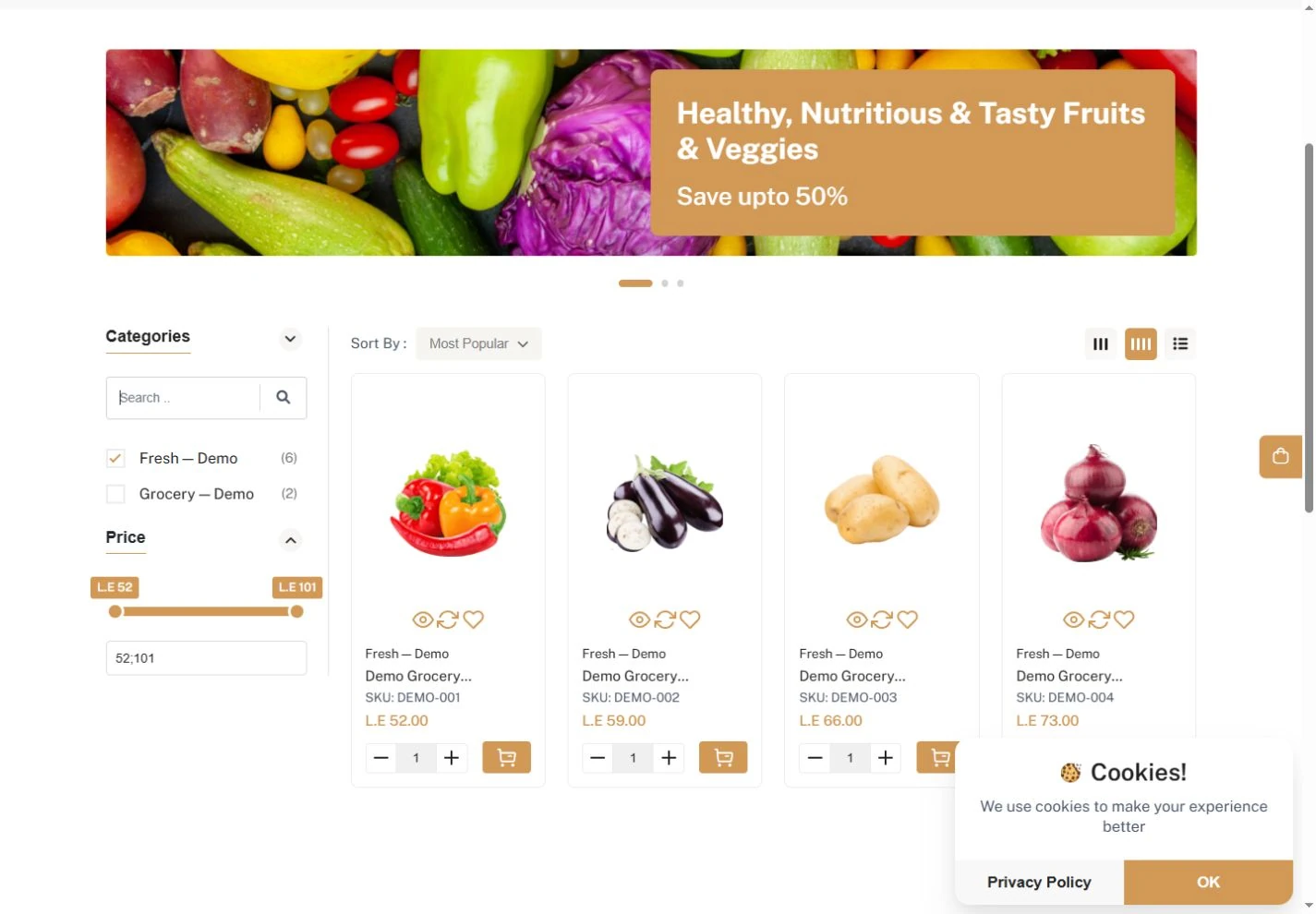
Browse by categoryالتصفح حسب التصنيف
Browse a catalogue organised by category and narrow down the products shown.تصفَّح كتالوجًا مرتبًا حسب التصنيفات، وقلِّص المنتجات المعروضة إلى ما تبحث عنه.
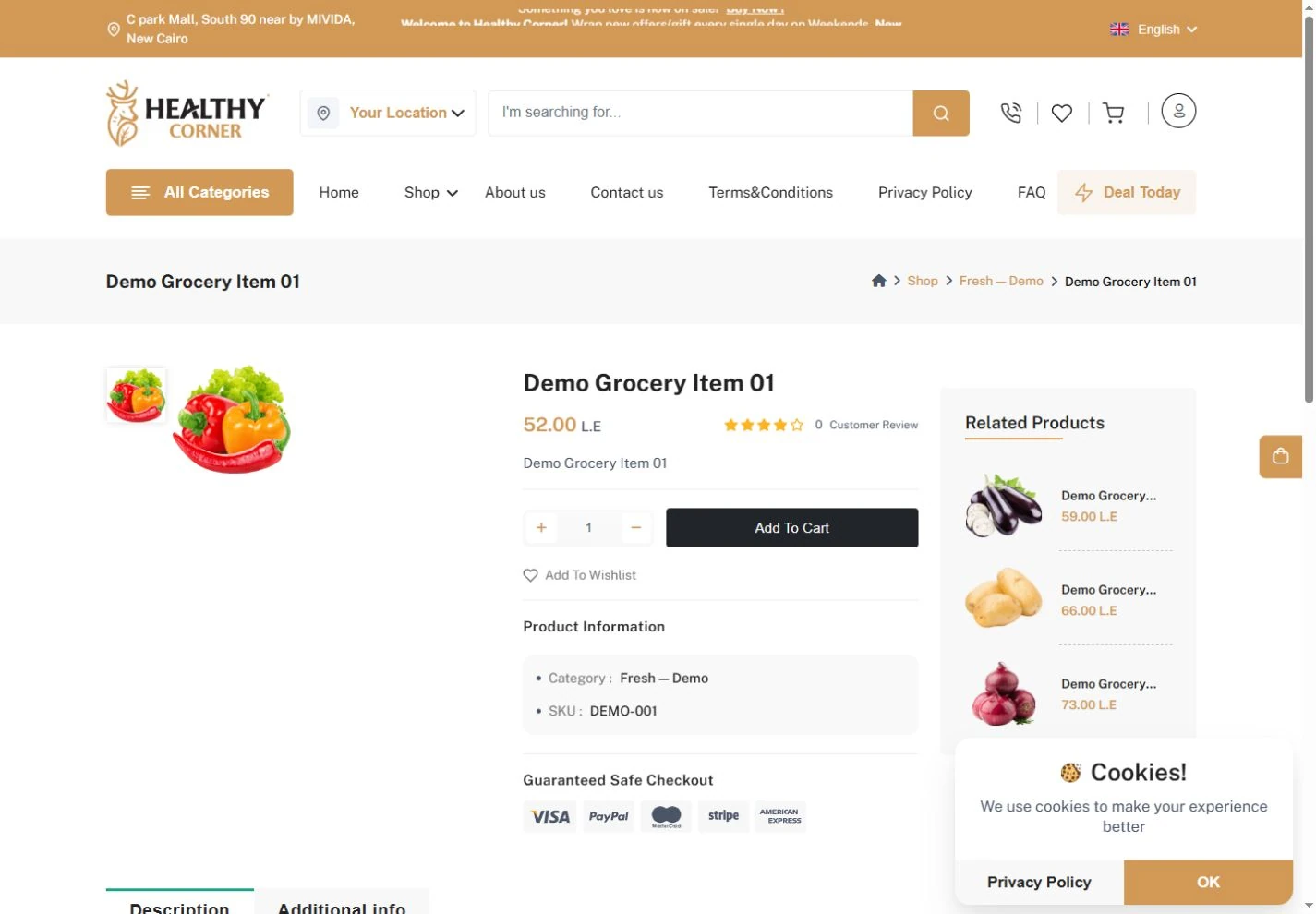
Product pageصفحة المنتج
Each product has its own page with its images, price and full details.لكل منتج صفحة خاصة تعرض صوره وسعره وتفاصيله كاملة.
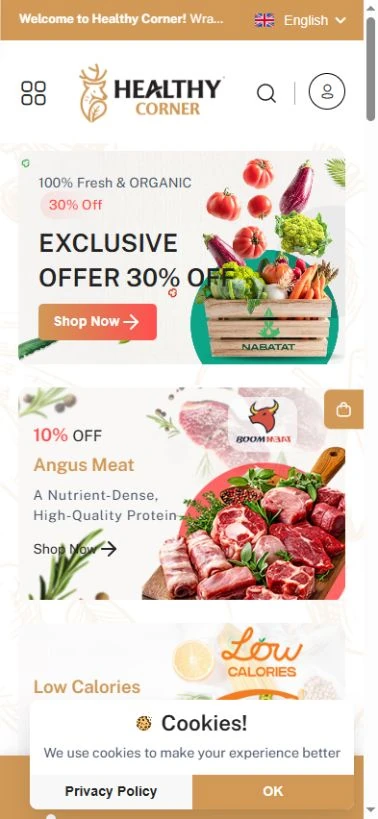
Mobile browsingالتصفح من الهاتف
A mobile menu and quick links take shoppers straight to each store section.يصل العميل إلى أقسام المتجر بسرعة من قائمة مخصصة للهاتف وروابط مختصرة.
Orders, favourites and details in one account.الطلبات والمفضلة والبيانات في حساب واحد.
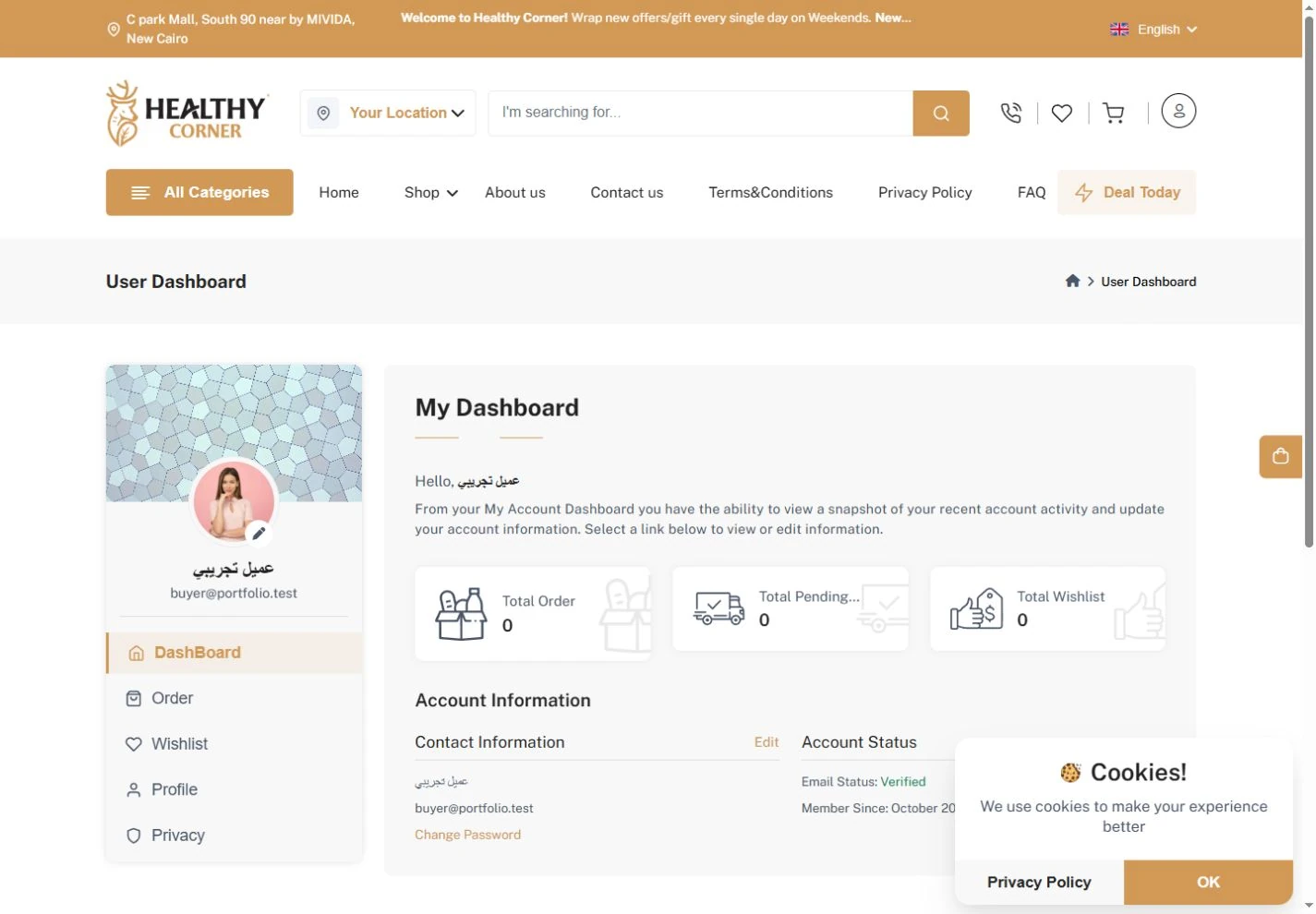
The customer dashboard puts personal details and shopping sections on one screen.تجمع لوحة العميل بياناته الشخصية وأقسام التسوق في شاشة واحدة.
See all featuresكل المزايا بالتفصيل
Account at a glanceملخص الحساب
Account details, orders, favourites and addresses each have their own entry point.لكلٍّ من بيانات الحساب والطلبات والمفضلة والعناوين مدخل مستقل.
Store and account, connectedالمتجر والحساب مترابطان
Customers move between the public catalogue and their signed-in account area.ينتقل العميل بين الكتالوج العام وحسابه الشخصي بعد تسجيل الدخول.
Campaigns and content, managed from one Arabic panel.الحملات والمحتوى، من لوحة تحكم عربية واحدة.
Your team manages the store’s public content from a separate Arabic control panel, apart from the shopping pages.يدير فريقك المحتوى العام للمتجر من لوحة تحكم عربية مستقلة عن صفحات التسوق.
See all featuresكل المزايا بالتفصيل
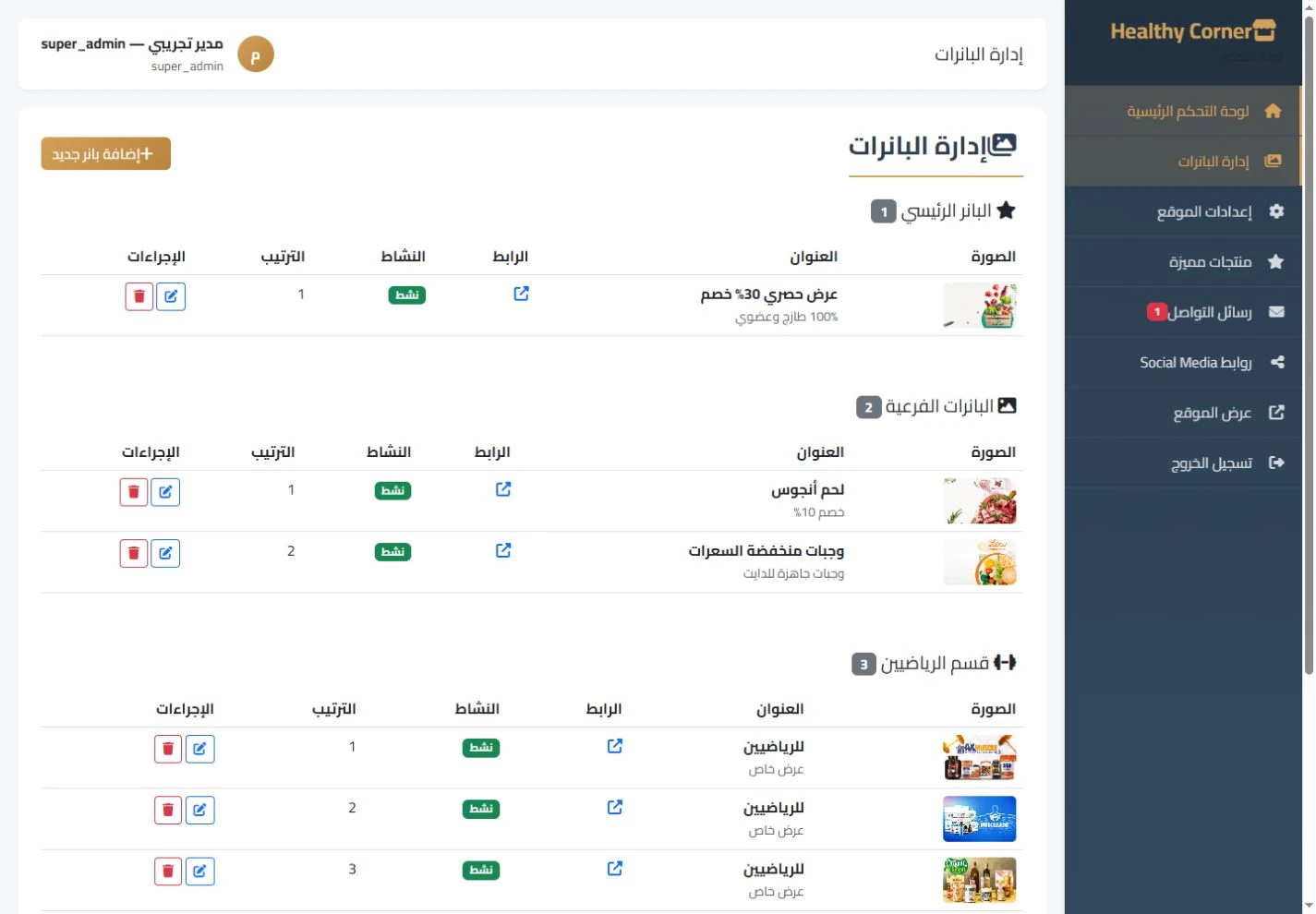
Promotional bannersبنرات العروض
Control each banner’s image, placement, order and visibility from its own list.تحكَّم في صورة كل بنر وموضعه وترتيبه وظهوره من قائمة مخصصة.
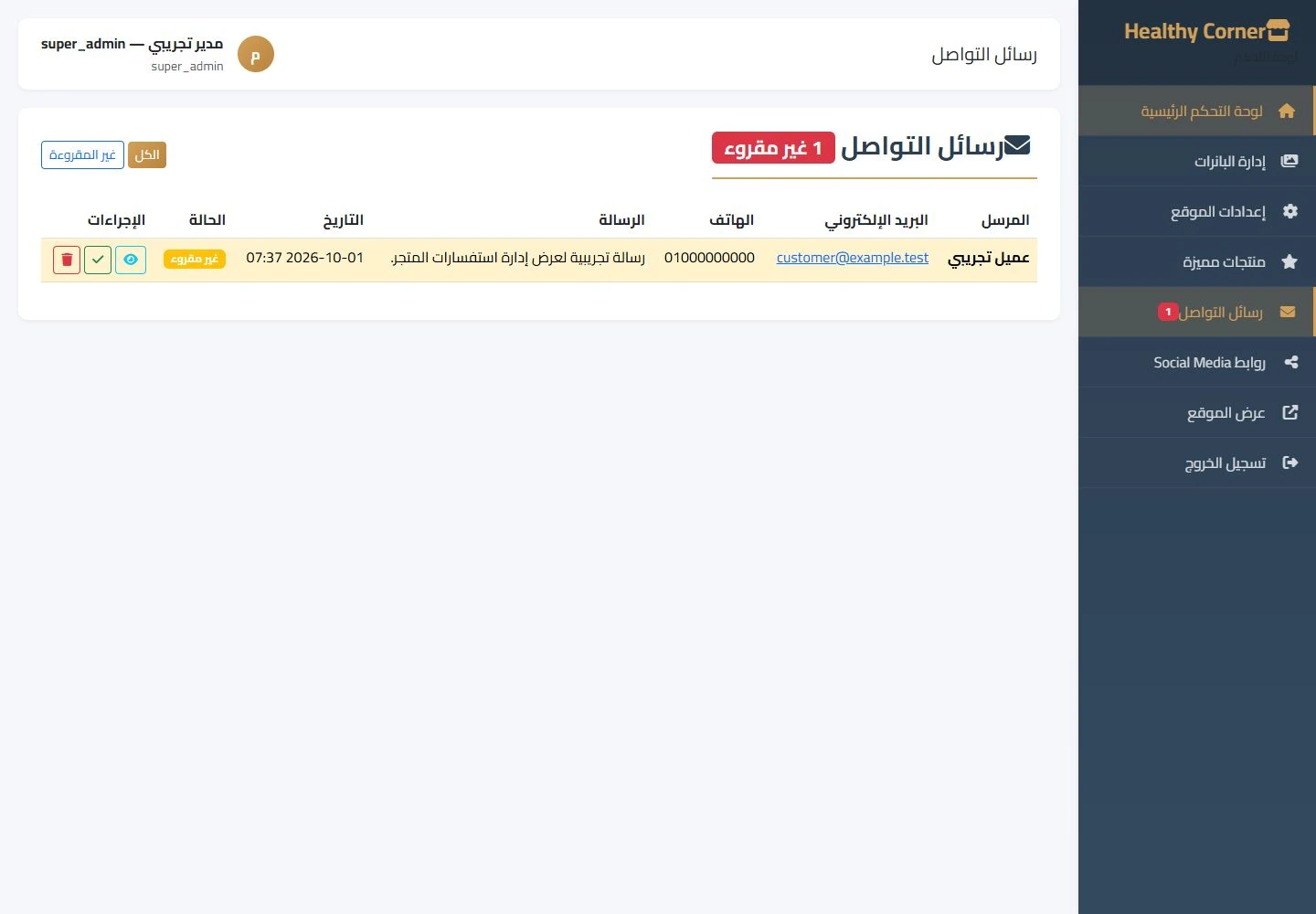
Customer enquiriesاستفسارات العملاء
Read incoming messages and organise the follow-up from the enquiries screen.راجِع الرسائل الواردة ونظِّم متابعتها من شاشة الاستفسارات.
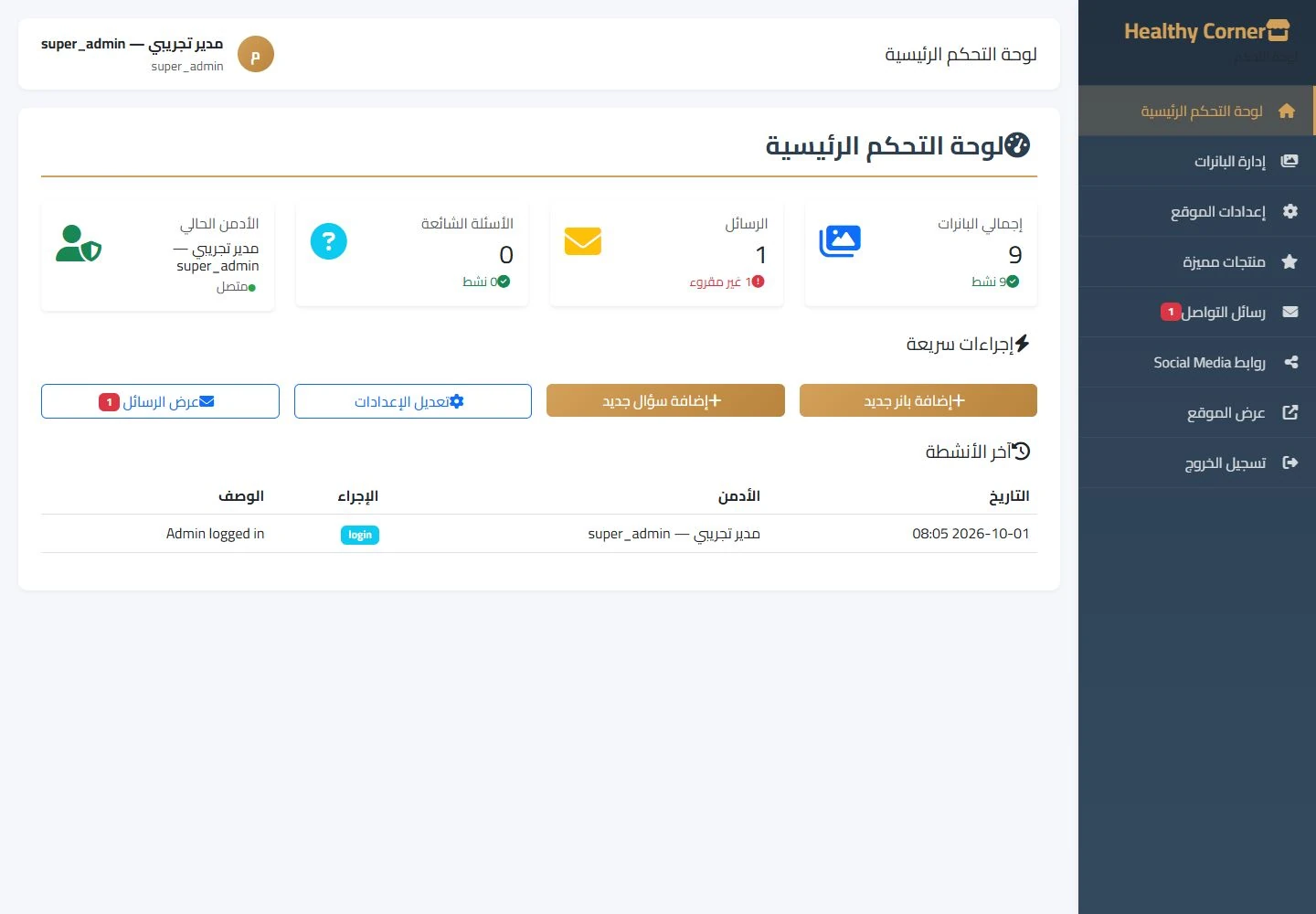
Content team accountsحسابات فريق المحتوى
Administrator, editor and super administrator accounts were opened and reviewed, but this demo does not confirm the exact limits of each account’s permissions.فُتحت حسابات المدير والمحرر والمدير العام وتمت معاينتها، لكن هذا العرض لا يؤكد حدود صلاحيات كل حساب.
See the store for yourself.شاهد المتجر بنفسك.
10 real screenshots from the store, the customer account and the control panel. Open any image, zoom in on the details and browse them all.١٠ لقطات حقيقية من المتجر وحساب العميل ولوحة التحكم. افتح أي صورة، وكبِّر التفاصيل، وتنقّل بين الصور كلها.
Showing 8 of 10عرض ٨ من ١٠
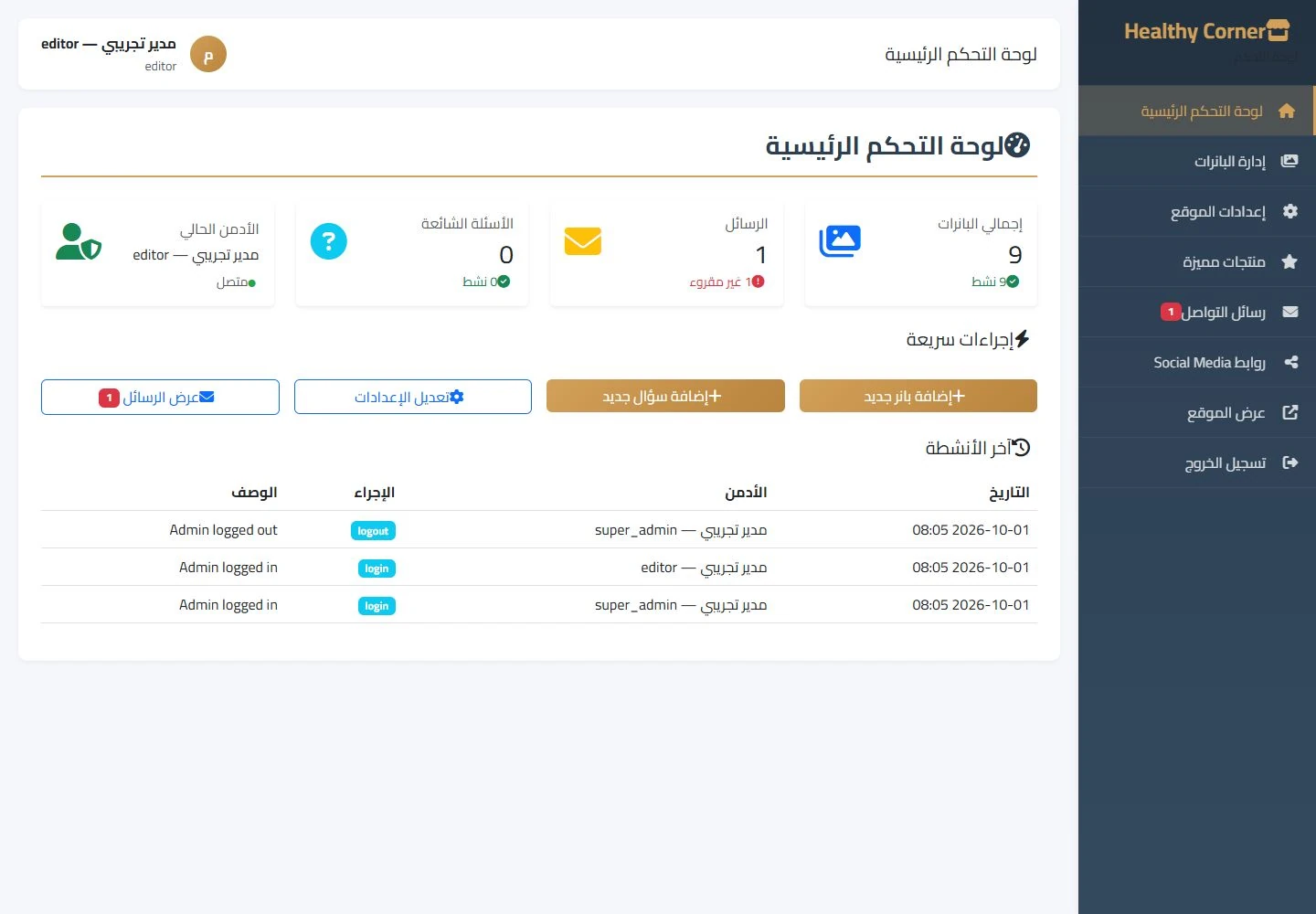
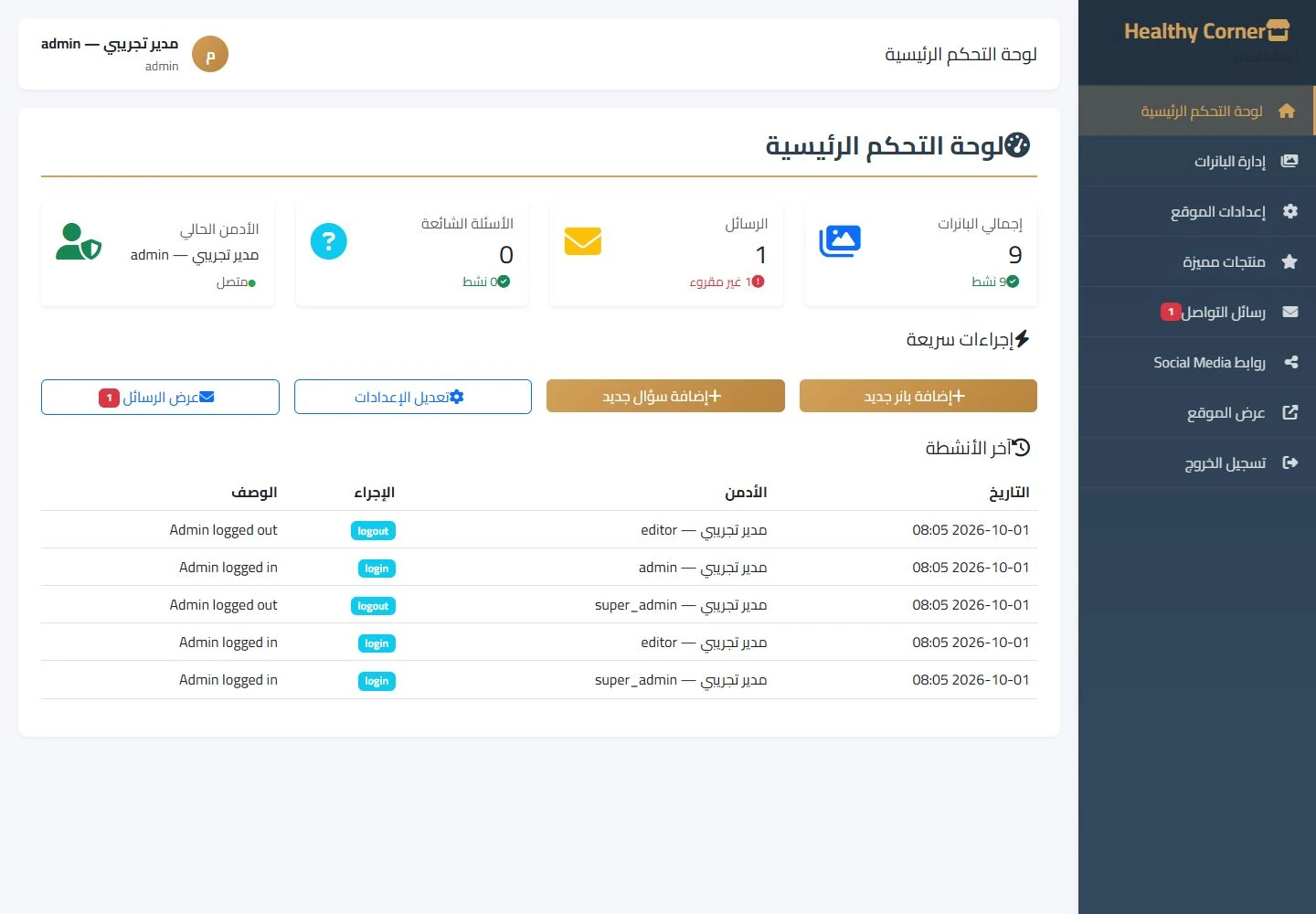
A screen for every role.شاشة مناسبة لكل دور.
These four accounts were opened in the demo copy. Choose a role to see its real screen.فُتحت هذه الحسابات الأربعة في نسخة العرض. اختر أي دور لتشاهد شاشته الحقيقية.
What this demo covers — and what it doesn’t.ما يغطيه هذا العرض، وما لا يغطيه.
These screenshots come from a separate demo copy with a sample product catalogue and sample customer records. The customer account and three content team accounts were opened. Live Foodics sync, completing the cart, checkout and payment were not verified.الصور مأخوذة من نسخة عرض منفصلة بكتالوج منتجات وبيانات عملاء تجريبية، فُتح فيها حساب العميل وثلاثة حسابات لفريق المحتوى. ولم يتم التحقق من المزامنة المباشرة مع Foodics، ولا من إتمام السلة، ولا من إتمام الشراء والدفع.