More Machine.مور ماشين.
Find the right machine, and see exactly what it’s for.اعثر على المعدة المناسبة، واعرف استخدامها بوضوح.
A bilingual website for an industrial machinery company. Buyers browse the catalogue by application and open a technical page for each machine, while the team keeps the catalogue up to date from the admin panel.موقع بالعربية والإنجليزية لشركة معدات صناعية: يتصفح المشتري الكتالوج حسب الاستخدام، ويفتح صفحة فنية لكل معدة، بينما يحدّث فريق الشركة الكتالوج من لوحة الإدارة.
Real website and admin screenshots · Sample data where neededلقطات حقيقية من الموقع ولوحة الإدارة · بيانات تجريبية عند الحاجة
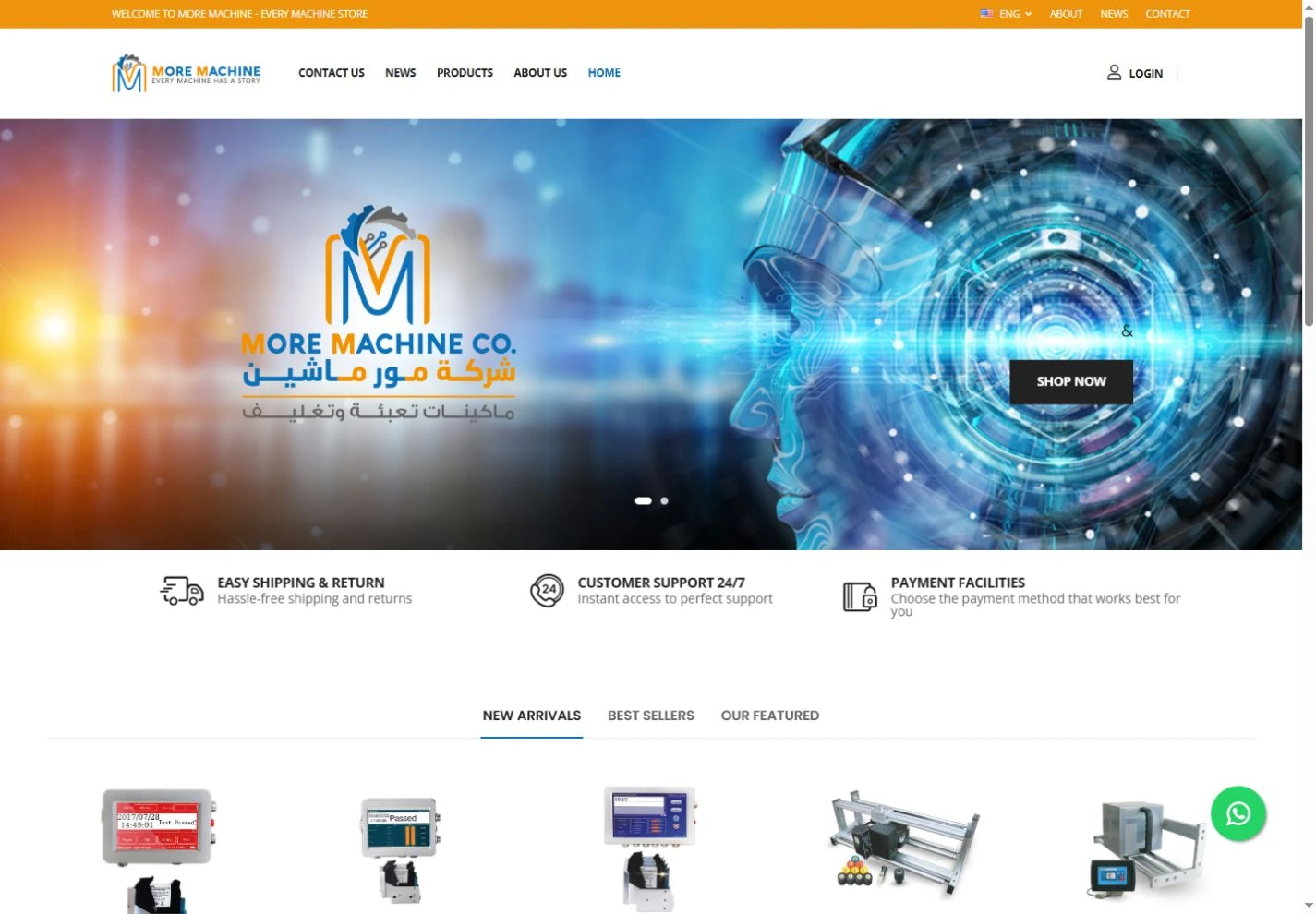
What the website does for the business.ماذا يقدّم الموقع للشركة؟
Industrial buyers explore the range by application, then check the details of a specific machine before contacting the team.يتصفح المشتري الصناعي المعدات حسب الاستخدام، ثم يطّلع على تفاصيل معدة بعينها قبل أن يتواصل مع فريق الشركة.
Three key sections, one clear catalogue.ثلاثة أقسام رئيسية، وكتالوج واحد واضح.
A walk through the main pages, on desktop and mobile.جولة في أهم صفحات الموقع، على الكمبيوتر والموبايل.
01Catalogue & productsالكتالوج والمنتجات
Browse machines by the job they do.تصفَّح المعدات حسب العمل الذي تؤديه.
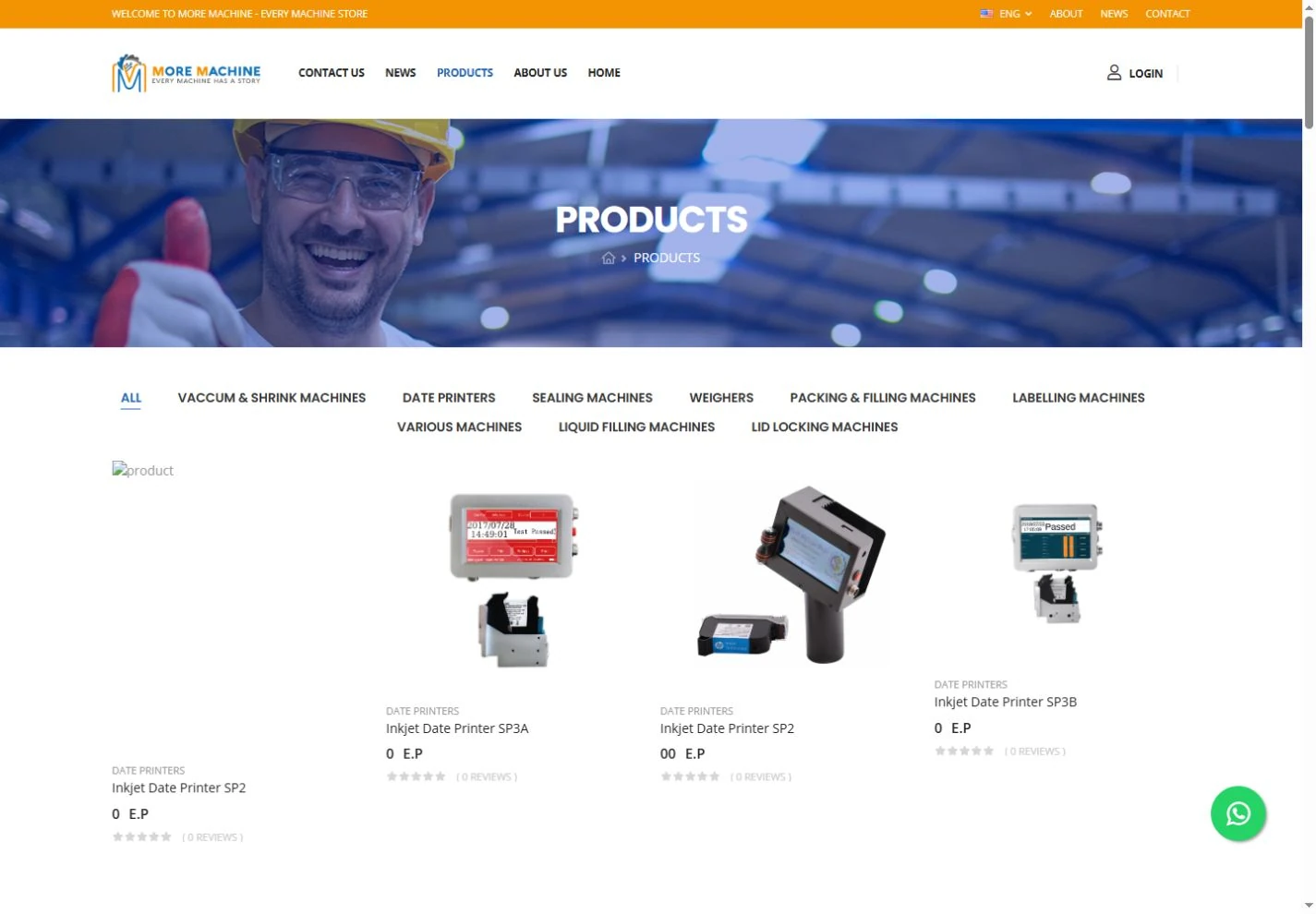
Categories based on what each machine is used for give buyers an easy way into a large technical range.تصنيفات مبنية على استخدام كل معدة تمنح المشتري مدخلًا سهلًا إلى تشكيلة فنية واسعة.
See all featuresكل المزايا بالتفصيل
Browse by categoryالتصفح حسب التصنيف
Pick a category to go straight to the right group of machines.اختر التصنيف لتصل مباشرة إلى مجموعة المعدات المطلوبة.
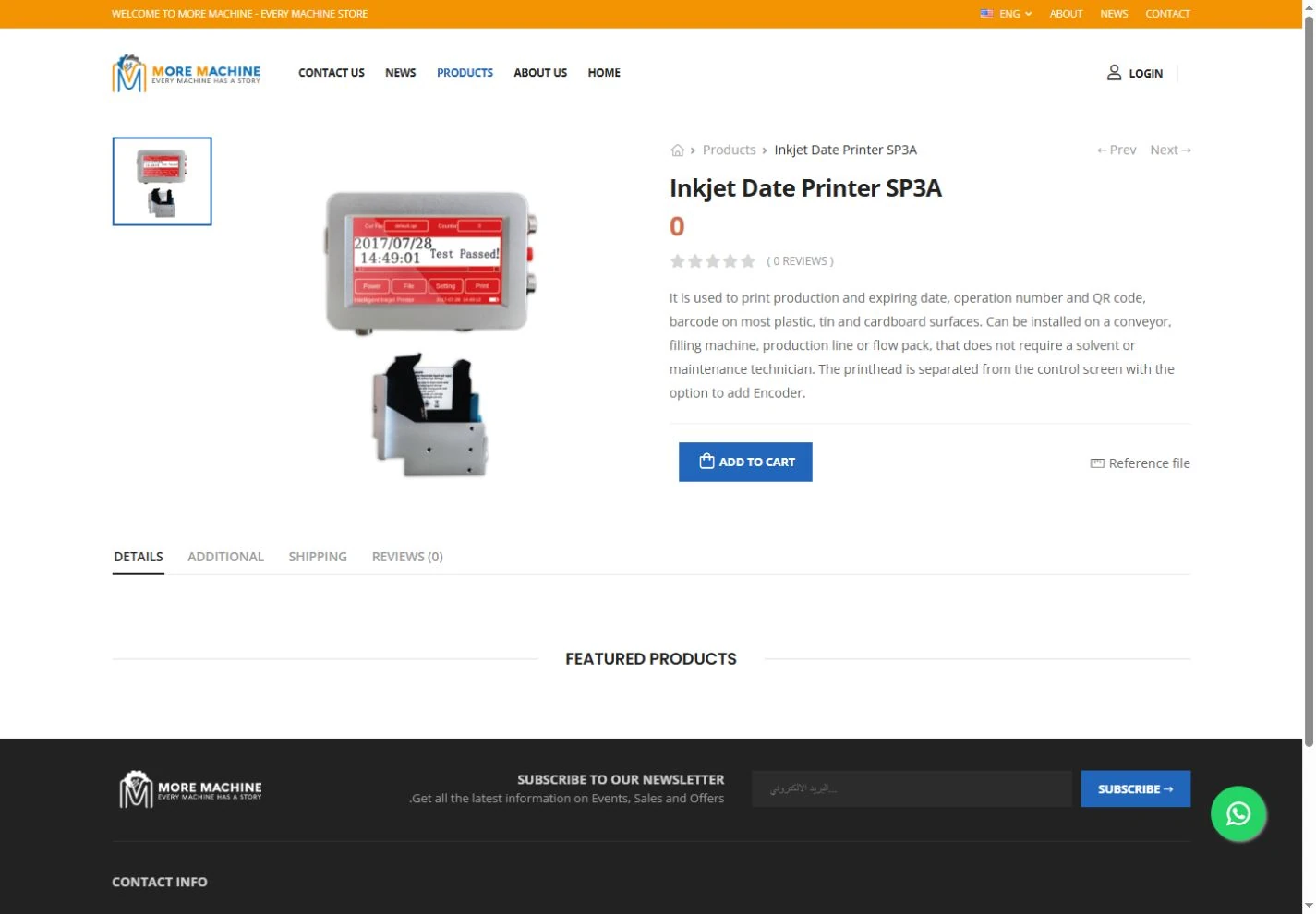
Machine detailsتفاصيل كل معدة
Each machine has its own page with photos and a written description of its specifications.لكل معدة صفحتها الخاصة، تجمع صورها ووصفًا لمواصفاتها.
The next stepالخطوة التالية
Enquiry and purchase options sit right next to the product details.تظهر خيارات الاستفسار والشراء بجوار تفاصيل المنتج مباشرة.
02Arabic & Englishالعربية والإنجليزية
One product range, in Arabic and English.تشكيلة واحدة من المنتجات، بالعربية والإنجليزية.
Buyers explore the company and its products in Arabic or English, whichever suits them.يستكشف المشتري الشركة ومنتجاتها بالعربية أو بالإنجليزية، باللغة التي تناسبه.
See all featuresكل المزايا بالتفصيل
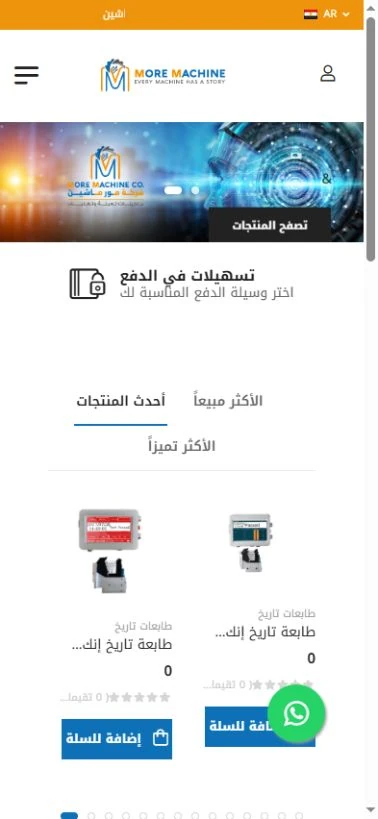
Arabic on mobileالعربية على الهاتف
The Arabic catalogue was checked on a phone-sized screen.تمت معاينة الكتالوج العربي على شاشة بحجم الهاتف.
03Admin panelلوحة الإدارة
Keep the catalogue organised, behind the scenes.كتالوج منظَّم، تديره من لوحة الإدارة.
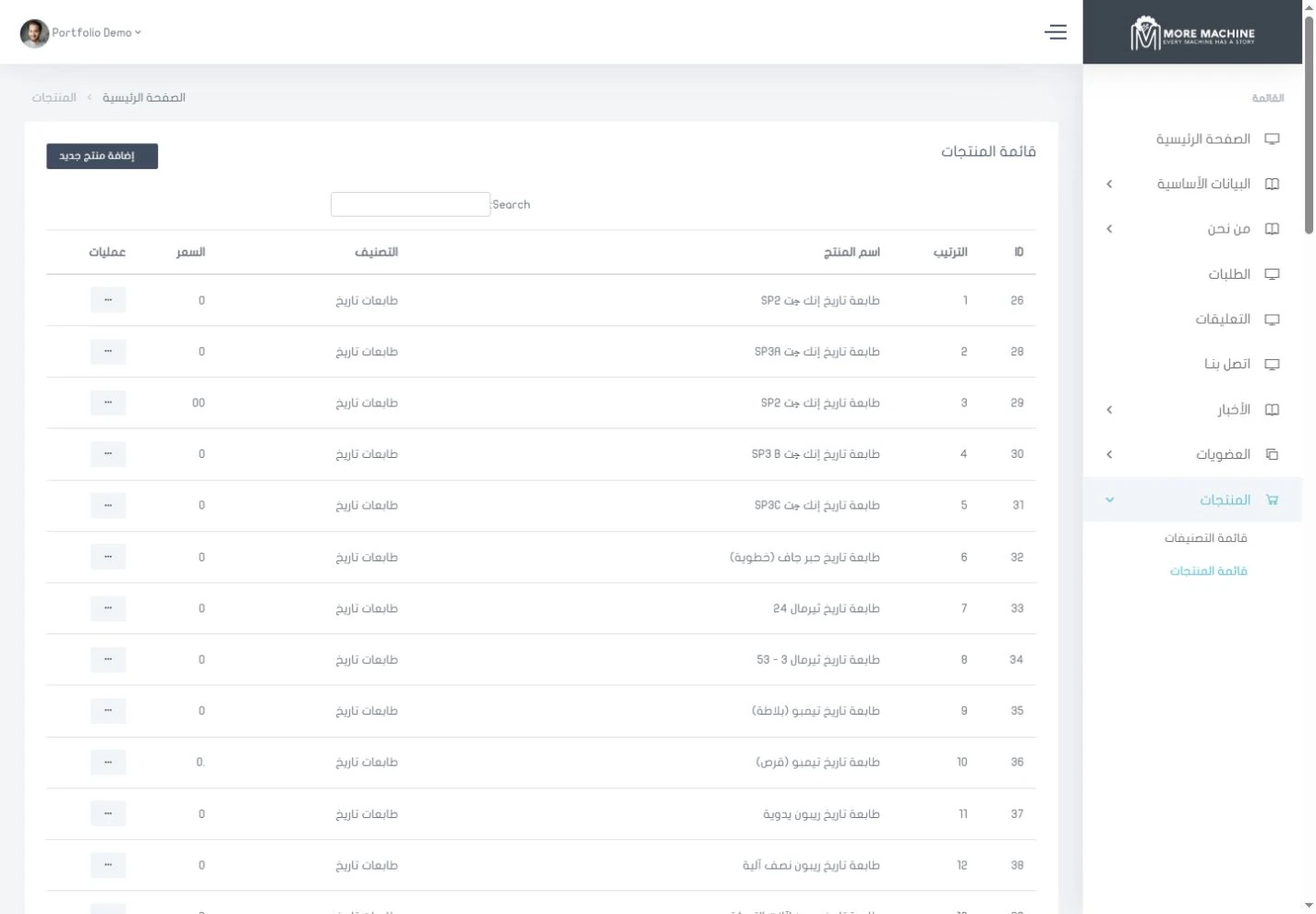
A separate list in the admin panel is where the team adds and updates catalogue entries.قائمة مستقلة في لوحة الإدارة، يضيف منها الفريق منتجات الكتالوج ويحدّثها.
See all featuresكل المزايا بالتفصيل
Catalogue managementإدارة الكتالوج
Manage product details, categories and display order from the admin panel.أدِر تفاصيل المنتجات وتصنيفاتها وترتيب ظهورها من لوحة الإدارة.
See the website for yourself.شاهد الموقع بنفسك.
5 real screenshots from the website and its admin panel. Open any image, zoom in on the details and browse them all.٥ لقطات حقيقية من الموقع ولوحة إدارته. افتح أي صورة، وكبِّر التفاصيل، وتنقّل بين الصور كلها.
Showing 5 of 5عرض ٥ من ٥
What these screens show — and what they don’t.ما تعرضه هذه الصور، وما لا تعرضه.
These are real screenshots of the public website and admin panel, taken from a local copy, and the catalogue presentation was reviewed. Completing a purchase, external enquiries and downloadable reference files were not verified. Promises shown on the site itself, such as support or shipping, are its original content, not tested results.الصور حقيقية من الموقع العام ولوحة الإدارة، ومأخوذة من نسخة محلية، وتمت مراجعة طريقة عرض الكتالوج. لم يتم التحقق من إتمام الشراء أو الاستفسارات الخارجية أو ملفات المراجع القابلة للتنزيل. أما العبارات الترويجية الظاهرة في الموقع نفسه، مثل الدعم أو الشحن، فهي من محتواه الأصلي وليست نتائج مُختبَرة.